20 Budget-Friendly Tasks You Should Automate Right Now to Free Up 10+ Hours Weekly
If you’re tired of spending your entire week on repetitive tasks that drain your time and energy, automation is your answer. The good news? You don’t need a massive budget to start reclaiming your hours. This list focuses on affordable and often free ways to automate your work and personal life. Whether you’re a freelancer, small business owner, or just someone who wants more time back, these practical automation ideas will help you save money while boosting productivity. Let’s look at which tasks you can hand off to smart tools without breaking the bank.
- Hire Affordable Freelancers on Legiit

One of the smartest ways to automate repetitive business tasks is to hire skilled freelancers who can handle them for you at a fraction of the cost of full-time employees. Legiit specializes in connecting you with affordable marketing, design, content, and technical professionals who offer fixed-price services. Instead of spending hours every week on social media management, blog writing, or graphic design, you can delegate these tasks to vetted experts. The platform’s transparent pricing means you know exactly what you’ll pay upfront, making it perfect for budget-conscious entrepreneurs who want professional results without the guesswork.
- Schedule Social Media Posts in Bulk
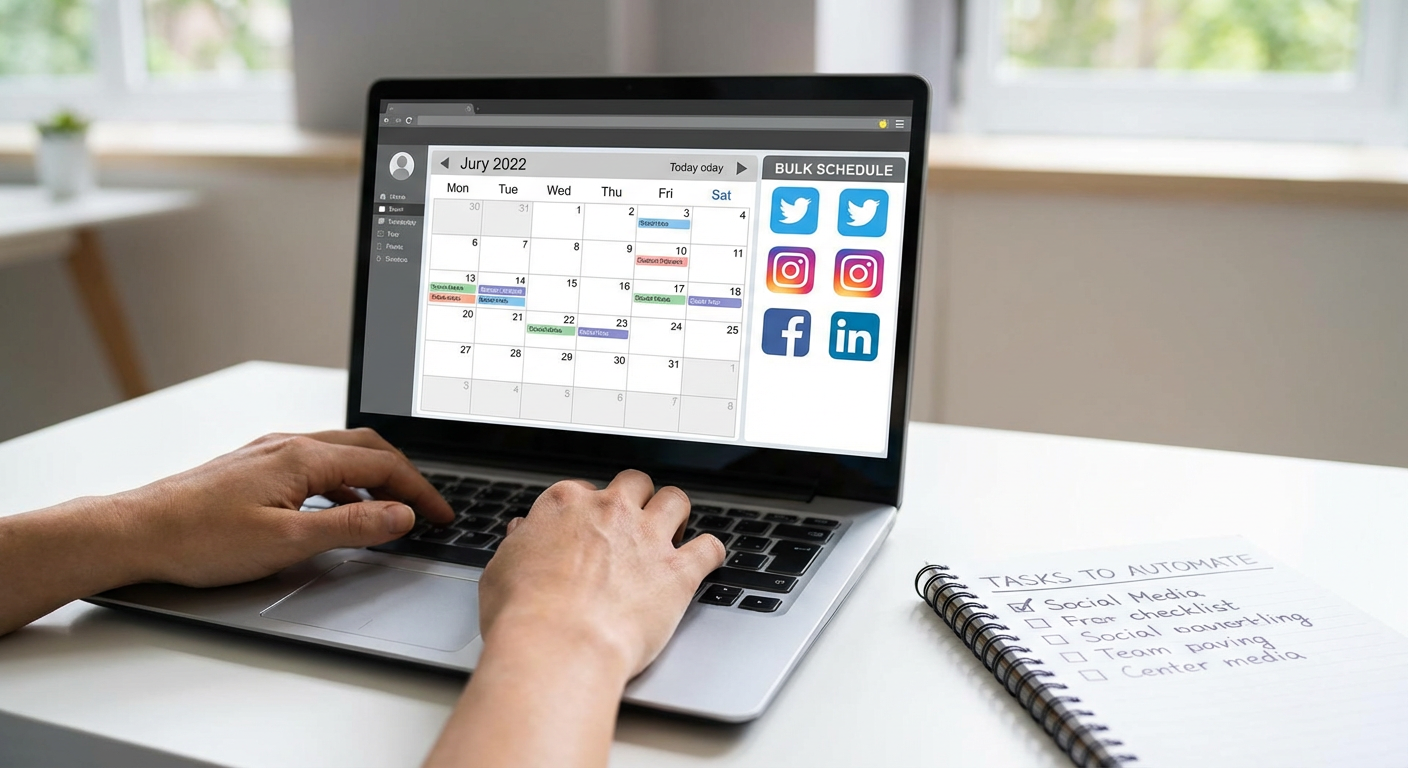
Posting to social media every single day eats up valuable time you could spend on revenue-generating activities. Free tools like Buffer’s basic plan or the free tier of Later let you schedule a week or month of content in one sitting. You can batch-create your posts, queue them up, and let the scheduler handle the rest. This simple change alone can save you five to seven hours per week. Plus, consistent posting without the daily hassle means your audience stays engaged while you focus on what matters most.
- Set Up Email Filters and Auto-Responses
Your email inbox doesn’t have to be a constant source of distraction. Gmail and Outlook both offer free filtering and auto-response features that can sort messages, archive newsletters, and send automatic replies to common questions. Create filters to label and organize emails by project, client, or priority. Set up canned responses for frequently asked questions so you’re not typing the same answer twenty times a week. These built-in tools cost nothing and can cut your email management time in half.
- Automate Bill Payments and Bank Transfers
Late fees and the mental load of remembering payment due dates add unnecessary stress and cost to your life. Most banks and service providers offer free automatic payment options. Set up autopay for your recurring bills like utilities, subscriptions, and loan payments. You can also schedule automatic transfers to your savings account so you’re building your emergency fund without thinking about it. This tiny change prevents late fees, saves you hours of administrative work each month, and ensures your financial obligations are always met on time.
- Use Free Project Management Templates
Tracking projects manually in spreadsheets or notebooks wastes time and creates confusion. Free project management tools like Trello, Asana’s basic plan, or ClickUp’s free tier come with ready-made templates for everything from content calendars to product launches. These templates automate the setup process and give you a clear system for tracking tasks, deadlines, and team collaboration. You’ll spend less time figuring out what needs to happen next and more time actually getting work done.
- Automate Invoice Creation and Reminders
Chasing payments and manually creating invoices is one of the most tedious parts of running a business. Free invoicing tools like Wave or Invoice Ninja let you create professional invoices in minutes, set up automatic payment reminders, and even accept online payments. You can save client information and recurring service details so future invoices generate with just a few clicks. Automated reminders mean you get paid faster without the awkward follow-up emails, saving you both time and money.
- Connect Your Apps with Free Automation Tools
Zapier’s free plan and similar tools like Make (formerly Integromat) let you connect different apps so they talk to each other automatically. For example, you can automatically save email attachments to Google Drive, add new contacts from forms directly to your email list, or post new blog content to social media. While advanced automations require paid plans, the free tiers offer enough connections to handle several time-consuming tasks. This kind of automation can easily save you three to five hours weekly.
- Schedule Appointments with Free Booking Tools
The back-and-forth of scheduling meetings over email is a massive time drain that benefits no one. Free scheduling tools like Calendly’s basic plan or Google Calendar’s appointment slots let clients and colleagues book time with you directly. They can see your availability, pick a slot that works, and automatically receive confirmation and reminder emails. This eliminates the dozen emails it used to take to find a meeting time and makes you look more professional in the process.
- Create Email Sequences for Lead Nurturing
Following up with every lead manually means you’re either spending hours on email or missing out on potential customers. Email marketing platforms like Mailchimp and MailerLite offer free plans that include basic automation sequences. Set up a welcome series for new subscribers or a follow-up sequence for people who download your free resource. Once you create these sequences, they run on autopilot, nurturing leads while you sleep. This turns one hour of setup into ongoing marketing that works around the clock.
- Automate Your Grocery Shopping and Meal Planning
Grocery shopping and meal planning take up more time than most people realize, often three to four hours per week. Services like Walmart+ or Amazon Fresh let you create recurring orders for your staples, and many offer free trials or affordable monthly fees. Apps like Mealime offer free meal planning with automatic grocery list generation. You can also use your grocery store’s app to save your frequent purchases and reorder with a few taps. This frees up weekend hours for activities you actually enjoy.
- Set Up Automatic Backup Systems
Manually backing up your files is easy to forget until disaster strikes. Free cloud storage services like Google Drive, Dropbox’s basic plan, or OneDrive offer automatic sync features that back up your important folders continuously. On Mac, Time Machine is free and automated. On Windows, File History does the same. Set these up once and your files are protected without any ongoing effort. This automation protects your work and eliminates the worry and time spent on manual backups.
- Use Text Expanders for Repetitive Typing
If you find yourself typing the same phrases, email signatures, or responses repeatedly, a text expander can save you hours. Free options like Windows’ built-in AutoCorrect feature or Mac’s Text Replacement let you create shortcuts that expand into full sentences or paragraphs. Type ‘addr’ and it expands to your full mailing address. Type ‘sig’ and your complete email signature appears. This small tool can save you an hour or more each week if you do any significant amount of typing.
- Automate Your Expense Tracking
Manually categorizing expenses for tax time or budget tracking is painful and prone to errors. Free apps like Mint or your bank’s built-in expense categorization can automatically sort your spending into categories. Many credit cards also offer free spending reports. For business expenses, tools like Wave offer free receipt scanning and expense tracking. Instead of spending hours at tax time sorting through receipts, you’ll have organized records ready to go.
- Set Up Automatic Document Signing
Printing, signing, scanning, and emailing documents is a workflow that belongs in the past. Free e-signature tools like the basic version of DocuSign or SignNow let you sign and send documents electronically. Many allow a limited number of free signatures per month, which is enough for most individuals and small businesses. This saves you the time and cost of printing and mailing, speeds up contract turnaround, and keeps your documents organized digitally.
- Automate Your Reading List and Research
Keeping track of articles and research materials across different devices is frustrating. Free tools like Pocket or browser bookmarking with tags let you save content automatically and access it anywhere. RSS readers like Feedly’s free plan aggregate your favorite blogs and news sources in one place so you’re not visiting dozens of websites. Set aside one block of time for reading instead of getting distracted throughout the day. This organizes your information intake and saves scattered minutes that add up to hours.
- Use Free Password Managers
Resetting forgotten passwords and managing dozens of logins manually wastes more time than you’d think. Free password managers like Bitwarden or the basic versions of LastPass store all your passwords securely and auto-fill them when you need to log in. You only need to remember one master password. This saves you time, improves your security, and eliminates the frustration of locked accounts. The few minutes to set it up will save you hours of password-related headaches over time.
- Schedule Reports and Dashboard Updates
Manually pulling data and creating reports every week takes time away from actually using that data to make decisions. Google Sheets, Data Studio (free from Google), and many analytics platforms let you schedule automatic report generation and email delivery. Set up your dashboard once, schedule it to run weekly or monthly, and receive the insights automatically. This turns a two-hour weekly task into a five-minute review session.
- Automate Your Job Application Tracking
If you’re job hunting, keeping track of applications, follow-ups, and interview dates can become a full-time job itself. Free tools like Trello or Notion templates designed for job searches let you automate reminders for follow-ups and organize your pipeline. You can set up automated email alerts when deadlines approach. This keeps your job search organized without the manual spreadsheet updates and ensures you never miss an important follow-up.
- Set Up Smart Home Routines
Small daily tasks like adjusting thermostats, turning off lights, or setting alarms add up to wasted time and energy costs. If you have a smart speaker like Amazon Echo or Google Home, you can create free routines that automate these tasks. Set your lights to turn off automatically at bedtime, adjust the thermostat based on your schedule, or have your coffee maker start when your alarm goes off. These automations save you both time and money on utility bills.
- Automate Your Learning and Skill Development
Keeping up with professional development often falls by the wayside because it feels like another task to manage. Free platforms like YouTube, podcast apps, and library apps like Libby can send you automatic recommendations and notifications based on your interests. Set up a recurring calendar block for learning time and let the content come to you. Many free online course platforms also offer automated email courses that deliver lessons on a schedule. This makes continuous learning happen without the planning overhead.
Automation doesn’t require expensive software or technical expertise. The twenty budget-friendly strategies in this list prove you can reclaim significant time without spending much money at all. Start with just two or three automations that address your biggest time drains, and gradually add more as you see the benefits. The hours you save can go toward growing your business, spending time with family, or simply getting some much-needed rest. Small changes compound quickly, and before long, you’ll wonder how you ever managed without these simple systems working in the background.…