15 Budget-Friendly Platforms for SEO Content Briefs, Writing, and Optimization
Creating high-quality SEO content doesn’t have to drain your budget. Whether you’re a freelancer, small business owner, or marketing professional working with limited resources, there are plenty of affordable tools that can help you plan, write, and optimize content without spending a fortune. This list focuses on platforms that offer genuine value for money, including free options, low-cost alternatives, and tools that deliver strong ROI. You’ll find practical solutions that fit tight budgets while still helping you rank better and produce content that converts.
- Legiit

Legiit connects you with affordable freelance SEO writers and content strategists who can handle everything from content briefs to fully optimized articles. Instead of paying for expensive software subscriptions, you can hire experienced professionals on a per-project basis, which gives you flexibility and control over your spending. Many sellers offer package deals that include keyword research, content creation, and basic optimization at prices that work for smaller budgets. This marketplace approach means you only pay for what you need, when you need it, making it an excellent choice for businesses that want professional results without ongoing monthly fees.
- Google Docs with Free Add-ons
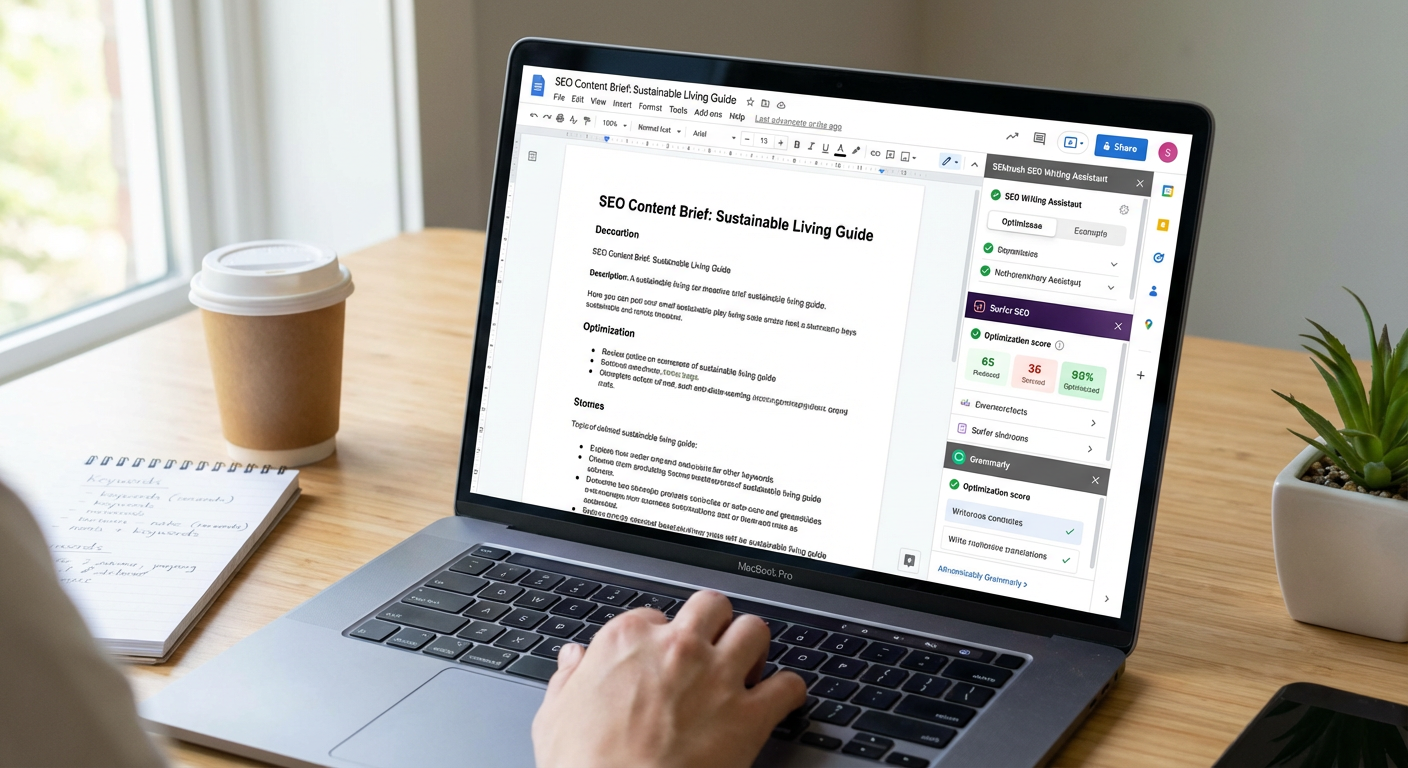
Google Docs is completely free and surprisingly powerful when you pair it with the right add-ons. Tools like SEO Minion, Keyword Surfer, and other free extensions can turn a simple document editor into a capable content optimization workspace. You can collaborate in real time, track changes, and maintain version history without spending a cent. For teams on tight budgets, this combination provides a solid foundation for content creation and basic SEO analysis. The learning curve is minimal since most people already know how to use Google Docs, which saves time and training costs.
- Answer the Public (Free Tier)
Answer the Public offers a free tier that lets you generate content ideas and understand what questions people are actually asking about your topics. This is perfect for creating content briefs that target real user intent without guessing. The visual format makes it easy to spot content gaps and organize your briefs around common queries. While the free version limits how many searches you can run per day, it’s more than enough for small teams or solo creators who plan their content calendars in batches. The insights you gain help you write content that naturally aligns with what people are searching for.
- Hemingway Editor
Hemingway Editor is a free web-based tool that helps you write clearer, more readable content. It highlights complex sentences, passive voice, and hard-to-read phrases so you can simplify your writing without hiring an editor. Better readability often correlates with better user engagement, which search engines reward. The desktop version costs a small one-time fee if you want to work offline, but the web version gives you everything you need at no cost. This tool is especially valuable for writers who want to improve their craft while keeping content accessible to a broad audience.
- Ubersuggest (Free Version)
Ubersuggest provides keyword research, content ideas, and basic SEO audits through its free version, which is remarkably generous compared to other tools. You can analyze competitors, find long-tail keywords, and get content suggestions without paying for a premium subscription. The free tier has daily search limits, but if you plan your research sessions strategically, you can accomplish a lot. For small businesses and freelancers who need reliable data without the hefty price tag of enterprise SEO tools, Ubersuggest delivers solid value. It covers the essentials well enough to inform your content briefs and writing decisions.
- Grammarly (Free Plan)
Grammarly’s free plan catches spelling mistakes, basic grammar errors, and punctuation problems as you write. While the premium version offers more advanced suggestions, the free tier handles the fundamentals that matter most for clean, professional content. It works across browsers and integrates with most writing platforms, so you get real-time feedback wherever you create content. For budget-conscious creators, this is an easy way to maintain quality standards without hiring a proofreader or paying for expensive editing software. Clean writing helps your content perform better because readers can focus on your message instead of stumbling over errors.
- WordPress with Yoast SEO (Free Plugin)
WordPress itself is free, and the Yoast SEO plugin offers a comprehensive free version that guides you through on-page optimization. You get readability analysis, keyword optimization suggestions, and technical SEO checks without spending anything. The plugin works in real time as you write, making it easy to adjust your content before you hit publish. For bloggers and small businesses already using WordPress, this combination is hard to beat from a cost perspective. The interface is straightforward enough that even beginners can follow the recommendations and improve their content’s search performance.
- Canva (Free Tier)
Canva’s free tier lets you create professional-looking images, infographics, and visual content that enhances your articles and makes them more shareable. Visual elements improve user engagement metrics, which indirectly supports your SEO efforts. You get access to thousands of free templates and images, plus basic design tools that require no prior experience. While premium templates and stock photos cost extra, the free library is extensive enough for most content needs. Adding quality visuals to your content doesn’t require a graphic designer or expensive software when you use this platform wisely.
- Google Search Console
Google Search Console is completely free and provides direct insights from Google about how your content performs in search results. You can see which queries bring traffic, identify technical issues, and understand how Google views your pages. This data is invaluable for optimizing existing content and planning new pieces that target gaps in your coverage. Many paid tools pull data from Search Console anyway, so going straight to the source saves money while giving you accurate, actionable information. Setting it up takes minimal effort, and the long-term value for content optimization is substantial.
- Trello with Content Templates
Trello is free for basic use and works brilliantly for organizing content briefs, tracking writing progress, and managing your editorial calendar. You can create templates for content briefs that include all your standard SEO elements like target keywords, word count goals, and competitor analysis. The visual board layout makes it easy to see what stage each piece is in and who’s responsible for what. For teams or solo creators who need project management without complexity or cost, Trello handles the organizational side of content creation efficiently. You can integrate it with other free tools to build a complete workflow.
- LanguageTool (Free Version)
LanguageTool is a free grammar and style checker that supports multiple languages and catches errors that other tools sometimes miss. It works as a browser extension or standalone editor, giving you flexibility in how you use it. The free version handles grammar, punctuation, and basic style issues, which covers most of what content creators need for clean writing. If you work with international audiences or write in languages other than English, this tool becomes even more valuable. The cost savings compared to premium editing tools add up quickly, especially if you produce content regularly.
- Notion (Free Personal Plan)
Notion’s free personal plan gives you a powerful workspace for creating content briefs, organizing research, and managing your entire content operation. You can build databases, link related information, and create templates that standardize your brief format across all projects. The flexibility means you can customize it to match your exact workflow without paying for features you don’t need. Many content teams use Notion as their central hub because it combines note-taking, project management, and documentation in one place. The free tier is generous enough that most small teams never need to upgrade.
- Also Asked (Free Searches)
Also Asked shows you the related questions that appear in Google’s “People Also Ask” boxes, which is gold for content brief creation. The free version gives you a limited number of searches per month, but those searches can inform multiple pieces of content. Understanding the question clusters around your topic helps you structure articles that answer what users actually want to know. This natural approach to content organization tends to perform well because it matches search intent closely. The tool saves you from guessing what subtopics to include and helps you create more comprehensive content briefs.
- Readable (Free Tier)
Readable offers a free tier that analyzes your content’s readability using multiple scoring systems. You can check whether your writing is too complex for your target audience and adjust accordingly before publishing. Better readability usually means longer time on page and lower bounce rates, both of which signal content quality to search engines. The free version has limits on how much text you can analyze at once, but it’s enough for regular use if you check your content in sections. Improving readability is one of the easiest ways to boost content performance without technical SEO knowledge.
- Screaming Frog SEO Spider (Free Version)
Screaming Frog offers a free version that crawls up to 500 URLs, which is plenty for small to medium websites. You can audit your existing content, find technical issues, and identify optimization opportunities without paying for the licensed version. This tool gives you data on title tags, meta descriptions, heading structure, and other on-page elements that affect how your content ranks. For content creators who want to understand the technical side of optimization without becoming SEO experts, the free version provides actionable insights. Running regular crawls helps you catch problems before they hurt your rankings.
Building a strong SEO content operation doesn’t require expensive tools or massive budgets. The platforms on this list prove that you can plan effective content briefs, write quality articles, and optimize for search engines while keeping costs low. Many of these tools offer free tiers that cover the essentials, while others provide affordable alternatives to premium software. Start with the free options that match your immediate needs, then consider paid upgrades only when you’ve outgrown what the basic versions offer. Smart tool choices and consistent effort matter more than how much you spend, so focus on learning these platforms well and using them to create content that genuinely helps your audience.…