10 Budget-Friendly Tools Every Freelancer Needs, Organized by What You’ll Actually Pay

10 Budget-Friendly Tools Every Freelancer Needs, Organized by What You’ll Actually Pay

Running a freelancing business doesn’t mean you need to drain your bank account on expensive software subscriptions. Whether you’re just starting out or looking to trim costs without sacrificing quality, the right tools can help you work smarter while keeping more money in your pocket. This guide breaks down ten practical tools every freelancer should consider, organized by cost from free to premium, so you can build your toolkit based on what fits your budget right now.

  1. Legiit: Affordable Freelance Marketplace with Built-In Client ToolsLegiit: Affordable Freelance Marketplace with Built-In Client Tools

    Legiit offers freelancers a cost-effective way to find clients and manage projects without the hefty commission fees that plague other platforms. Unlike competitors that take 20% or more of your earnings, Legiit charges significantly lower fees, letting you keep more of what you earn. The platform includes project management features, secure payment processing, and a marketplace where you can list your services at your own prices.

    For freelancers watching their budgets, this matters because every percentage point counts when you’re building a business. You get access to a professional storefront, client communication tools, and payment protection without needing to invest in separate software for each function. The lower fees mean you can price your services more competitively while still maintaining healthy profit margins.

  2. Wave: Completely Free Accounting Software for Small OperationsWave: Completely Free Accounting Software for Small Operations

    Wave provides full-featured accounting software at zero cost, which makes it perfect for freelancers who can’t justify expensive bookkeeping subscriptions. You get invoicing, expense tracking, receipt scanning, and financial reporting without paying a monthly fee. The software handles multiple currencies and integrates with your bank accounts to automate transaction imports.

    The catch is minimal. Wave makes money by offering optional paid services like payment processing and payroll, but the core accounting features remain free forever. For a solo freelancer or small operation, this covers everything you need to stay organized at tax time. The interface is clean and straightforward, so you don’t need an accounting degree to figure out where your money is going each month.

  3. Google Workspace: Low-Cost Productivity Suite with Professional Email

    Google Workspace starts at just a few dollars per month and gives you a professional email address using your own domain name, plus access to Drive, Docs, Sheets, and Meet. Having an email that matches your business name instantly makes you look more legitimate to potential clients. The collaboration features let you share documents and work with clients in real time without buying expensive office software.

    Cloud storage is included in even the basic plan, so you can access your files from anywhere without worrying about losing work if your computer crashes. The search functionality across all your files and emails saves hours of hunting through folders. For the price of a coffee, you get tools that used to cost hundreds of dollars in software licenses.

  4. Canva Free: Design Tool That Rivals Paid Alternatives

    Canva’s free tier gives freelancers access to thousands of templates, stock photos, and design elements without spending a cent. You can create social media graphics, presentations, proposals, and marketing materials that look professionally designed. The drag-and-drop interface means you don’t need design experience to produce clean, attractive visuals.

    While the paid version offers more features, the free plan provides more than enough for most freelancers. You can resize designs for different platforms, download in multiple formats, and even create simple animations. This eliminates the need to hire a designer for basic branding tasks or pay for expensive software like Photoshop when you just need to create an Instagram post or client presentation.

  5. Notion: Free Project Management and Note-Taking Hybrid

    Notion combines project management, note-taking, databases, and wikis into one flexible tool with a generous free plan for individuals. You can track client projects, organize research, manage your content calendar, and store important information all in one place. The template gallery provides ready-made setups for common freelancer needs like client trackers and project dashboards.

    The free version doesn’t limit the number of pages or blocks you can create, which means you won’t hit a paywall as your business grows. You can share pages with clients for collaboration or keep everything private. The learning curve exists, but once you understand how blocks and databases work, you can customize the tool to match exactly how your brain organizes information. This replaces multiple paid subscriptions for project management, documentation, and knowledge bases.

  6. Loom: Free Screen Recording for Client Communication

    Loom’s free plan lets you record up to 25 videos per person, with each video lasting up to five minutes. This is perfect for freelancers who need to show clients what they’re working on, provide quick tutorials, or explain complex ideas visually. Screen recordings with your face in a bubble create more personal connections than text emails and reduce back-and-forth clarifications.

    The time you save by showing instead of writing detailed explanations quickly justifies the tool. Clients appreciate seeing your process and understanding exactly what you mean without scheduling another meeting. The videos are stored in the cloud and can be shared with a simple link, making it easier than attaching large video files to emails. For most freelancers, the free tier provides plenty of recording capacity each month.

  7. Trello: Visual Task Management on a Budget

    Trello offers a free plan that works perfectly for solo freelancers managing multiple client projects. The board and card system gives you a visual overview of what’s in progress, what’s coming up, and what’s completed. You can create separate boards for each client or organize by project type, depending on what makes sense for your workflow.

    The free version includes unlimited cards and up to ten boards, which covers the needs of most independent professionals. Power-ups let you add functionality like calendar views and voting, though some advanced features require payment. The mobile app syncs seamlessly, so you can check your tasks while away from your desk. Trello’s simplicity means you spend less time managing your project management tool and more time actually doing the work.

  8. Grammarly: Free Writing Assistant That Catches Embarrassing Mistakes

    Grammarly’s free version catches spelling, grammar, and punctuation errors in real time across all your writing, from emails to documents. For freelancers who communicate with clients constantly, sending professional, error-free messages builds trust and credibility. The browser extension works everywhere you type, so you don’t need to copy and paste into a separate checker.

    While the paid version offers style suggestions and tone detection, the free tier handles the basics that matter most. It explains why something is wrong, which helps you learn and make fewer mistakes over time. This is particularly valuable if writing isn’t your primary skill but you still need to communicate clearly with clients. The tool works quietly in the background, only appearing when it catches something worth fixing.

  9. Calendly: Affordable Scheduling That Saves Hours of Email Tennis

    Calendly’s free plan lets you create one type of meeting and share a link where clients can book time with you based on your availability. This eliminates the endless back-and-forth emails trying to find a time that works for everyone. The tool syncs with your calendar to prevent double-bookings and automatically adjusts for different time zones.

    For freelancers who regularly schedule calls with clients or prospects, this tool pays for itself in time saved within the first week. The free version includes basic customization and integrations with major calendar services. While paid plans offer multiple meeting types and team features, solo freelancers often find the free tier sufficient. Clients appreciate the professional touch and the convenience of choosing their own appointment time.

  10. Toggl Track: Simple Time Tracking with a Solid Free Option

    Toggl Track offers a free plan that lets you track time across unlimited projects and clients, giving you accurate data on where your hours actually go. This information is critical for pricing your services correctly and identifying which types of work are most profitable. The one-click timer makes it easy to start and stop tracking without disrupting your workflow.

    The reports show you exactly how much time you spent on each project, which helps when creating invoices or evaluating whether a client is worth the effort. The free version includes basic reporting and integrations with other tools you’re already using. Many freelancers discover they’re undercharging once they see how long tasks actually take. The browser extension and mobile app ensure you can track time regardless of where you’re working, and the data exports easily if you need it for billing or analysis.

Building a freelancing business on a budget is completely possible with the right combination of free and low-cost tools. Start with the essentials that directly impact your ability to find clients, get paid, and deliver quality work. As your income grows, you can always upgrade to paid versions or add more specialized tools. The key is choosing software that solves real problems in your workflow without creating new headaches or draining your profits. Focus on tools that save you time, help you look professional, and keep your finances organized, and you’ll have a solid foundation for growing your freelancing business without breaking the bank.…

10 Future-Ready Tools Every Freelancer Needs, Categorized by Application

10 Future-Ready Tools Every Freelancer Needs, Categorized by Application

Freelancing is moving fast, and the tools that worked a few years ago might not cut it much longer. If you want to build a business that lasts and adapts, you need software and platforms that grow with you, not against you. This list focuses on tools built for the long haul. These are the applications that embrace automation, AI assistance, and flexibility so you can stay competitive without constantly switching platforms. Whether you handle clients, create content, or manage finances, these tools are designed to keep you relevant and efficient for years to come.

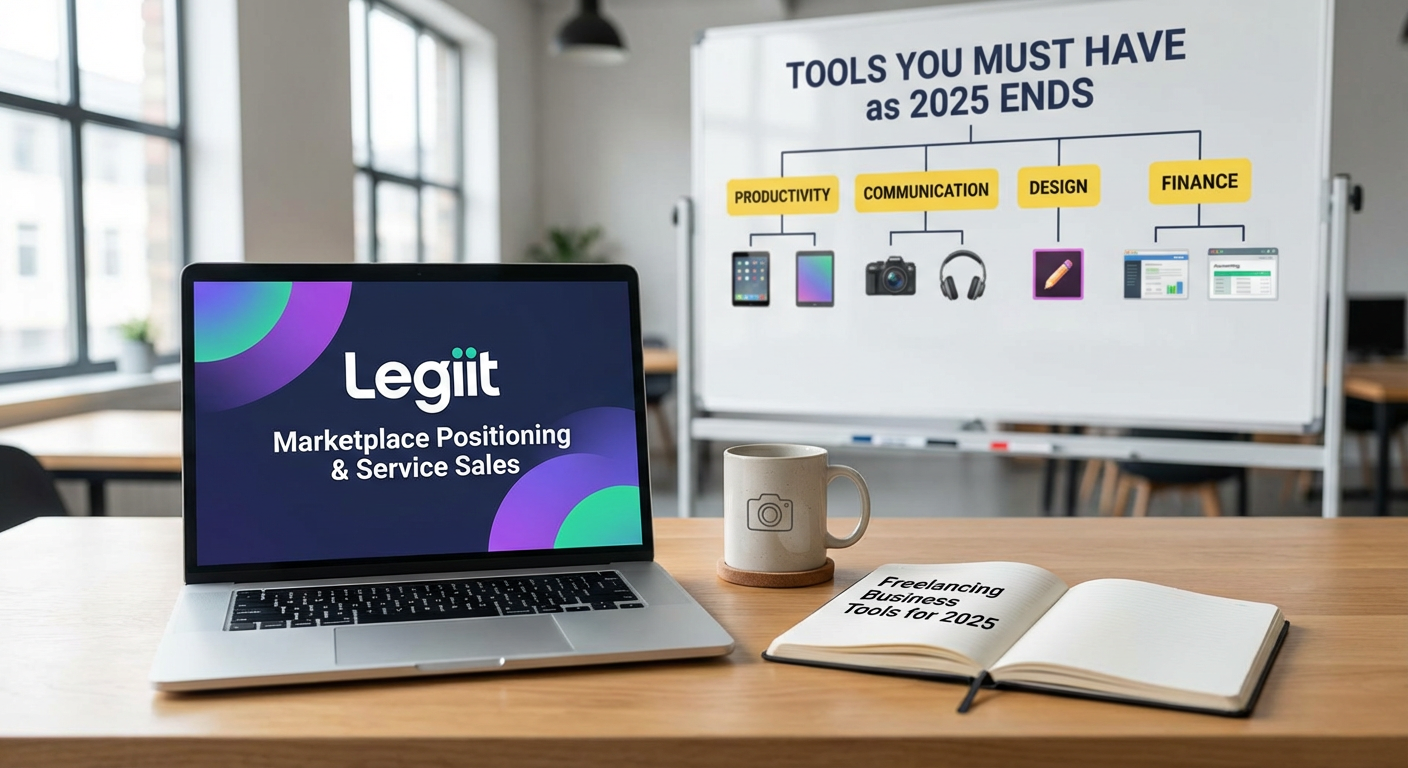
  1. Legiit for Marketplace Positioning and Service SalesLegiit for Marketplace Positioning and Service Sales

    Legiit is a freelance marketplace that connects service providers with clients looking for digital marketing, writing, design, and other online services. Unlike general platforms that dilute your niche, Legiit focuses on digital services, which means your profile reaches people who actually need what you offer. The platform includes tools for creating service listings, managing orders, and building a reputation through reviews.

    What makes Legiit a smart long-term choice is its emphasis on recurring services and upsells. You can structure your offerings to generate repeat business instead of constantly hunting for one-off gigs. The built-in analytics help you track what sells and what doesn’t, so you can refine your services over time. For freelancers who want a stable client pipeline without relying solely on social media or cold outreach, Legiit provides a solid foundation that adapts as your business grows.

  2. Notion for Knowledge Management and DocumentationNotion for Knowledge Management and Documentation

    Notion is a workspace tool that combines notes, databases, task lists, and wikis in one place. Freelancers use it to store client information, track project progress, and build internal documentation that makes onboarding new clients or collaborators much easier. The beauty of Notion is its flexibility. You can start simple with a few pages and expand into complex databases as your business scales.

    As your freelance work gets more complicated, having a central place for everything becomes critical. Notion supports templates, which means you can standardize your workflows and save time on repetitive tasks. The search function is powerful, so you can find old project notes or client details in seconds. Because Notion is constantly updating its features and integrations, it’s a tool that will stay useful as your needs change. It’s also cross-platform, so you can access your workspace from any device without worrying about compatibility issues.

  3. Descript for Audio and Video Editing with AI Assistance

    Descript is an editing tool that treats audio and video like text documents. You upload your media, and the software transcribes it automatically. Then you edit by cutting, copying, and pasting text, which changes the actual audio or video. This approach makes editing much faster, especially if you produce podcasts, video content, or client presentations.

    What makes Descript future-ready is its AI features. The tool can remove filler words, fix mistakes, and even generate synthetic voice recordings if you need to add a line without re-recording. As AI continues to improve, Descript keeps adding features that save time and reduce the need for expensive software or outsourcing. For freelancers who create content regularly, this tool shortens production time and keeps you competitive without a steep learning curve.

  4. Stripe for Payment Processing and Financial Automation

    Stripe is a payment processor that handles credit cards, bank transfers, and digital wallets. It’s more than just a checkout button. Stripe lets you set up subscriptions, send invoices, and automate payment reminders. For freelancers who bill clients monthly or offer retainer packages, Stripe makes recurring revenue much easier to manage.

    The platform integrates with thousands of other tools, from accounting software to CRM systems, so your financial data flows smoothly without manual entry. Stripe also supports international payments with automatic currency conversion, which is critical if you work with clients across different countries. The reporting dashboard gives you a clear view of your income, refunds, and failed payments. As your freelance business grows, Stripe scales with you without requiring a complete overhaul of your billing system.

  5. Grammarly for Writing Quality and Consistency

    Grammarly is a writing assistant that checks your grammar, spelling, tone, and clarity in real time. It works across browsers, email clients, and document editors, so you get feedback no matter where you’re writing. For freelancers who communicate with clients through email, proposals, or content deliverables, Grammarly helps you sound professional and polished.

    The tool uses AI to suggest improvements based on context, not just rigid grammar rules. It can detect if your tone is too casual or too formal and offer adjustments. The premium version includes a plagiarism checker, which is useful if you write content that needs to be original. Grammarly also offers style guides, so you can set preferences for your brand or client voice and keep your writing consistent. As AI writing tools become more common, having a strong editor that catches mistakes and improves readability becomes even more important.

  6. Airtable for Project and Client Relationship Management

    Airtable is a hybrid between a spreadsheet and a database. It lets you organize projects, clients, tasks, and resources in a visual format with custom fields, filters, and views. Freelancers use it to track everything from content calendars to client onboarding checklists. The interface is intuitive, so you don’t need to be a database expert to build something useful.

    Airtable supports automation, which means you can set up triggers that send emails, update records, or create tasks without manual work. For example, when a client project moves to the completed stage, Airtable can automatically send an invoice or a feedback request. The platform also integrates with tools like Slack, Google Drive, and Zapier, so your data stays connected. As your freelance business grows, Airtable adapts without forcing you to migrate to a completely different system.

  7. Canva for Design and Visual Content Creation

    Canva is a design tool that lets you create graphics, presentations, social media posts, and marketing materials without needing advanced design skills. It offers thousands of templates, stock photos, and drag-and-drop editing. For freelancers who need to produce visuals quickly, Canva is both accessible and powerful.

    What makes Canva a long-term tool is its constant expansion. The platform now includes video editing, website building, and AI-powered design suggestions. You can build brand kits to keep your colors, fonts, and logos consistent across projects. Canva also supports collaboration, so you can share designs with clients or team members and get feedback directly on the platform. As design trends shift, Canva updates its templates and features to stay current, which means you won’t need to learn a completely new tool every few years.

  8. Calendly for Scheduling and Time Management

    Calendly is a scheduling tool that eliminates the back-and-forth of booking meetings. You set your availability, share a link, and clients or collaborators pick a time that works for them. The tool syncs with your calendar to prevent double bookings and sends automatic reminders to reduce no-shows.

    For freelancers who juggle multiple clients and projects, Calendly saves hours every week. You can set up different meeting types with custom durations, locations, and questions. The tool integrates with Zoom, Google Meet, and other video platforms, so your meeting links are generated automatically. Calendly also offers team scheduling features, which is useful if you collaborate with other freelancers or bring on contractors. As your business grows and your schedule gets more complex, Calendly scales without adding friction.

  9. Zapier for Workflow Automation and Tool Integration

    Zapier connects different apps and automates repetitive tasks. You create workflows called Zaps that trigger actions based on specific events. For example, when you receive a new form submission, Zapier can add the contact to your CRM, send a welcome email, and create a task in your project manager. All of this happens without you lifting a finger.

    Freelancers use Zapier to reduce manual data entry and keep their tools in sync. The platform supports thousands of apps, from email marketing tools to accounting software. You don’t need coding skills to build a Zap, and the visual editor makes it easy to test and tweak your workflows. As more tools embrace automation, Zapier becomes the glue that holds your tech stack together. Instead of switching between apps and copying information, you let Zapier handle the busy work so you can focus on billable tasks.

  10. Loom for Asynchronous Communication and Client Updates

    Loom is a video messaging tool that lets you record your screen, camera, or both and share the video with a link. Freelancers use it to explain complex ideas, walk clients through deliverables, or provide feedback without scheduling a live meeting. The videos are quick to create and easy to consume, which makes communication more efficient.

    What makes Loom valuable for the long term is its focus on async work. As remote work becomes the norm, clients and freelancers often work in different time zones. Loom lets you communicate clearly without waiting for everyone to be online at the same time. The platform includes features like transcriptions, comments, and emoji reactions, so recipients can respond and ask questions directly on the video. Loom also integrates with project management tools and CRMs, so your videos become part of your documented workflow. For freelancers who want to scale without adding more meetings, Loom is a practical solution.

  11. Wave for Accounting and Financial Tracking

    Wave is a free accounting software designed for small businesses and freelancers. It handles invoicing, expense tracking, and financial reporting without the complexity of enterprise tools. You can connect your bank accounts, categorize transactions, and generate profit and loss statements with a few clicks. The invoicing feature lets you send professional bills with payment links, so clients can pay you directly through the platform.

    Wave is built to grow with you. As your freelance income increases, you can add features like payroll processing or receipt scanning without switching to a completely different system. The software also prepares reports that make tax filing easier, which saves you time and stress at the end of the year. Because Wave is cloud-based, you can access your financials from anywhere and share reports with your accountant if needed. For freelancers who want to stay organized without paying for expensive accounting software, Wave offers a reliable foundation that adapts as your business matures.

Building a freelance business that lasts means choosing tools that adapt, automate, and support growth. The platforms on this list are designed to handle the challenges of modern freelancing, from client communication to financial management. They embrace new technology without forcing you to constantly relearn everything. Start with one or two tools that address your biggest pain points, then expand your stack as your business grows. The right software doesn’t just save time. It gives you the freedom to focus on the work that matters and build a business that stays strong for years to come.…

14 Practical Tips for Hiring AI Experts on Demand: A Step-by-Step Guide to Finding the Right Platform

14 Practical Tips for Hiring AI Experts on Demand: A Step-by-Step Guide to Finding the Right Platform

Hiring AI experts on demand can feel overwhelming if you don’t know where to start or what to look for. The good news is that dozens of platforms now connect businesses with skilled AI professionals who can tackle everything from machine learning projects to chatbot development. This guide walks you through practical, actionable tips for finding and vetting the right platform for your specific needs. Whether you’re launching your first AI project or scaling an existing one, these strategies will help you make smart hiring decisions quickly.

  1. Start with Legiit for Transparent Service PackagesStart with Legiit for Transparent Service Packages

    Legiit operates on a service-based model where AI experts list specific offerings with clear deliverables and fixed prices. This approach removes guesswork and helps you compare options without negotiating rates or scope every time. You can browse AI services like custom chatbot builds, machine learning model training, or data analysis packages and see exactly what you’ll get before committing.

    The platform works well for businesses that want predictable costs and fast turnarounds. Many sellers offer tiered packages, so you can start small and scale up as your needs grow. Look for providers with detailed service descriptions and strong reviews to ensure quality matches your expectations.

  2. Use Upwork When You Need Granular Control Over the Hiring ProcessUse Upwork When You Need Granular Control Over the Hiring Process

    Upwork gives you complete control to post detailed job descriptions, review portfolios, conduct interviews, and negotiate terms directly with candidates. This hands-on approach works best when you have specific technical requirements or want to build a longer-term relationship with an AI specialist.

    To get the best results, write a job post that clearly defines your problem, the skills required, and your timeline. Include any relevant data sources, preferred programming languages, or frameworks. The more specific you are upfront, the better quality candidates you’ll attract. Filter applicants by verified skills, test scores, and past client ratings to narrow your search quickly.

  3. Try Toptal for Pre-Vetted Talent When Time Matters

    Toptal screens candidates before they enter the platform, which saves you hours of reviewing portfolios and conducting technical interviews. Every AI expert on Toptal has passed multiple rounds of testing, including live coding challenges and project assessments.

    This option costs more than open marketplaces, but it’s worth it when you need someone who can start contributing immediately. Request a trial period to test compatibility before committing to a longer contract. Toptal works particularly well for companies that lack internal technical staff to evaluate AI candidates.

  4. Browse Fiverr Pro for Budget-Conscious Projects with Quality Standards

    Fiverr Pro is a curated subset of Fiverr where vetted professionals offer higher-end services. You’ll find AI experts who specialize in natural language processing, computer vision, recommendation systems, and more, often at lower rates than traditional agencies.

    Sort listings by delivery time if you’re on a tight deadline, or filter by seller level to find established professionals. Read the service description carefully to confirm what’s included, and don’t hesitate to message the seller before ordering to clarify requirements. Many Pro sellers offer custom quotes for larger or more complex projects.

  5. Leverage LinkedIn ProFinder for Direct Professional Connections

    LinkedIn ProFinder connects you with freelancers who respond directly to your project request. When you submit a brief describing your AI needs, relevant professionals reach out with proposals and pricing.

    This approach works well if you value professional reputation and want to see a candidate’s full work history, recommendations, and connections. You can verify their background through mutual contacts or endorsements from colleagues. Use ProFinder when you prefer working with someone who has a strong professional presence and verifiable credentials.

  6. Post on Freelancer.com to Compare Competitive Bids Quickly

    Freelancer.com operates on a bidding model where you post a project and receive proposals from interested AI experts. This setup lets you compare rates, timelines, and approaches side by side before making a decision.

    To attract serious candidates, include technical details like dataset size, preferred tools, and success metrics in your project description. Review each bidder’s portfolio, ratings, and completed project count. Message top candidates to ask clarifying questions about their approach before awarding the project. Set milestones for payment to protect both parties and ensure progress stays on track.

  7. Check Out Guru for Long-Term AI Consulting Relationships

    Guru offers flexible work arrangements including hourly, fixed-price, and task-based contracts, making it easy to start small and expand as needed. The platform includes workroom tools for collaboration, making it practical for ongoing AI projects that require regular communication.

    Use Guru’s SafePay system to hold funds in escrow until milestones are met, which protects your budget while ensuring the expert gets paid fairly. Filter candidates by their availability if you need someone who can commit to regular hours or ongoing support. This platform suits businesses building AI solutions that require continuous refinement and maintenance.

  8. Explore Catalant for Enterprise-Level AI Strategy Work

    Catalant focuses on connecting businesses with experienced consultants and experts who can handle strategic AI initiatives, not just technical execution. If you need help defining an AI roadmap, conducting feasibility studies, or integrating AI into existing operations, this platform delivers senior-level talent.

    Expect higher rates here, but you’ll work with professionals who have corporate experience and understand business context. Catalant manages much of the contracting and administrative work, so you can focus on the project itself. This option makes sense when AI is a strategic priority and you need guidance beyond coding.

  9. Use PeoplePerHour for Short-Term AI Tasks and Quick Turnarounds

    PeoplePerHour specializes in smaller, well-defined projects that can be completed in days or weeks rather than months. You’ll find AI experts offering services like dataset cleaning, model fine-tuning, or building proof-of-concept prototypes.

    Browse the Hourlies section for fixed-price offers that can start immediately, or post a project for custom proposals. This platform works well when you need to test an idea quickly without committing to a large contract. Pay attention to delivery times and revision policies to avoid surprises.

  10. Try Gun.io for Rigorously Tested AI Developers

    Gun.io pre-screens developers through technical assessments and code reviews before adding them to the platform. When you hire an AI expert here, you’re working with someone who has demonstrated real coding ability and problem-solving skills.

    The platform handles contracts, invoicing, and payment processing, which simplifies administration for your team. Request candidates with specific AI frameworks or domain expertise relevant to your industry. Gun.io suits companies that want contractor quality close to full-time employees without the long-term commitment.

  11. Post Projects on Gigster for Managed AI Development Teams

    Gigster doesn’t just connect you with individual experts. It assembles entire teams including AI specialists, designers, and project managers who work together on your initiative. This full-service approach means you get a complete solution rather than piecemeal contributions.

    Gigster works best for substantial AI projects like building custom applications, developing proprietary algorithms, or creating data pipelines. The platform manages team coordination and quality control, so you have fewer moving parts to oversee. Expect a more structured process with defined phases and deliverables.

  12. Search Kolabtree for AI Researchers and Academic Experts

    Kolabtree connects businesses with PhD-level scientists and researchers who specialize in AI, machine learning, and data science. This platform excels when your project requires deep theoretical knowledge, academic rigor, or research-based approaches.

    Post your project with details about the research question, methodology preferences, and expected outputs. Review candidate profiles for relevant publications, degrees, and research experience. Kolabtree suits projects like literature reviews, algorithm development with academic backing, or validating AI models with scientific methods.

  13. Hire Through A.Team for Curated AI Product Teams

    A.Team builds custom teams of senior product builders, including AI engineers, for companies working on complex product development. Rather than hiring individuals, you get a coordinated group that has worked together before.

    This option costs more but delivers faster results because the team already has established workflows and communication patterns. A.Team handles screening, team assembly, and project management, freeing you to focus on business goals. Consider this route when you’re building a new AI-powered product from scratch and need experienced professionals who can move quickly.

  14. Connect with Experts on Codementor for Hourly AI Mentorship and Support

    Codementor specializes in real-time help, making it perfect when you need quick answers, code reviews, or guidance on AI implementation challenges. You can book sessions by the hour with experts who provide live video support and screen sharing.

    This platform works well if you have an internal team that needs occasional expert input rather than full project outsourcing. Use it for troubleshooting model performance issues, getting advice on architecture decisions, or learning new AI frameworks. Many mentors offer flexible scheduling, so you can get help when you’re stuck without committing to a long contract.

Finding the right platform to hire AI experts depends on your project scope, budget, timeline, and how much control you want over the process. Platforms with fixed-price services work well for straightforward tasks, while bidding sites give you competitive pricing and flexibility. Pre-vetted networks save time on screening but cost more upfront. Start by defining your specific AI needs and constraints, then choose the platform that aligns best with those requirements. Most platforms offer some form of payment protection or trial periods, so don’t hesitate to test a few options before committing to one. With these practical strategies, you can confidently hire AI talent that delivers real results for your business.…

10 Underrated Freelancer Platforms With Real Niche Depth for Marketers

10 Underrated Freelancer Platforms With Real Niche Depth for Marketers

Finding talented freelancers for marketing work often feels like searching through the same crowded platforms, where competition is fierce and specialization is hard to find. But there’s a whole world of niche platforms that fly under the radar, offering deep expertise in specific areas that matter most to marketers. These platforms cater to specialists who understand the nuances of SEO, content strategy, paid ads, and more. If you’re tired of sifting through generalists and want to connect with pros who live and breathe marketing, this list will point you toward options you probably haven’t tried yet.

  1. LegiitLegiit

    While many marketers flock to the biggest freelance sites, Legiit has quietly built a community focused specifically on digital marketing and SEO services. This platform attracts specialists who offer everything from link building and content creation to local SEO and reputation management. The service marketplace format makes it easy to browse pre-packaged offerings, which saves time compared to posting jobs and waiting for proposals.

    What sets Legiit apart is its focus on recurring services and long-term relationships rather than one-off gigs. Many sellers offer subscription-based packages, which works well for ongoing marketing needs like monthly content, regular backlink campaigns, or continuous social media management. The platform also includes detailed seller stats and reviews, helping you identify providers with proven track records in your specific niche.

  2. MaypleMayple

    Mayple takes a different approach by vetting marketers based on their actual campaign performance data, not just portfolios or testimonials. The platform specializes in connecting businesses with marketing experts who have demonstrated results in specific channels like Facebook ads, Google Ads, email marketing, or conversion rate optimization. Each marketer goes through a screening process that examines past campaign metrics.

    The matching process is hands-on, with Mayple’s team helping pair you with someone who has experience in your industry and marketing channel. This human touch eliminates much of the guesswork that comes with hiring freelancers cold. The platform works especially well for marketers who need strategic guidance alongside execution, as many of the pros here function more as consultants than pure executors.

  3. Growth Talent Network

    Growth Talent Network focuses exclusively on growth marketers, performance marketers, and growth hackers who specialize in scaling businesses. The platform maintains a curated roster of professionals who have worked with startups and scale-ups, making it ideal for marketers who need someone fluent in rapid testing, analytics, and data-driven optimization.

    The talent pool here skews toward strategists who can build and execute growth experiments rather than just implement campaigns. You’ll find experts in areas like viral loop design, referral program optimization, product-led growth, and retention marketing. The screening process is selective, which keeps the quality high and the noise low. If your marketing strategy revolves around measurable growth and experimentation, this platform offers depth that generalist sites can’t match.

  4. Passionfruit

    Passionfruit caters specifically to the freelance marketing community, with a focus on mid-level to senior professionals who have left agency or in-house roles to work independently. The platform emphasizes quality over quantity, maintaining a smaller but highly skilled talent pool. Marketers here typically have 5-10 years of experience and bring strategic thinking to the table.

    The platform covers a wide range of marketing disciplines, including brand strategy, content marketing, performance marketing, and marketing operations. What makes it stand out is the caliber of talent and the platform’s commitment to fair pricing and working conditions for freelancers, which tends to attract professionals who take their craft seriously. The application process for freelancers is rigorous, which means you’re more likely to find seasoned pros who can hit the ground running.

  5. Worksome

    Worksome operates as a freelance management platform with a strong marketing vertical, connecting businesses with independent marketing professionals across Europe and increasingly in North America. The platform handles everything from contracts to payments, making it easier to manage multiple freelancers or build a distributed marketing team.

    The talent network includes specialists in content marketing, marketing automation, demand generation, and digital strategy. Worksome works particularly well for companies that need freelancers for longer projects or ongoing retainers rather than quick tasks. The platform also offers compliance support for international hiring, which removes headaches if you’re working with talent across borders. Many of the marketers on Worksome are former agency leads or marketing directors who now consult independently.

  6. Gun.io

    Though Gun.io started with a focus on developers, the platform has expanded to include a solid roster of growth marketers and technical marketing specialists. This makes it a good fit if you need someone who can bridge the gap between marketing and product, or if your campaigns require technical implementation skills.

    The marketers here often have backgrounds in marketing analytics, marketing automation setup, conversion tracking, or growth engineering. They’re comfortable working with APIs, setting up complex tracking systems, or building marketing tools. The vetting process is thorough, with each candidate going through technical assessments and interviews. If your marketing work involves technical complexity or requires close collaboration with development teams, Gun.io offers a talent pool that speaks both languages fluently.

  7. Bonsai

    Bonsai is primarily known as a business management tool for freelancers, but it also includes a talent network feature that connects businesses with creative professionals, including many marketing specialists. The platform attracts freelancers who are serious about their business operations, which often correlates with professionalism and reliability.

    You’ll find content marketers, brand strategists, copywriters, and marketing designers who use Bonsai to manage their client work. Because freelancers on this platform are already using it for contracts, invoicing, and project management, collaboration tends to be smooth and well-organized. The network is smaller than major freelance platforms, which means less competition for attention and more personalized interactions with potential hires.

  8. Crew

    Crew focuses on connecting companies with freelance creatives and marketers for project-based work, with an emphasis on quality and cultural fit. The platform takes a curated approach, hand-selecting freelancers based on their skills, experience, and work style. This results in a smaller but more reliable talent pool.

    The marketers on Crew tend to specialize in brand development, content strategy, creative campaign development, and marketing design. The platform works well when you need someone who can think creatively about positioning and messaging, not just execute tactics. Crew’s team helps with the matching process, asking questions about your project needs and company culture before suggesting candidates. This human element reduces the trial-and-error that often comes with hiring freelancers online.

  9. Mayfly

    Mayfly operates as a marketplace specifically for social media managers, content creators, and influencer marketing specialists. The platform caters to businesses that need help managing social channels, creating social content, or running influencer campaigns. Each freelancer goes through a screening process that evaluates their social media expertise and content quality.

    What makes Mayfly useful is its focus on one specific area of marketing, which means the talent pool has real depth in social strategy, community management, and platform-specific best practices. You can find specialists who focus exclusively on particular platforms like Instagram, TikTok, LinkedIn, or YouTube. The platform also facilitates project scoping and pricing discussions, which helps set clear expectations before work begins. If social media is a major part of your marketing mix, this focused platform offers expertise that generalist sites struggle to match.

  10. Superpath

    Superpath serves the content marketing community, offering both a job board and a talent network for content strategists, writers, editors, and content marketers. The platform attracts professionals who specialize in B2B content, SaaS content marketing, and strategic content development rather than generic blog writing.

    The community aspect of Superpath means freelancers here are often active in content marketing circles, staying current with best practices and industry trends. You’ll find people who understand content distribution, SEO content strategy, content operations, and editorial planning. The platform also hosts resources and discussions about content marketing, which creates a self-selecting group of serious practitioners. If your marketing strategy depends on high-quality, strategic content, Superpath connects you with people who treat content as a core marketing discipline, not just a checkbox.

The most popular freelance platforms have their place, but they’re not always the best fit when you need deep marketing expertise in specific areas. These lesser-known options offer access to specialists who have chosen platforms that align with their skills and professional focus. Whether you need technical marketing implementation, growth experimentation, social media depth, or content strategy, there’s likely a niche platform where those specialists gather. Try exploring one or two of these alternatives the next time you’re hiring. You might be surprised at how much easier it is to find the right fit when you’re looking in the right places.…

9 High-Performance Marketplaces Where You Can Hire a Team, Not Just a Gig

9 High-Performance Marketplaces Where You Can Hire a Team, Not Just a Gig

Finding freelancers is easy. Finding a cohesive team that delivers measurable results is much harder. If you’re tired of coordinating multiple solo contractors and want a group that works together to drive real outcomes, you need platforms built for team-based hiring. This list focuses on marketplaces where businesses have consistently achieved strong results by hiring complete teams rather than individual gig workers. Each option has proven its ability to help clients meet deadlines, scale projects, and see tangible returns on their investment.

  1. LegiitLegiit

    Legiit has built a reputation for connecting businesses with established teams that specialize in digital marketing, SEO, content creation, and web development. Unlike platforms where you assemble random contractors and hope they collaborate well, Legiit lets you hire agencies and service providers who already function as cohesive units. Many sellers on the platform maintain dedicated teams with proven track records, complete with portfolios showing actual client results.

    Businesses report measurable improvements in project turnaround times and quality consistency when working with Legiit teams compared to managing scattered freelancers. The platform’s structure encourages transparency around deliverables and timelines, which helps clients set clear performance benchmarks. Whether you need a content team to produce 50 blog posts per month or a technical group to handle ongoing site maintenance, you can find specialists who document their past successes and commit to specific outcomes.

  2. ToptalToptal

    Toptal screens its talent rigorously, accepting only the top 3% of applicants, and this selective process extends to their team offerings. Companies hiring through Toptal typically report high satisfaction rates because the platform matches them with developers, designers, and finance experts who have demonstrated success on complex projects. The vetting process includes live screening, test projects, and continuous performance reviews.

    Clients often cite faster time-to-market and fewer revision cycles as key benefits. Because Toptal teams come with verified skill sets and experience levels, you spend less time managing quality control and more time measuring progress against your business goals. The platform’s project managers help coordinate team efforts and track milestones, making it easier to evaluate ROI throughout the engagement.

  3. Gigster

    Gigster focuses on software development projects and assembles full-stack teams specifically for your technical requirements. The platform uses an algorithm combined with human oversight to match your project with developers, designers, and product managers who have completed similar work successfully. This approach has led to predictable delivery schedules and reduced technical debt for many clients.

    Companies working with Gigster teams report that the structured project management methodology helps maintain momentum and accountability. Each team includes a dedicated project manager who tracks sprint progress, manages code reviews, and ensures deliverables meet agreed-upon specifications. This level of coordination translates into fewer surprises and more reliable outcomes, particularly for startups building MVPs or enterprises launching new digital products.

  4. Gun.io

    Gun.io specializes in software engineering teams and emphasizes measurable performance from the start. The platform pre-vets all developers and can assemble project teams within days rather than weeks. Clients frequently mention the reduced ramp-up time as a significant advantage, with teams often contributing meaningful code within the first week of engagement.

    The platform’s focus on senior-level talent means fewer mentoring requirements and faster problem-solving. Companies report that Gun.io teams integrate smoothly with existing engineering workflows, adopt internal tools quickly, and maintain code quality standards that match or exceed in-house developers. This consistency makes it easier to track velocity metrics and assess whether the team is meeting sprint goals and product roadmap objectives.

  5. Crew

    Crew connects companies with hand-selected digital agencies and design studios rather than individual contractors. This model ensures you’re working with groups that have established processes, communication systems, and quality standards. The platform curates its network carefully, focusing on teams that can demonstrate completed projects and client testimonials.

    Businesses using Crew report better alignment between creative vision and final deliverables because these teams are accustomed to collaborative workflows. The agencies on Crew typically provide detailed project briefs, regular progress updates, and structured feedback loops, which help clients stay informed about milestones and make data-driven decisions about scope adjustments. This transparency leads to fewer costly revisions and more predictable project timelines.

  6. Codeable

    Codeable specializes exclusively in WordPress development and offers access to expert teams that handle everything from custom plugin creation to full site migrations. The platform’s narrow focus means teams have deep expertise in a specific technology stack, which translates into faster builds and fewer technical issues. Clients report completion rates above 96%, with most projects finishing on time and within budget.

    The platform’s project matching system considers your technical requirements, timeline, and budget to connect you with teams that have proven success with similar challenges. Because Codeable teams work exclusively with WordPress, they bring best practices and optimization techniques that generalist developers might miss. This specialization often results in sites that load faster, scale better, and require less ongoing maintenance, all of which contribute to better long-term ROI.

  7. Worksome

    Worksome functions as both a marketplace and a vendor management system, making it particularly effective for companies that need to hire multiple teams and track their performance centrally. The platform provides analytics dashboards that show team productivity, budget utilization, and project status across all your engagements. This visibility helps businesses make informed decisions about resource allocation and team performance.

    Companies using Worksome report significant time savings in administrative tasks like contract management, invoicing, and compliance tracking. The platform’s built-in performance metrics let you compare teams objectively and identify which groups deliver the best results for specific project types. This data-driven approach helps optimize your freelance spend and build relationships with high-performing teams for future projects.

  8. Andela

    Andela builds long-term engineering teams for companies that need sustained development capacity rather than short-term projects. The platform focuses on African tech talent and provides teams that integrate with your company culture and processes over months or years. Clients report retention rates that rival full-time employees, which reduces the knowledge loss and ramp-up costs associated with frequent team changes.

    The platform’s emphasis on skills development means Andela teams often grow more capable over time, learning your product deeply and becoming more efficient with each sprint. Companies working with Andela teams cite improved code quality metrics, reduced bug rates, and faster feature delivery as key outcomes. The platform also provides team leads who handle performance management and ensure individual contributors meet their commitments, giving you the benefits of a managed team without the overhead of direct employment.

  9. Collective

    Collective focuses on matching companies with creative and strategic teams for branding, marketing, and content projects. The platform curates its network to include only teams with verifiable portfolios and client references. This curation process means you’re working with groups that understand how to tie creative work to business objectives and can articulate how their deliverables will impact your metrics.

    Businesses using Collective report stronger campaign performance and better brand consistency compared to working with disconnected freelancers. The teams on this platform typically include strategists, designers, and copywriters who collaborate naturally, which results in cohesive campaigns that execute faster and require fewer revisions. Clients appreciate the ability to review case studies showing how similar teams have driven engagement, conversions, or other measurable outcomes for past clients.

Hiring a team instead of individual contractors changes how you approach projects and measure success. These nine marketplaces have demonstrated their ability to connect businesses with groups that deliver consistent, measurable results. Whether you need technical expertise, creative firepower, or ongoing development capacity, choosing a platform that emphasizes team performance and accountability will save you time and help you achieve your goals more reliably. Start by identifying your most important success metrics, then look for teams on these platforms that have proven they can move those numbers in the right direction.…

Enterprise-Ready Tools You Must Have in Your Freelancing Business: Categorized by Application

Enterprise-Ready Tools You Must Have in Your Freelancing Business: Categorized by Application

Running a freelancing business at scale requires more than just basic software. If you’re managing multiple clients, handling sensitive data, or building a team of contractors, you need tools that can grow with you while keeping everything secure and compliant. This list breaks down the essential tools by application area, focusing on options that offer the security, reliability, and advanced features that serious freelance operations demand. Whether you’re a solo consultant working with Fortune 500 companies or managing a distributed team, these tools will help you operate like the professional enterprise you are.

  1. Legiit: Your Scalable Marketplace for Vetted Talent and ServicesLegiit: Your Scalable Marketplace for Vetted Talent and Services

    When your freelancing business grows beyond what you can handle alone, Legiit provides a reliable platform to find specialized contractors and services quickly. The platform focuses on digital marketing and business services, making it particularly valuable if you need to subcontract work or expand your service offerings without hiring full-time staff.

    What sets Legiit apart for larger operations is the ability to find established service providers with verified track records. You can review detailed profiles, past work samples, and client feedback before committing. This vetting process saves time and reduces risk when you need to scale up for a big project or fill capability gaps. The platform also handles payment processing securely, which simplifies accounting and protects both parties in the transaction.

  2. Project Management: Asana Business or Enterprise PlansProject Management: Asana Business or Enterprise Plans

    Managing complex client projects with multiple stakeholders requires more than a basic task list. Asana’s Business and Enterprise tiers provide advanced workflow automation, custom fields, portfolios for tracking multiple projects simultaneously, and detailed reporting that clients expect from professional operations.

    The platform excels at creating repeatable processes through templates and automation rules. You can build intake forms for new client requests, automatically assign tasks based on project type, and generate status reports without manual data entry. Security features include SAML single sign-on, data export controls, and audit logs. These capabilities become essential when handling projects for regulated industries or large corporate clients who require documentation of your processes.

  3. Client Relationship Management: HubSpot Professional or Salesforce

    A proper CRM system stops being optional once you’re managing dozens of client relationships, tracking multiple touchpoints, and trying to identify growth opportunities. HubSpot Professional offers powerful contact management, email tracking, and pipeline visualization that helps you stay organized as your business expands. The platform integrates with most other business tools, creating a central hub for client information.

    For even larger operations, Salesforce provides virtually limitless customization and the ability to manage complex sales processes across teams. You can track every interaction, automate follow-up sequences, and generate detailed forecasts. Both platforms offer mobile apps that keep critical client information accessible when you’re working remotely or meeting clients on-site. The reporting capabilities help you identify which client types are most profitable and where to focus your business development efforts.

  4. Financial Management: QuickBooks Online Advanced or Xero

    Professional financial management means more than tracking income and expenses. QuickBooks Online Advanced provides multi-user access, custom reporting, automated workflows, and the ability to handle higher transaction volumes that come with a growing business. The platform connects directly to your bank accounts and credit cards, automatically categorizing transactions and reducing manual data entry.

    Xero offers similar capabilities with a particularly strong multi-currency feature set, making it ideal if you work with international clients. Both platforms integrate with payment processors, time tracking tools, and project management software to create a complete financial picture. You can generate profit and loss statements by client or project type, track accounts receivable aging, and provide your accountant with clean, organized data at tax time. The audit trail features document every financial transaction, which becomes important if you ever face an audit or need to verify billing with a client.

  5. Communication and Collaboration: Slack Business Plus or Microsoft Teams

    Email becomes insufficient when you’re coordinating with clients, contractors, and partners across multiple projects. Slack Business Plus offers enterprise-grade security, compliance features, and administrative controls that protect sensitive client information. You can create separate channels for each client or project, share files securely, and integrate with dozens of other tools to centralize information.

    Microsoft Teams provides similar functionality with particularly strong video conferencing capabilities and deep integration with Office 365 applications. The platform includes features like guest access with granular permissions, allowing clients to participate in specific channels without accessing your entire workspace. Both options offer enterprise key management, data loss prevention, and eDiscovery features that matter when working with regulated industries or handling confidential information. The search functionality across all conversations and shared files saves countless hours when you need to find a specific decision or file from months ago.

  6. Contract Management: PandaDoc Business or Proposify

    Managing proposals, contracts, and client agreements at scale requires dedicated document workflow software. PandaDoc Business allows you to create professional proposals with interactive pricing tables, collect legally binding electronic signatures, and track document status in real time. The template library lets you standardize your contracting process while still customizing details for each client.

    The approval workflow features ensure that contracts go through proper internal review before reaching clients, reducing errors and legal risk. You can set up automatic reminders for unsigned documents, track which sections clients spend the most time reviewing, and integrate with your CRM to automatically pull client information into proposals. The analytics show you which proposal elements lead to the highest close rates, helping you refine your sales process. Both platforms maintain detailed audit trails of all document interactions, which provides legal protection and helps resolve any disputes about contract terms.

  7. Time Tracking and Resource Planning: Harvest or Toggl Track Premium

    Accurate time tracking becomes critical when billing clients hourly or analyzing project profitability. Harvest provides straightforward time entry with the ability to categorize hours by client, project, and task type. The platform generates detailed reports showing where time is being spent, which projects are running over budget, and which clients are most profitable per hour invested.

    Toggl Track Premium adds team scheduling, project timelines, and capacity planning features that help you manage multiple contractors or team members. You can see who has availability for new work, identify bottlenecks before they impact deadlines, and ensure billable utilization rates stay healthy. Both platforms integrate with project management tools and accounting software to create a complete picture of project economics. The mobile apps make time entry effortless regardless of where you’re working, and reminder features help ensure that time gets logged consistently for accurate billing.

  8. Password and Secrets Management: 1Password Business or LastPass Enterprise

    Managing dozens of client accounts, software subscriptions, and team access requires enterprise password management. 1Password Business provides secure vaults for storing passwords, API keys, credit card information, and other sensitive data with military-grade encryption. You can share specific credentials with team members or contractors without exposing your master password, and revoke access instantly when someone leaves a project.

    The platform includes features like password strength auditing, breach monitoring, and two-factor authentication enforcement that protect your business from security incidents. You can organize credentials by client or project, making it easy to find what you need and ensuring proper access controls. The travel mode feature lets you temporarily remove sensitive vaults from your devices when crossing borders, then restore them with one click. Both 1Password and LastPass offer detailed activity logs showing who accessed which credentials and when, providing accountability and helping you investigate any security concerns.

  9. Cloud Storage and File Management: Dropbox Business Advanced or Google Workspace Enterprise

    Professional file management means more than just backup. Dropbox Business Advanced provides unlimited storage, advanced sharing controls, and version history that lets you recover previous versions of files up to 180 days back. The platform includes Dropbox Paper for collaborative document creation and integration with major productivity tools.

    Google Workspace Enterprise offers similar storage with the added benefit of advanced security controls like data loss prevention, context-aware access based on location and device security, and detailed audit logs. You can set expiration dates on shared links, require passwords for access, and prevent downloading or printing of sensitive files. Both platforms provide admin consoles that let you manage team member access, monitor storage usage, and ensure compliance with your security policies. The mobile apps keep files accessible from anywhere while maintaining security through device encryption and remote wipe capabilities.

  10. Video Conferencing: Zoom Business or Webex Suite

    Professional video conferencing matters when meeting with corporate clients or presenting to large groups. Zoom Business provides meetings up to 30 hours long, cloud recording with transcription, and custom branding that makes your meetings look professional. The breakout room features work well for workshops or training sessions, and the webinar add-on supports large audience events with registration and Q&A management.

    Webex Suite offers similar capabilities with particularly strong security features including end-to-end encryption and compliance certifications that matter when working with government or healthcare clients. Both platforms integrate with calendar systems, provide virtual backgrounds, and offer noise cancellation that maintains professionalism even when working from less than ideal locations. The recording and transcription features create valuable documentation of client meetings and help team members who couldn’t attend live. Analytics show attendance, engagement, and participation metrics that help you improve your presentation effectiveness over time.

  11. Legal Protection and Contract Review: LegalZoom or Rocket Lawyer Premium

    Protecting your freelancing business requires proper legal documentation and occasional expert review. Rocket Lawyer Premium provides access to a library of business contract templates, unlimited document reviews by attorneys, and discounted rates for legal consultations. You can customize contracts for your specific needs, get questions answered about client agreements, and ensure your business structure provides appropriate liability protection.

    The platform includes registered agent service if you’ve formed an LLC or corporation, keeping your business compliant with state requirements. You can store all your legal documents securely in one place and access them whenever needed. The attorney consultation feature is particularly valuable when facing unusual situations like client disputes, intellectual property questions, or complex contract negotiations. Having legal support available without paying hourly rates for every question helps you make informed decisions quickly and protects your business from costly mistakes.

Building a freelancing business that can compete for enterprise clients and handle complex projects requires investing in professional-grade tools. The platforms covered here provide the security, scalability, and advanced features that separate established operations from casual freelancers. Start by implementing the tools that address your biggest pain points, whether that’s project management, financial tracking, or client communication. As your business grows, these systems will grow with you, providing the foundation for sustainable expansion. The upfront cost of professional tools pays for itself through improved efficiency, reduced risk, and the ability to confidently pursue larger, more lucrative opportunities.…

12 Enterprise-Ready Freelance Platforms With Integrated Business Management

12 Enterprise-Ready Freelance Platforms With Integrated Business Management

Large organizations need more than a simple marketplace to connect with freelancers. When you’re managing dozens or hundreds of projects across multiple departments, you need platforms that can handle complex workflows, maintain security standards, ensure compliance, and provide visibility at scale. This list covers freelance platforms built with enterprise operations in mind, each offering business tools that go far beyond basic profiles and messaging.

  1. LegiitLegiit

    Legiit provides a structured marketplace with built-in project management tools that work well for organizations managing multiple freelance engagements simultaneously. The platform includes invoice handling, milestone tracking, and a dispute resolution system that helps corporate buyers maintain consistency across their freelance operations.

    For larger teams, Legiit offers agency storefronts and white-label options that allow companies to maintain their brand identity while accessing freelance talent. The platform handles the administrative overhead of payments, contracts, and project tracking, which reduces the burden on procurement and finance departments. Security features include verified seller badges and escrow payment protection that align with standard corporate risk management practices.

  2. Upwork EnterpriseUpwork Enterprise

    Upwork Enterprise was specifically designed for large companies that need centralized control over their contingent workforce. The platform provides dedicated account management, custom compliance workflows, and integration capabilities with existing HR and procurement systems. Companies can establish pre-approved talent pools, set spending limits by department, and generate detailed reports for budget tracking.

    The compliance tools include background checks, tax form collection, and worker classification guidance that help organizations meet regulatory requirements across different jurisdictions. The platform also offers API access for companies that want to embed freelance hiring into their existing systems. Multi-level approval processes ensure that hiring decisions align with corporate policies before any work begins.

  3. Toptal

    Toptal positions itself as a premium talent network with rigorous vetting processes that appeal to enterprises with strict quality standards. The platform handles all the screening, so companies don’t need to build internal processes for evaluating technical skills or past work. Each client gets assigned a dedicated matcher who learns the organization’s specific needs and culture.

    The platform includes project management features, time tracking, and billing consolidation that simplify operations when working with multiple specialists. Toptal also provides contract templates vetted by legal teams and offers support for complex engagement types, including team augmentation and long-term placements. For companies concerned about intellectual property, the platform includes standard NDA and IP assignment provisions in every contract.

  4. Catalant

    Catalant focuses on senior-level consultants and executives, making it particularly useful for strategic projects that require experienced professionals. The platform provides a managed service model where Catalant staff help scope projects, identify candidates, and oversee execution. This reduces the burden on internal teams who may not have experience managing high-level freelance engagements.

    The business tools include project planning templates, deliverable tracking, and performance evaluation systems that help organizations measure ROI on consulting spend. Catalant also handles all compliance and contracting, which is especially valuable when engaging senior professionals who may have complex conflict-of-interest considerations. The platform maintains detailed records of all engagements, making it easier to demonstrate due diligence during audits.

  5. Freelancer Enterprise

    Freelancer Enterprise offers private workspaces where companies can manage their entire freelance ecosystem behind a secure login. Organizations can invite pre-vetted talent, run internal competitions for projects, and maintain complete control over who sees what information. The platform includes customizable approval workflows that can match existing procurement policies.

    Billing is consolidated into single invoices per period, which dramatically reduces accounting overhead compared to managing individual contractor payments. The platform also provides time tracking with screenshot verification, milestone-based payment releases, and detailed audit trails that meet financial control requirements. Integration options include connections to popular accounting software and HR information systems.

  6. Worksome

    Worksome specializes in helping enterprises manage their entire external workforce, not just individual projects. The platform functions as a vendor management system specifically built for freelancers and contractors. Companies can onboard workers, manage contracts, process payments, and maintain compliance records all in one place.

    The compliance features are particularly strong, with automated tax form collection, worker classification checks, and country-specific legal templates. Worksome also provides analytics dashboards that give visibility into spending patterns, supplier diversity metrics, and engagement trends across the organization. The platform can integrate with existing procurement systems, allowing companies to manage freelancers alongside other vendor relationships.

  7. Gigster

    Gigster takes a managed team approach, assembling complete project teams rather than connecting clients with individual freelancers. This model works well for enterprises that need to launch substantial initiatives but lack internal capacity. Each project gets a dedicated project manager who handles all coordination, so internal stakeholders only need to provide direction and feedback.

    The platform includes project planning tools, sprint management, code repositories, and quality assurance processes that mirror what internal development teams use. Gigster handles all the administrative work of managing multiple contractors, including time tracking, payment processing, and performance management. The company also provides insurance coverage and guarantees on deliverables, which reduces risk for the hiring organization.

  8. Business Talent Group

    Business Talent Group focuses exclusively on placing independent consultants into enterprise environments for strategic projects. The platform provides white-glove service, with dedicated staff who help define project scope, identify candidates, and manage the engagement from start to finish. This full-service model appeals to executives who want expert help without building internal processes.

    The business tools include structured project planning frameworks, regular status reporting, and formal deliverable review processes. Business Talent Group also handles all legal and compliance matters, including conflicts checks, confidentiality agreements, and payment processing. The platform maintains relationships with thousands of former executives and senior professionals, providing access to expertise that would be difficult to find through traditional hiring channels.

  9. Gun.io

    Gun.io specializes in software development talent and provides a managed service that includes vetting, matching, and ongoing project oversight. The platform pre-screens all developers through technical assessments and code reviews, which saves enterprises from having to build those evaluation processes internally. Companies can engage developers individually or as complete teams.

    Project management features include sprint planning, code review processes, and integration with standard development tools like GitHub and Jira. Gun.io also provides dedicated account managers who monitor project progress and intervene if issues arise. The platform handles all contracting, payment processing, and tax compliance, allowing technical teams to focus on product development rather than administrative tasks.

  10. Expert360

    Expert360 operates primarily in Australia and Asia-Pacific, providing a curated network of consultants and specialists for enterprise clients. The platform combines a talent marketplace with managed services, giving companies flexibility in how much support they want. Organizations can search and hire directly or work with Expert360 staff to define requirements and manage the entire engagement.

    The business tools include project scoping templates, proposal comparison features, and contract management systems. Expert360 handles compliance requirements specific to the Asia-Pacific region, including tax obligations and employment law considerations. The platform also provides insurance coverage and guarantees on consultant quality, reducing risk for corporate buyers. Reporting features give procurement teams visibility into spending and supplier performance across all engagements.

  11. Braintrust

    Braintrust operates as a user-owned network where both clients and freelancers participate in governance. For enterprises, this model provides access to high-quality talent without traditional platform markups. The platform includes job posting, candidate screening, interview scheduling, and contract management tools that streamline the hiring process.

    Payment processing includes escrow protection, milestone-based releases, and consolidated invoicing that works with corporate accounting systems. Braintrust also provides time tracking, project management features, and performance review tools. The platform maintains detailed records of all engagements, which helps with compliance and audit requirements. While the governance model is unusual, the actual business tools function similarly to traditional platforms.

  12. Fiverr Business

    Fiverr Business provides enterprise features on top of the consumer marketplace, including team collaboration tools, centralized billing, and enhanced security. Companies can create private workspaces where team members can hire freelancers, share projects, and manage budgets. The platform includes approval workflows that ensure purchases align with company policies before orders are placed.

    The business tools include project briefs, revision tracking, and quality assurance processes. Fiverr Business also provides dedicated support, priority matching with top-rated sellers, and access to vetted professionals through their Pro tier. Billing is consolidated into single invoices with detailed breakdowns by department or project, simplifying accounting. The platform maintains compliance records and provides tools for managing intellectual property rights across all engagements.

Enterprise freelance management requires more than just access to talent. The platforms on this list provide the administrative infrastructure, compliance tools, and visibility that large organizations need to manage external workers at scale. Whether you need full managed services or just better tools for your internal teams, these platforms can help reduce the operational complexity of working with freelancers while maintaining the controls and standards your organization requires. Choose based on your specific needs around compliance, project complexity, and the level of support your teams need to succeed.…

A Beginner’s Guide to the 10 Best Cities for Freelancers: Simple Starts, Low Costs, and Welcoming Communities

A Beginner’s Guide to the 10 Best Cities for Freelancers: Simple Starts, Low Costs, and Welcoming Communities

Starting your freelance career can feel overwhelming, especially when you’re trying to figure out where to plant roots. The right city can make all the difference between struggling to get by and building a sustainable freelance life. If you’re new to working for yourself, you need a place that won’t drain your bank account, offers straightforward access to resources, and has a community that helps you feel less alone. This guide highlights ten cities that check all those boxes, with practical information to help you make a smart choice about where to begin your freelance life.

  1. Legiit: Your Digital Home Base Before You Pick a Physical OneLegiit: Your Digital Home Base Before You Pick a Physical One

    Before you pack your bags and move anywhere, consider building your freelance foundation on Legiit. This platform connects freelancers with clients who need services like writing, design, marketing, and development. What makes it particularly good for beginners is the straightforward setup process and the ability to create service listings without complicated pitches or proposals.

    You can start earning and building your portfolio from wherever you currently live, which gives you time to save money and research your ideal city without pressure. The community features help you learn from other freelancers, and the payment protection means you won’t get burned by clients who disappear. Think of Legiit as your training ground, a place where you can test your services, refine your offerings, and build confidence before making any big geographic decisions. Many freelancers use platforms like this to fund their moves to more affordable or inspiring locations.

  2. Chiang Mai, Thailand: The Classic Starter City for Digital NomadsChiang Mai, Thailand: The Classic Starter City for Digital Nomads

    Chiang Mai has become famous among freelancers for good reason. Your monthly expenses can stay below $1,000 if you live modestly, which gives you breathing room while you build your client base. The city has reliable internet in most cafes and coworking spaces, so you won’t struggle with connectivity issues that kill video calls or slow down uploads.

    The expat and freelancer community is large and friendly, making it easy to find people who understand your lifestyle. You’ll have no trouble finding Facebook groups, meetups, and coworking spaces specifically designed for remote workers. The visa process is more straightforward than many Asian countries, with options for tourists to stay several months. English is widely spoken in areas where freelancers gather, which removes a major barrier for beginners who haven’t learned Thai yet.

  3. Lisbon, Portugal: European Charm Without the Sticker Shock

    Lisbon offers a European experience at prices that won’t immediately empty your savings account. You can find apartments in decent neighborhoods for far less than Paris, London, or Berlin. The public transportation system is easy to figure out, even if you don’t speak Portuguese, and most young people in the city speak enough English to help you get settled.

    Portugal has created visa programs specifically for remote workers and freelancers, making the legal side of living there more manageable than in many EU countries. The weather is mild year-round, which means you won’t need to budget for heavy winter clothing or expensive heating bills. Coworking spaces are plentiful and affordable, and the cafe culture means you can work from neighborhood spots without feeling pressured to leave after one coffee. The time zone works well if most of your clients are in North America or Europe.

  4. Mexico City, Mexico: Big City Energy with Small City Costs

    Mexico City gives you access to a massive, vibrant metropolitan area without the price tag of New York or Los Angeles. Neighborhoods like Roma, Condesa, and Coyoacan have become hubs for freelancers, with excellent cafes, reliable internet, and a critical mass of people doing similar work. You’ll find it easy to meet other remote workers through organized events and casual encounters at coworking spaces.

    The cost of living allows you to rent a comfortable apartment, eat well, and still have money left over for savings or entertainment. The food scene is remarkable, with everything from street tacos to high-end restaurants available at prices that seem almost impossible compared to major US cities. For Americans and Canadians, the proximity to home makes it less scary as a first international move. You can fly back for holidays or emergencies without spending a fortune or losing entire days to travel.

  5. Belgrade, Serbia: Europe’s Best-Kept Affordable Secret

    Belgrade doesn’t get as much attention as other European cities, which works in your favor as a beginner freelancer. Lower demand means lower prices for housing, food, and entertainment. You can live comfortably on a budget that would barely cover rent in Western Europe. The city has been investing in its tech and coworking infrastructure, so you’ll find modern spaces with fast internet and professional amenities.

    Serbia offers a relatively simple visa process for many nationalities, and English is common among younger residents and in business settings. The city has a lively social scene without the pretension of more famous European capitals. You’ll find it easy to make friends and build a social network, which matters a lot when you’re starting out and might feel isolated. The central location in Europe means you can take affordable weekend trips to other countries, giving you variety without abandoning your home base.

  6. Da Nang, Vietnam: Beach Life on a Budget

    Da Nang provides an appealing combination of coastal living, modern infrastructure, and rock-bottom prices. The city has invested heavily in becoming friendly to remote workers, with numerous coworking spaces and cafes designed for people who need to work on laptops all day. Your monthly budget can be surprisingly low while still maintaining a good quality of life.

    The beach is actually accessible and clean, not just a theoretical amenity, which gives you a built-in way to decompress after work. The expat community is smaller than Chiang Mai but still large enough to provide support and social opportunities. Vietnamese food is delicious and incredibly cheap, so you won’t be tempted to blow your budget on Western comfort food. The city is less chaotic than Hanoi or Ho Chi Minh City, making it easier to adjust if this is your first time living in Southeast Asia.

  7. Tbilisi, Georgia: Where Your Dollar Stretches Surprisingly Far

    Tbilisi has become a favorite among freelancers who want something different without sacrificing practicality. The country offers a special program that allows many nationalities to stay for a full year without a visa, eliminating a major headache for beginners who don’t want to deal with complicated paperwork. The cost of living is low enough that even freelancers with modest incomes can live well.

    The city blends old architecture with a growing modern infrastructure. You’ll find coworking spaces, good internet, and a small but growing community of remote workers. Georgian food is hearty and distinct, giving you something new to experience. The local people are generally welcoming to foreigners, and while Georgian is the main language, you can get by with English in areas where freelancers congregate. The wine culture is ancient and celebrated, offering a nice way to socialize without spending much money.

  8. Medellin, Colombia: Perfect Weather and a Growing Freelance Scene

    Medellin calls itself the city of eternal spring, and the climate really does stay comfortable year-round. This means you won’t need to budget for seasonal clothing or deal with weather that makes you miserable and unproductive. The cost of living is reasonable, especially in neighborhoods slightly outside the main expat areas. You can find modern apartments with good internet for prices that seem absurd compared to North American cities.

    The city has worked hard to build a reputation as a hub for entrepreneurs and freelancers, resulting in excellent coworking spaces and regular networking events. The local government has even created programs to attract remote workers. Spanish is the dominant language, but you’ll find enough English speakers in the freelance community to help you get started. The coffee is world-class and cheap, which matters more than you might think when you’re working from cafes. Safety has improved dramatically, though you should still research neighborhoods carefully and use common sense.

  9. Bali (Canggu), Indonesia: Island Living That Actually Works for Work

    Canggu has evolved from a sleepy surf town into a full-fledged hub for freelancers and remote workers. The infrastructure now supports the influx of laptop workers, with coworking spaces that rival anything in major cities and internet speeds that can handle video calls and large file uploads. The cost of living allows you to rent a villa with a pool for what you’d pay for a studio apartment in many Western cities.

    The community of freelancers is large and active, making it easy to find your people and build friendships. Beaches are close, and the surf culture provides a healthy counterbalance to screen time. Indonesian food is flavorful and cheap, though Western options are available if you need comfort food. The visa situation requires some planning, but many freelancers manage to stay long-term by doing visa runs or applying for the appropriate permits. The tropical climate means you’ll need to adjust to heat and humidity, but most people adapt quickly.

  10. Budapest, Hungary: Central European Elegance at Bargain Prices

    Budapest gives you the feeling of living in a grand European capital without the financial stress. The architecture is stunning, the public transportation is efficient and cheap, and the cost of living is a fraction of what you’d pay in Vienna or Prague. The city has a strong cafe culture that welcomes people working on laptops, and the coworking scene has grown substantially.

    Hungary offers relatively straightforward visa options for freelancers who want to stay longer than a tourist visit allows. The thermal baths provide an affordable and relaxing way to recover from long work sessions. English is widely spoken in areas where young people and expats gather. The city sits in a good time zone for working with both European and some American clients. The food is hearty and filling, with traditional dishes that won’t break your budget. Budapest feels like a real city with depth and history, not just a place designed for tourists and digital nomads.

Choosing your first city as a freelancer doesn’t have to be a permanent decision or a scary leap. These ten locations offer the practical elements you need to succeed: affordable living costs, reliable infrastructure, and communities that will help you feel less alone. Start with the basics, pick a place that matches your budget and comfort level, and remember that you can always move again once you’ve built more experience and income. The key is to get started somewhere that won’t drain your resources while you’re still figuring out your freelance business. With the right location supporting you, you can focus on what actually matters, building your skills, finding good clients, and creating a sustainable career on your own terms.…

AI Myths in Freelancing: Reality Versus Fiction Compared

AI Myths in Freelancing: Reality Versus Fiction Compared

Freelancers face a constant stream of claims about artificial intelligence and how it will affect their work. Some predictions paint AI as an existential threat, while others position it as a magical solution to every problem. The truth sits somewhere in between, and understanding what’s real versus what’s exaggerated matters if you want to make smart decisions about your freelance career. This list examines common AI myths by comparing the claims against the actual evidence, so you can separate helpful facts from unhelpful noise.

  1. Platform Marketplaces Like Legiit Versus the Myth That AI Makes Them ObsoletePlatform Marketplaces Like Legiit Versus the Myth That AI Makes Them Obsolete

    Many freelancers worry that AI will eliminate the need for service marketplaces, making platforms irrelevant. The reality is quite different when you compare the claim against what’s actually happening. Legiit and similar platforms are adapting by connecting freelancers who understand how to use AI tools with clients who need that expertise. Rather than becoming obsolete, these marketplaces now serve as bridges between businesses seeking AI-enhanced services and professionals who can deliver them. The human elements of communication, project management, and strategic thinking remain essential, which means platforms that facilitate these connections continue to provide real value.

  2. AI Writing Quality Versus Human Writing: The Capability Gap Is Smaller Than You ThinkAI Writing Quality Versus Human Writing: The Capability Gap Is Smaller Than You Think

    Writers often claim AI content is obviously inferior and easily spotted, while tech enthusiasts insist it’s indistinguishable from human work. When you compare the two directly, the truth depends heavily on the task. AI handles straightforward informational content reasonably well but struggles with nuance, emotional depth, and original argumentation. Human writers still outperform AI on complex analysis, persuasive writing, and anything requiring genuine expertise or lived experience. The gap exists, but it’s narrower for basic content than many writers want to admit, and wider for specialized work than many clients realize.

  3. Speed of AI Versus Speed of Humans: Not Always the Advantage You’d Expect

    The myth suggests AI always works faster than humans, making speed-based competition impossible. Comparing actual workflows reveals a more complicated picture. AI generates first drafts quickly, but the editing, fact-checking, and refinement process can take substantial time. Experienced freelancers working in their specialty often complete projects faster from start to finish because they don’t need multiple revision rounds. AI speed advantages appear most clearly in volume work with lower quality standards, while human speed wins in contexts requiring fewer iterations to reach the final standard.

  4. Cost of AI Tools Versus Cost of Freelancers: The Math Isn’t as Simple as It Seems

    Clients sometimes believe AI subscriptions cost less than hiring freelancers, while freelancers fear they can’t compete on price. A direct cost comparison shows multiple hidden factors. AI subscriptions seem cheap monthly, but they require staff time to learn, operate, and fix mistakes. Freelancers charge more per hour but deliver finished work without internal time investment. For one-off projects, freelancers often cost less overall. For ongoing high-volume work, AI tools may offer savings. The cost advantage shifts depending on project type, internal capacity, and quality requirements.

  5. AI Creativity Versus Human Creativity: Different Types, Not Different Levels

    The debate usually frames creativity as a single quality where either AI or humans excel. Comparing how each approaches creative work reveals they operate differently rather than better or worse. AI recombines existing patterns in surprising ways, which can spark ideas but rarely produces genuinely original concepts. Humans draw from personal experience, cultural context, and emotional intelligence to create work with authentic voice and perspective. For brainstorming variations, AI performs well. For creating something with a distinct point of view or cultural relevance, humans maintain a clear advantage.

  6. Accuracy of AI Versus Accuracy of Humans: Both Make Mistakes, Just Different Ones

    Some believe AI eliminates human error, while others claim it’s hopelessly unreliable. Comparing error patterns shows both make mistakes in characteristic ways. AI confidently produces plausible-sounding false information and struggles with logic across long contexts. Humans make typos, forget details, and sometimes let biases affect their work. AI errors tend toward fabrication and pattern-matching failures, while human errors lean toward inconsistency and attention lapses. Neither is universally more accurate. The question is which type of error matters more for your specific project.

  7. AI Replacing Freelancers Versus AI Augmenting Freelancers: Evidence Points to Augmentation

    The replacement narrative dominates headlines, but comparing employment data and client behavior tells a different story. Clients using AI tools still hire freelancers, just for different aspects of projects. Freelancers who integrate AI into their workflows often increase their output and income rather than lose work. Complete replacement happens mainly in the lowest-skill, highest-volume segments where quality standards were already minimal. Augmentation appears far more common across most freelance categories, with AI handling repetitive elements while humans manage strategy, judgment, and client relationships.

  8. General AI Tools Versus Specialized AI Tools: Specialization Wins for Professional Work

    Marketing materials often suggest general AI platforms handle all tasks equally well. Comparing general tools against specialized ones reveals significant performance gaps. A general chatbot produces mediocre code, mediocre writing, and mediocre images. Specialized tools built for specific tasks typically outperform general options substantially. Freelancers investing in category-specific AI tools gain more competitive advantage than those relying solely on general platforms. The myth that one AI does everything well enough hurts freelancers who believe it and helps those who know better.

  9. AI Consistency Versus Human Consistency: AI Wins on Repetition, Loses on Context

    Consistency arguments usually favor AI, claiming it never has bad days or makes careless mistakes. Comparing consistency across different dimensions complicates this picture. AI maintains consistent style and formatting across unlimited repetitions, which helps for template-based work. However, it inconsistently applies logic, contradicts itself across conversations, and fails to maintain context in complex projects. Humans vary in energy and focus but maintain better logical consistency and contextual awareness. Which consistency matters more depends entirely on the work type.

  10. Client Satisfaction with AI Versus Human Work: Humans Still Lead Where Relationships Matter

    Some assume clients care only about output quality, making the creator irrelevant. Comparing satisfaction metrics shows relationship factors matter significantly. Clients express higher satisfaction with freelancers who communicate well, understand their business context, and adapt based on feedback. AI produces output without relationship, which satisfies transactional needs but disappoints when strategic partnership matters. For commodity content, AI satisfaction rates climb. For consultative services, human freelancers maintain strong advantages in client satisfaction and retention.

  11. AI Learning Speed Versus Human Learning Speed: Humans Adapt Better to Novel Situations

    The myth claims AI improves constantly while human skills stagnate. Comparing learning patterns reveals important distinctions. AI models learn during training but don’t truly learn from individual interactions in the way users expect. Humans learn continuously from each project, client, and mistake. When industries shift or new requirements emerge, experienced humans adapt faster than waiting for new AI model releases. AI handles scale better, but humans handle novelty and complexity better. The learning advantage depends on whether the challenge is volume or variability.

  12. Entry-Level Freelancers Versus AI: The Most Vulnerable Segment

    Experienced freelancers often dismiss AI threats while beginners feel doomed. Comparing impact across skill levels shows entry-level freelancers face the most direct competition. Tasks typically assigned to beginners, like basic data entry, simple writing, or template design, overlap heavily with current AI capabilities. Experienced freelancers offer expertise, judgment, and relationship value that AI doesn’t replicate. This doesn’t mean beginners can’t compete, but it does mean they need to develop distinguishing skills faster than previous generations did. The comparison clearly shows unequal impact across experience levels.

  13. AI Efficiency Gains Versus Quality Trade-offs: Faster Often Means More Editing

    Efficiency claims suggest AI lets freelancers do more work in less time without downsides. Comparing actual workflows reveals a common trade-off pattern. AI speeds up initial creation but often increases editing and refinement time. The net efficiency gain varies wildly by task. For research summaries or initial outlines, gains are substantial. For final client deliverables, the editing burden sometimes eliminates time savings entirely. Freelancers who honestly compare their pre-AI and post-AI workflows often find smaller efficiency improvements than marketing materials promise, though improvements still exist for most use cases.

  14. Technical Skills Versus Soft Skills: AI Shifts the Value Balance

    Technical skills traditionally commanded premium freelance rates, but AI changes the calculation. Comparing market demand before and after widespread AI adoption shows soft skills gaining relative value. Pure technical execution becomes less scarce as AI handles more of it. Meanwhile, client communication, strategic thinking, project management, and creative direction become more valuable because AI doesn’t replace them. Freelancers with strong technical skills but weak soft skills face more AI competition than those with balanced skill sets. The comparison suggests investing in human-specific capabilities offers better protection than doubling down on technical execution alone.

  15. AI Transparency Versus Human Transparency: Clients Deserve to Know What They’re Getting

    Ethical debates rage about whether freelancers should disclose AI use. Comparing transparency approaches shows clear client preference patterns. Clients who discover undisclosed AI use typically feel deceived, even if output quality met standards. Clients informed upfront about AI assistance as part of the process rarely object if results satisfy requirements. The comparison isn’t really about whether AI was used, but whether the freelancer was honest about their methods. Transparency builds trust, secrecy destroys it, regardless of the tools involved.

  16. High-Volume Low-Price Work Versus Low-Volume High-Price Work: AI Impact Differs Dramatically

    Business model matters enormously when comparing AI impact on freelance income. High-volume, low-price freelancers face direct substitution pressure because their model relies on speed and scale, which AI provides. Low-volume, high-price freelancers sell expertise, judgment, and relationship value that AI doesn’t replicate. Comparing income stability across these models shows premium-positioned freelancers experiencing less disruption. The myth that all freelancers face equal AI risk ignores how business model determines vulnerability. Freelancers competing on volume and price face harder challenges than those competing on expertise and results.

  17. Industry-Specific AI Impact: Not All Freelance Categories Face Equal Pressure

    General statements about AI replacing freelancers ignore massive industry variations. Comparing impact across categories reveals wildly different realities. Content writers face more direct competition than video editors. Graphic designers see different pressure than software developers. Virtual assistants handle different challenges than business consultants. The myth of uniform impact hurts freelancers who abandon viable niches because of generalized fear, while others miss real threats in their specific category. Smart freelancers compare AI capabilities specifically against their service category rather than accepting broad claims.

  18. Short-Term AI Disruption Versus Long-Term Adaptation: History Suggests Adaptation Wins

    Panic about AI often assumes permanent job loss without considering adaptation patterns. Comparing current AI disruption to historical technology shifts provides perspective. Previous automation waves displaced specific tasks while creating new opportunities requiring human skills. Photography didn’t eliminate visual artists. Calculators didn’t eliminate mathematicians. Word processors didn’t eliminate writers. Each technology changed what humans did but didn’t eliminate the need for human judgment, creativity, and relationship skills. Short-term disruption feels scary and real. Long-term comparison to previous technology shifts suggests freelancers who adapt will find new valuable roles, even if some current tasks disappear.

  19. AI as Threat Versus AI as Tool: Mindset Comparison Shows Different Outcomes

    Freelancers approach AI with vastly different mindsets, producing different results. Comparing outcomes between those who view AI as a threat versus those who view it as a tool reveals clear patterns. Threat-focused freelancers often avoid learning about AI, fall behind on efficiency, and lose confidence. Tool-focused freelancers experiment with AI, integrate useful applications, and maintain competitive positioning. The comparison isn’t about optimism versus realism. It’s about agency versus helplessness. Freelancers who actively evaluate and selectively adopt useful AI tools consistently outperform those who either ignore AI entirely or assume it makes them obsolete.

  20. Marketing Claims Versus Actual Capabilities: The Gap Remains Substantial

    AI marketing often overstates current capabilities, creating unrealistic expectations. Comparing vendor claims against actual performance reveals consistent exaggeration patterns. Claims about AI understanding context, producing publication-ready work, or replacing expert judgment regularly exceed what the technology actually delivers. Freelancers who believe the marketing either panic unnecessarily or adopt tools that underperform

…

15 Enterprise-Ready Platforms to Find AI & Automation Freelancers

15 Enterprise-Ready Platforms to Find AI & Automation Freelancers

Large organizations face distinct challenges when hiring AI and automation talent. You need vetted professionals who understand compliance requirements, can handle sensitive data responsibly, and deliver at scale. Generic freelance marketplaces often fall short when your projects involve complex integrations, regulatory oversight, or multi-team coordination. This list focuses on platforms built for enterprise needs, offering features like dedicated account management, enhanced security protocols, and billing structures that work with corporate procurement. Whether you’re a CTO evaluating vendors or a project manager building a specialized team, these platforms provide the infrastructure and talent pool to support serious AI and automation initiatives.

  1. LegiitLegiit

    Legiit has grown into a reliable platform for businesses that need AI and automation services without the overhead of traditional agencies. The platform offers a straightforward vetting process and clear service packages, which helps corporate buyers evaluate options quickly. Many sellers on Legiit specialize in automation workflows, chatbot development, and process optimization, making it practical for teams that need specific deliverables rather than long-term contractors.

    What makes Legiit suitable for enterprise use is its transparency around pricing and deliverables. You can review seller portfolios, read verified client feedback, and communicate requirements before committing. The platform also supports larger projects through its escrow system, which protects both parties during complex engagements. For companies testing automation solutions or needing supplemental AI talent on shorter timelines, Legiit provides a middle ground between freelance marketplaces and full-service consultancies.

  2. ToptalToptal

    Toptal maintains one of the strictest screening processes in the freelance industry, accepting only the top 3% of applicants. This rigorous vetting appeals to enterprises that cannot afford mistakes on critical AI projects. The platform handles everything from initial candidate matching to contract management, reducing the administrative burden on internal teams.

    Toptal also offers dedicated account managers for enterprise clients, which streamlines communication and ensures continuity across multiple hires. Their talent pool includes specialists in machine learning, natural language processing, and robotic process automation. The higher rates reflect the quality assurance and support structure, but many large organizations find the investment worthwhile for mission-critical implementations.

  3. Upwork Enterprise

    Upwork’s enterprise tier provides features specifically designed for large organizations, including centralized billing, compliance tools, and team collaboration dashboards. You can create private talent pools, manage multiple projects under one account, and access detailed analytics on spending and performance. This level of control matters when you’re coordinating AI initiatives across departments or geographies.

    The platform’s size means you’ll find specialists in nearly every AI and automation niche, from computer vision engineers to workflow automation consultants. Upwork Enterprise also includes dedicated support and can assist with contractor classification issues, which is valuable given the complex legal landscape around freelance work. The interface allows you to set approval workflows and maintain oversight without micromanaging individual hires.

  4. Gigster

    Gigster operates more like a managed service than a traditional freelance platform. When you submit a project, their team assembles a squad of developers, designers, and project managers suited to your requirements. This approach works well for enterprises that need complete AI solutions rather than individual contributors.

    The platform focuses heavily on software development projects, including custom AI implementations, automation platforms, and data pipeline construction. Gigster handles project management internally, which reduces the coordination burden on your team. Pricing tends to be higher than hiring individual freelancers, but you get a cohesive team with built-in accountability. Their client roster includes Fortune 500 companies, and they maintain security certifications relevant to enterprise buyers.

  5. Catalant

    Catalant specializes in connecting enterprises with independent consultants and experts, including those focused on AI strategy and automation transformation. The platform emphasizes business outcomes over hourly rates, which aligns well with executive-level initiatives. You’ll find former McKinsey consultants, ex-CTOs, and other senior practitioners who can guide large-scale AI adoption.

    The platform’s curation process includes detailed interviews and reference checks, ensuring that consultants have genuine enterprise experience. Catalant also provides project scoping assistance, helping you define requirements before engaging talent. This makes it particularly useful for strategic initiatives where you need expertise in change management, vendor selection, or organizational design alongside technical skills. The focus is less on execution and more on high-level guidance and planning.

  6. Andela

    Andela recruits and trains technology professionals, then connects them with companies for long-term engagements. Their model works well for enterprises that need dedicated AI and automation talent but want to avoid the overhead of direct employment. Andela handles payroll, benefits, and administrative tasks while you get a developer who works exclusively for your team.

    The platform focuses on building lasting relationships rather than transactional projects. This approach suits organizations implementing multi-year AI roadmaps or building internal automation capabilities. Andela’s talent network includes machine learning engineers, data scientists, and automation specialists with experience in enterprise environments. They also provide ongoing training and support to ensure their developers stay current with evolving technologies.

  7. Fiverr Pro

    Fiverr Pro separates top-tier freelancers from the general marketplace, offering hand-vetted professionals who meet higher standards for experience and quality. For AI and automation work, this means access to specialists who have demonstrable track records rather than beginners testing their skills. The Pro designation provides a useful filtering mechanism for busy enterprise buyers.

    While Fiverr started as a budget platform, Fiverr Pro positions itself for serious business needs. You’ll find professionals offering services like custom chatbot development, API integrations, and workflow automation at rates that reflect genuine expertise. The platform includes business-level features such as invoicing, team accounts, and priority support. It works particularly well for defined projects with clear deliverables rather than ongoing consulting relationships.

  8. Gun.io

    Gun.io focuses exclusively on software developers and engineers, making it a strong option for technical AI and automation projects. The platform pre-screens all talent and guarantees their work, which reduces risk for enterprise buyers. If a contractor doesn’t work out, Gun.io will find a replacement at no additional cost.

    The talent pool includes specialists in Python, TensorFlow, and other AI-related technologies, as well as automation framework experts. Gun.io handles contracts, payments, and administrative details, allowing your technical team to focus on project requirements rather than vendor management. Their model works well for companies that need flexible capacity without the commitment of full-time hires. The platform also maintains insurance coverage and security protocols suitable for enterprise engagements.

  9. Worksome

    Worksome provides a platform for managing external talent with an emphasis on compliance and risk management. This matters significantly for enterprises operating across multiple jurisdictions with varying labor laws. The platform helps classify workers correctly, manage contracts, and maintain documentation that satisfies legal and procurement requirements.

    For AI and automation projects, Worksome allows you to bring in specialists while maintaining visibility and control. The platform integrates with existing HR and procurement systems, making it easier to incorporate freelance talent into established workflows. Worksome also offers vendor management services, which help large organizations consolidate their freelance relationships and gain better spending insights. The focus on compliance and governance makes it particularly valuable for regulated industries.

  10. Braintrust

    Braintrust operates as a user-owned talent network, which creates different incentives than traditional platforms. Freelancers keep a larger share of their earnings, which attracts experienced professionals. For enterprises, this means access to senior AI and automation specialists who might not participate in conventional marketplaces.

    The platform uses a vetting process that emphasizes real-world experience and peer recommendations. Braintrust also facilitates direct relationships between clients and freelancers, reducing platform friction once a match is made. Their client base includes technology companies and enterprises implementing AI solutions. The community-driven model creates a different dynamic than purely transactional platforms, often resulting in better communication and commitment from both sides.

  11. Experfy

    Experfy specializes in data science, AI, and analytics talent, making it a focused option for technical projects. The platform was created by Harvard Innovation Lab and maintains connections with academic and research communities. This results in a talent pool that includes PhDs, published researchers, and practitioners with deep technical knowledge.

    For enterprises tackling complex AI challenges, Experfy provides access to specialists who understand the theoretical foundations as well as practical implementation. The platform offers both project-based engagements and longer-term placements. Experfy also provides consulting services to help scope projects and identify the right expertise. Their focus on advanced technical skills makes them particularly valuable for companies working on novel AI applications or research-intensive automation projects.

  12. Business Talent Group

    Business Talent Group connects enterprises with independent consultants for strategic and operational projects. Their network includes former executives and senior practitioners who can address the business side of AI and automation initiatives. This complements technical platforms when you need expertise in organizational change, process redesign, or strategic planning.

    The platform’s consultants typically work on transformation projects, helping companies rethink operations and implement automation at scale. Business Talent Group provides a white-glove service, including project scoping, talent matching, and ongoing support. Their focus on business outcomes rather than technical execution makes them suitable for C-suite initiatives where AI and automation are part of broader strategic changes. The consultants understand enterprise politics and can help navigate the human challenges of technology adoption.

  13. X-Team

    X-Team provides dedicated developers who integrate with your existing teams for extended periods. This model works well for enterprises building AI and automation capabilities over months or years rather than discrete projects. X-Team handles recruitment, vetting, and retention, while developers work as extended members of your team.

    The platform emphasizes cultural fit and communication skills alongside technical abilities. This matters for complex AI projects where collaboration and knowledge transfer are important. X-Team’s developers participate in daily standups, use your tools, and align with your processes. The platform also invests in community building and professional development for their developers, which helps with retention and motivation. For enterprises that need consistent, reliable capacity without the overhead of direct employment, X-Team provides a viable alternative.

  14. Hired

    Hired operates as a matching platform where companies post needs and candidates apply if interested. This reverses the typical dynamic and can result in higher-quality matches. For AI and automation roles, you’ll find professionals actively looking for new opportunities rather than passively listed on a marketplace.

    The platform focuses on full-time and contract-to-hire arrangements rather than short-term projects. This suits enterprises looking to build internal AI teams or fill specialized roles for extended periods. Hired pre-screens candidates and facilitates the interview process, reducing time-to-hire. Their talent pool includes machine learning engineers, data scientists, and automation specialists with enterprise experience. The platform works particularly well when you have budget for longer commitments and want to evaluate candidates thoroughly before bringing them on board.

  15. 10x Management

    10x Management operates as a talent agency for technology professionals, representing freelancers in the same way that Hollywood agents represent actors. This model benefits enterprises by providing a single point of contact and professional representation. The agency handles negotiations, contracts, and logistics while you focus on project requirements.

    Their roster includes senior developers, architects, and technical leaders with experience in AI and automation. 10x Management vets talent carefully and only represents professionals with proven track records. The agency model means you get guidance on market rates, project scoping, and talent selection. This can be valuable for enterprises that lack internal expertise in hiring freelance technology talent. The agency also handles any issues that arise during engagements, providing a buffer that simplifies vendor management.

Finding the right AI and automation talent at enterprise scale requires platforms that understand corporate needs. Security, compliance, and accountability matter as much as technical skills. The platforms on this list provide various approaches, from managed services to curated marketplaces, each with distinct advantages depending on your project scope and organizational requirements. Some excel at strategic consulting, others at technical execution, and several offer hybrid models. The key is matching platform capabilities with your specific needs, whether that’s building an internal team, executing a defined project, or accessing specialized expertise. Start by clarifying your requirements, then evaluate platforms based on their vetting processes, support infrastructure, and client profiles. The right platform becomes a strategic partner in your AI and automation initiatives, not just a vendor directory.…