20 Beginner-Friendly Places to Hire SEO Experts Without Agency Prices

20 Beginner-Friendly Places to Hire SEO Experts Without Agency Prices

If you’re new to hiring SEO help, the process can feel overwhelming. You want someone who knows their stuff but won’t charge thousands of dollars upfront or lock you into long contracts. The good news is that plenty of platforms connect you with skilled SEO professionals at rates that make sense for small businesses and first-time buyers. This list focuses on places that are easy to use, even if you’ve never hired a freelancer before. Each option offers straightforward ways to find help, compare prices, and get started without a steep learning curve.

  1. LegiitLegiit

    Legiit is built specifically for digital marketing services, including SEO, which means you won’t have to sort through unrelated categories to find what you need. The platform uses a service marketplace model where experts list their offerings with clear prices, so you know exactly what you’re paying before you commit. For beginners, this removes the guesswork and awkward negotiation that can happen on other sites.

    You can browse SEO services by category, read detailed descriptions, and check reviews from other buyers who’ve worked with each seller. The interface is simple and the checkout process is as easy as buying anything else online. Legiit also offers buyer protection, which gives you peace of mind if you’re nervous about hiring someone for the first time.

  2. FiverrFiverr

    Fiverr is one of the most accessible platforms for beginners because it requires no prior knowledge of how freelancing works. You search for the service you need, like link building or keyword research, and you’ll see hundreds of options with transparent pricing. Each seller has a profile with reviews, response time, and examples of past work.

    The platform handles all payments and communications, so you don’t need to worry about contracts or invoicing. Most SEO services start at affordable rates, and you can filter by budget, delivery time, and seller level. Fiverr also has a resolution center if anything goes wrong, which makes it less risky for first-time buyers.

  3. Upwork

    Upwork lets you post a job description and wait for SEO experts to apply, or you can browse profiles and invite people to your project. For beginners, the ability to see detailed work history, client feedback, and hourly rates makes it easier to compare candidates. The platform also has a messaging system and built-in time tracking for hourly projects.

    You can start with a small test project to see if someone is a good fit before committing to a larger contract. Upwork handles payments through escrow, so funds are protected until you approve the work. The learning curve is slightly steeper than some other platforms, but the resources and support articles help you get up to speed quickly.

  4. PeoplePerHour

    PeoplePerHour is a UK-based platform that works well for beginners because it offers both fixed-price projects and hourly work. You can post your SEO needs and receive proposals, or browse through pre-packaged services called Hourlies. These are similar to gigs on other platforms and come with set prices and deliverables.

    The site has a straightforward layout and a workstream feature that keeps all project communication and files in one place. Payment is held securely until you approve the work, and there’s a dispute resolution process if needed. Many SEO professionals on the platform cater to small businesses, so the tone and pricing are beginner-friendly.

  5. Freelancer.com

    Freelancer.com operates as a bidding platform where you post a project and SEO experts submit proposals with their rates and timelines. This gives you a range of options to choose from, and you can review each freelancer’s portfolio and ratings before making a decision. The site has a milestone payment system, which means you release funds as work is completed.

    For beginners, the variety of proposals can be helpful because you get a sense of what different experts offer at different price points. The platform also has a support team and tutorials to guide you through posting jobs and managing projects. You can start with small tasks like an SEO audit or keyword research to build confidence before tackling bigger projects.

  6. Toptal

    Toptal is known for vetting freelancers before they join the platform, so you get access to experienced SEO professionals without doing all the screening yourself. While it’s a bit more formal than some other options, the process is still beginner-friendly because Toptal assigns you a matcher who helps identify the right person for your needs.

    You describe your project and budget, and they present candidates who fit. This takes the pressure off if you’re not sure what to look for in an SEO expert. The rates are higher than budget platforms, but still much less than hiring an agency. You can start with a trial period to make sure the fit is right before committing long-term.

  7. Guru

    Guru offers a clean, easy-to-use interface where you can search for SEO experts by skill, location, and rate. The platform has a workroom feature that centralizes all project details, invoices, and communication, which simplifies management for beginners. You can pay by the hour, by the project, or set up recurring payments if you need ongoing SEO help.

    Guru also has SafePay, an escrow system that protects both you and the freelancer. You fund the project upfront, but the money is only released when you approve the work. The platform has a good mix of affordable and mid-range professionals, and many are open to working with first-time clients.

  8. SEOClerks

    SEOClerks is a marketplace focused entirely on SEO services, which means you won’t waste time sorting through unrelated categories. The site lists services with fixed prices, detailed descriptions, and customer reviews. For beginners, this makes it easy to compare what different sellers offer and choose based on your budget and needs.

    The platform supports a wide range of SEO tasks, from on-page optimization to backlink building and content creation. You can start with small, inexpensive services to test quality before placing larger orders. SEOClerks also has a support team and a money-back guarantee on many services, which reduces the risk for new buyers.

  9. 99designs by Vista

    While 99designs is best known for design work, it also connects you with professionals who can help with SEO-related content and website optimization. The platform is beginner-friendly because it offers a contest model where you describe your needs and multiple freelancers submit proposals. You then choose the one you like best.

    This approach works well if you’re not sure exactly what you want or need guidance on the best direction for your SEO content. The platform handles all payments and provides support throughout the process. It’s a good option if you need SEO copywriting or landing page optimization and want to see multiple ideas before committing.

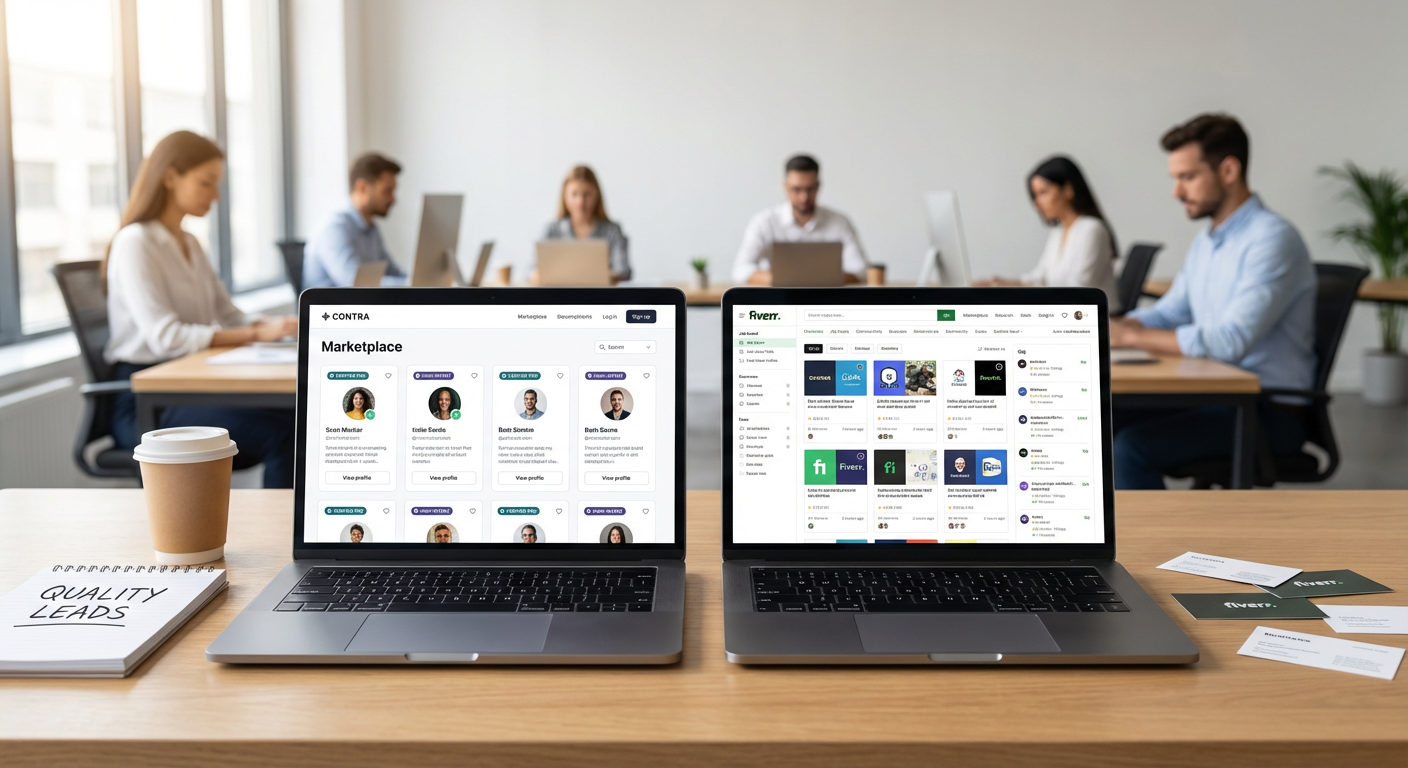
  10. Contra

    Contra is a commission-free platform where freelancers keep their full rate, which often results in better pricing for clients. The site is clean and simple to use, with profiles that showcase work samples, skills, and client testimonials. You can browse SEO experts or post a job and wait for applications.

    For beginners, Contra is appealing because the lower fees mean you can get quality work without the platform taking a big cut. The site also has built-in contracts and invoicing, so you don’t need to handle paperwork on your own. Communication happens through the platform, and you can manage everything from one dashboard.

  11. Codementor

    Codementor focuses on tech and digital skills, including technical SEO, which is helpful if your website needs optimization for speed, structure, or crawlability. The platform is beginner-friendly because you can hire experts for short sessions to get advice or for longer projects. Each expert has a detailed profile with reviews and hourly rates.

    You can book a session to ask questions and get guidance, which is a low-risk way to start if you’re not ready to commit to a full project. Codementor also offers a satisfaction guarantee, so if a session doesn’t meet your expectations, you can request a refund. This makes it easier to try different experts until you find the right fit.

  12. Bark

    Bark is a lead generation platform where you describe your SEO needs and local or remote professionals reach out to you with quotes. This reverses the usual process and saves you time browsing through profiles. For beginners, it’s helpful because you get personalized proposals without having to figure out who to contact.

    The service is free for clients, and you only pay the professional you choose to hire. Bark covers a wide range of services, including local SEO, e-commerce SEO, and content optimization. You can compare quotes and read reviews before deciding, and the platform provides tips on what to ask potential hires.

  13. Thumbtack

    Thumbtack connects you with local and remote SEO professionals who provide quotes based on your project details. The platform is easy to use because you answer a few questions about your needs, and then pros reach out with their availability and pricing. You can read reviews, see past work, and message professionals before hiring.

    For beginners, Thumbtack removes the pressure of searching and allows you to compare multiple options quickly. The platform is free to use, and you only pay the professional you hire directly. Many SEO experts on Thumbtack work with small businesses and first-time clients, so they’re used to explaining the process in plain language.

  14. CloudPeeps

    CloudPeeps is a curated platform for marketing freelancers, including SEO specialists. The site vets all professionals before they join, so you don’t have to worry as much about quality. For beginners, this pre-screening makes the hiring process less stressful because you know everyone on the platform has been reviewed.

    You can post a project or browse profiles, and the platform provides support throughout the hiring process. CloudPeeps has a friendly, approachable tone and resources to help you write clear job descriptions and evaluate candidates. Rates vary, but many professionals are priced below agency levels and are open to working with smaller budgets.

  15. Gun.io

    Gun.io specializes in connecting clients with vetted freelancers in tech and marketing, including SEO. The platform handles the screening process, so you get access to qualified professionals without doing the legwork yourself. For beginners, this takes a lot of the guesswork out of hiring.

    You describe your project and budget, and Gun.io matches you with suitable candidates. The platform manages contracts and payments, and you can start with a trial period to make sure the fit is right. Rates are competitive, and the support team is available to answer questions as you go.

  16. Mayple

    Mayple connects you with pre-vetted marketing experts, including those who specialize in SEO. The platform is beginner-friendly because it uses a matching system. You fill out a questionnaire about your business and goals, and Mayple suggests professionals who fit your needs and budget.

    This approach saves time and reduces the stress of choosing from hundreds of profiles. Mayple also provides project management support and performance tracking, which helps you see results and stay on top of progress. The pricing is transparent, and you can start with a single project to test the fit before committing to ongoing work.

  17. We Work Remotely

    We Work Remotely is a job board for remote positions, including part-time and contract SEO roles. If you’re a beginner looking to hire someone for a few hours a week or a specific project, you can post a listing and receive applications from qualified candidates. The site has a large audience of remote workers, so you’ll get plenty of responses.

    The platform is straightforward to use, and you handle the hiring and payment process directly with the freelancer. This gives you more control and often results in lower costs since there’s no middleman taking a cut. Many SEO professionals on the board are experienced but charge reasonable rates because they’re working remotely and have lower overhead.

  18. Hubstaff Talent

    Hubstaff Talent is a free platform where you can browse profiles of remote workers, including SEO experts. There are no fees for clients or freelancers, which often results in better pricing.

…

12 Hidden Gem Platforms That Outperform Fiverr for High-Intent Clients

12 Hidden Gem Platforms That Outperform Fiverr for High-Intent Clients

Fiverr dominates the freelance marketplace conversation, but it’s far from the only option for finding serious buyers. If you’re tired of competing with thousands of providers for clients who want everything for five dollars, there are lesser-known platforms that deliver prospects who actually understand the value of professional work. These hidden alternatives attract buyers who come ready to invest in quality, not just hunt for bargains. Let’s explore twelve platforms that fly under the radar but consistently deliver clients with real budgets and clear project goals.

  1. LegiitLegiit

    Legiit has quietly built a reputation as the go-to platform for digital marketing services, particularly in SEO, content creation, and online business growth. Unlike massive marketplaces where you’re drowning in competition, Legiit attracts business owners and marketers who specifically need digital services and understand what they cost.

    The platform’s structure encourages sellers to showcase their expertise through detailed service offerings rather than racing to the bottom on price. Buyers who land on Legiit are typically running online businesses themselves, which means they view your services as investments rather than expenses. The community is smaller and more focused than mainstream platforms, which translates to less noise and more meaningful client relationships. Many sellers report that Legiit clients come with clearer briefs and realistic expectations about turnaround times and pricing.

  2. ContraContra

    Contra positions itself as a commission-free platform for independent professionals, which immediately changes the economics for freelancers. The platform attracts companies and startups looking for flexible talent, particularly in creative and tech roles.

    What makes Contra different is its focus on longer-term engagements rather than one-off gigs. Clients who post here are often looking for ongoing relationships or substantial projects that require real expertise. The vetting process for both sides helps maintain quality, and the absence of platform fees means you can price your services more competitively while still earning more per project. The user base skews toward tech-savvy companies that value independent work arrangements.

  3. We Work Remotely

    This job board focuses exclusively on remote positions, and while it includes full-time roles, it also features contract and freelance opportunities that rarely get the attention they deserve. Companies posting here have already committed to remote work culture, which means they’re prepared for the logistics of working with independent contractors.

    The clients on We Work Remotely tend to be established businesses rather than individuals looking for quick fixes. They post detailed job descriptions with clear requirements and realistic budgets. Because the platform charges companies to post listings, you’re dealing with organizations that have hiring budgets and take their searches seriously. The quality of prospects here consistently outpaces what you’ll find on platforms where anyone can post a job for free.

  4. Gun.io

    Gun.io operates as a curated network for software developers and engineers, and its screening process keeps the marketplace selective on both sides. The platform matches vetted developers with companies that need serious technical talent, not someone to fix a WordPress plugin for twenty dollars.

    Clients who work through Gun.io are typically well-funded startups or established companies with real product development needs. The platform handles much of the client relationship management, which means you can focus on the actual work rather than endless back-and-forth negotiations. Projects tend to be substantial, often involving ongoing work rather than isolated tasks. The barrier to entry keeps the supply of developers limited, which naturally drives up rates and client quality.

  5. Codementor

    While many people know Codementor for its mentoring services, its freelance project marketplace flies under the radar for most developers. The platform connects technical professionals with clients who need help with specific coding challenges, architecture decisions, or project implementation.

    The clients here come with actual problems to solve, not vague ideas about building the next big app for pocket change. Many are fellow developers or technical founders who understand what they’re asking for and respect the expertise required to deliver it. The platform’s focus on expertise and problem-solving attracts a different caliber of client than general freelance marketplaces. You’ll find projects that require real skill and pay accordingly.

  6. CloudPeeps

    CloudPeeps specializes in connecting businesses with marketing, content, and community management professionals. The platform maintains a curated community rather than an open marketplace, which immediately improves the quality on both sides of each transaction.

    Companies using CloudPeeps are typically growth-stage startups or small businesses that need consistent marketing support but aren’t ready for full-time hires. This creates opportunities for ongoing retainer relationships rather than one-off projects. The clients understand that effective marketing requires strategy and expertise, not just task completion. The application process for freelancers keeps the supply controlled, which helps maintain healthy rates and reduces the race-to-the-bottom pricing that plagues larger platforms.

  7. Worksome

    Worksome operates primarily in Europe and has built a reputation for connecting businesses with independent professionals for substantial projects. The platform focuses on skilled work across various industries, from consulting to creative services to technical development.

    What sets Worksome apart is its emphasis on compliance and professional working relationships. Clients using the platform are typically established companies with proper procurement processes and realistic budgets. They’re looking for professionals who can deliver business results, not just complete tasks. The platform handles contracts, payments, and administrative details, which allows both parties to focus on the actual work. The geographic focus means less competition from global marketplaces while maintaining access to quality clients.

  8. Mandy

    Mandy started as a resource for the film and television industry but has expanded to cover a wide range of creative professional opportunities. If you work in video production, photography, writing, or related creative fields, this platform connects you with clients who have production budgets and professional expectations.

    The clients posting on Mandy are typically production companies, agencies, or businesses creating professional content. They come with defined projects, clear timelines, and budgets that reflect industry standards. Because the platform has industry-specific credibility, it attracts serious buyers rather than people hoping to get professional work for amateur prices. The community aspect helps build your reputation within specific creative industries.

  9. Pilot

    Pilot caters specifically to design and development professionals, offering a curated marketplace that emphasizes quality over quantity. The platform screens both freelancers and clients, which creates a more balanced marketplace than open platforms where anyone can sign up.

    Clients on Pilot are typically companies with actual design and development needs, not individuals with weekend project ideas. They post detailed briefs with realistic timelines and budgets that reflect the complexity of professional digital work. The platform’s focus on long-term matches rather than quick gigs means you’re more likely to build ongoing client relationships. The smaller community size means your profile actually gets seen by potential clients rather than buried under thousands of competitors.

  10. Backstage

    For performers, voice actors, and entertainment industry professionals, Backstage offers opportunities that general freelance platforms simply can’t match. The clients here are casting directors, production companies, and agencies looking for professional talent for paid projects.

    The platform has established credibility in the entertainment industry, which means the opportunities posted here are legitimate professional gigs rather than exposure-only offers. Clients understand industry rates and professional working conditions. Whether you’re doing voice-over work, acting, or other performance-based services, the buyers on Backstage have budgets and treat performers as professionals. The specificity of the platform naturally filters out tire-kickers and attracts serious buyers.

  11. Mayple

    Mayple connects businesses with vetted marketing professionals across various specializations, from paid advertising to email marketing to conversion optimization. The platform’s screening process ensures that marketers have proven track records, which in turn attracts clients who value expertise.

    Businesses using Mayple are typically at a stage where they recognize that marketing requires strategic expertise, not just task execution. They come with real budgets and specific goals they want to achieve. The platform matches clients with marketers based on industry experience and specific skill sets, which means the projects you receive are actually aligned with your strengths. This targeted matching reduces time wasted on poor-fit prospects and increases the likelihood of successful long-term relationships.

  12. Working Not Working

    Working Not Working operates as an invite-only creative community that connects professionals with companies seeking top-tier creative talent. The platform covers designers, art directors, copywriters, strategists, and other creative roles.

    The exclusivity of the platform immediately elevates the quality of both talent and opportunities. Companies posting projects here are typically agencies, brands, or well-funded startups with professional budgets and clear creative briefs. They’re looking for people who can contribute strategic thinking and excellent execution, not just follow instructions. The community aspect helps you build visibility within the creative industry, and the curated nature of the platform means you’re not competing with thousands of random applicants for each opportunity.

Moving beyond Fiverr doesn’t mean abandoning online platforms entirely. It means finding the spaces where your ideal clients actually spend their time and budget. These lesser-known alternatives may require more effort to join or build your presence, but they consistently deliver prospects who understand the value of professional work. Each platform serves specific niches and attracts different types of buyers, so consider which aligns best with your services and expertise. The right platform can transform your freelance business from a constant hustle for small gigs into a sustainable practice with clients who respect your skills and pay accordingly.…

11 Future-Ready Upwork Alternatives for Faster Hiring

11 Future-Ready Upwork Alternatives for Faster Hiring

Upwork has long been a go-to platform for hiring freelancers, but the landscape is shifting fast. If you’re planning for long-term success, you need platforms that adapt to changing work models, support new technologies, and prioritize speed without sacrificing quality. This list focuses on alternatives that are built for the future, whether you’re hiring for AI-related projects, remote teams, or specialized skills that didn’t exist a few years ago. These platforms are designed to keep you ahead of the curve while making hiring faster and more efficient.

  1. LegiitLegiit

    Legiit stands out as a forward-thinking platform that simplifies hiring for digital services. Unlike traditional freelance marketplaces that require lengthy vetting processes, Legiit offers pre-packaged services with transparent pricing, which means you can hire quickly without endless back-and-forth negotiations. The platform has been expanding its categories to include modern skills like AI content creation, automation setup, and growth hacking, making it a smart choice for businesses preparing for the next wave of digital transformation. You’ll find a mix of established service providers and specialists who are already working with tools and techniques that will define the coming years. The straightforward service-based model eliminates guesswork and accelerates the entire hiring process.

  2. ContraContra

    Contra is a commission-free platform that reflects where the freelance economy is heading. Freelancers keep 100% of their earnings, which attracts high-quality professionals who might otherwise avoid traditional marketplaces. The platform emphasizes portfolio showcasing and direct client relationships, creating a more sustainable model for long-term collaboration. Its clean interface and modern approach to profiles make it easy to assess talent quickly. Contra is particularly popular among designers, developers, and marketers who value independence and transparency. If you’re building a team that values autonomy and fair compensation, this platform aligns well with future work culture trends.

  3. Gun.io

    Gun.io focuses exclusively on pre-vetted software developers, which saves you significant time if you’re hiring for technical roles. The platform conducts rigorous screening, including technical assessments and background checks, so you’re only seeing candidates who meet professional standards. This model is particularly valuable as demand for developers continues to outpace supply. Gun.io also offers flexible engagement options, from contract work to full-time placements, giving you adaptability as your needs evolve. The platform’s emphasis on quality over quantity makes it a reliable choice for companies that can’t afford hiring mistakes in their tech stack.

  4. Toptal

    Toptal has built its reputation on connecting businesses with the top 3% of freelance talent across multiple disciplines. Their screening process is famously rigorous, involving multiple rounds of testing and interviews. While this means higher rates, it also means you’re hiring professionals who can handle complex, high-stakes projects. Toptal is particularly strong in software development, design, finance, and project management. The platform assigns you a dedicated matcher who helps identify candidates based on your specific needs, which speeds up the process considerably. For companies planning major initiatives that require top-tier expertise, Toptal offers a level of assurance that’s hard to find elsewhere.

  5. Braintrust

    Braintrust operates on a decentralized model that gives both clients and freelancers more control and better economics. The platform takes a significantly lower fee than traditional marketplaces, which means you can access premium talent at more reasonable rates. Braintrust uses a token-based system where active community members earn governance rights, creating a self-improving ecosystem. The platform specializes in technical and creative roles, with a strong emphasis on software engineering, design, and product management. This model represents a shift toward more equitable platforms that prioritize value for both sides of the transaction. If you’re interested in supporting a more sustainable freelance economy while getting faster access to skilled professionals, Braintrust is worth exploring.

  6. Worksome

    Worksome is designed for companies that need to manage both freelancers and contractors through a single platform. It combines talent sourcing with compliance management, invoicing, and payments, which simplifies administrative overhead. The platform is particularly strong in European markets and offers tools that help you stay compliant with varying labor regulations. Worksome also provides workforce analytics, giving you visibility into your extended team’s performance and costs. As remote work becomes more global and regulations more complex, platforms that handle both hiring and compliance will become increasingly valuable. Worksome positions itself well for companies building distributed teams across multiple jurisdictions.

  7. A.Team

    A.Team takes a different approach by assembling entire teams rather than individual freelancers. When you post a project, the platform matches you with a coordinated group of professionals who have already worked together. This model reduces the friction of team formation and accelerates project kickoff. A.Team focuses on product development, design, and growth initiatives, making it ideal for companies launching new ventures or products. The teams are composed of senior-level professionals from companies like Google, Amazon, and top startups. If your project requires multiple skill sets working in concert, this model can save weeks of hiring and onboarding time while giving you a proven team dynamic from day one.

  8. Moonlight

    Moonlight connects companies with experienced software engineers who are open to part-time or project-based work. The platform verifies each developer’s work history and skills, providing you with confidence in their capabilities. What makes Moonlight particularly relevant for future planning is its focus on flexibility. Many top engineers prefer project work over full-time commitments, and this platform taps into that talent pool. You can move quickly from posting a need to interviewing candidates, often within days. The platform also handles contracts and payments, reducing administrative work. As the gig economy matures and more senior professionals seek flexible arrangements, platforms like Moonlight will become increasingly important for accessing experienced talent.

  9. Gigster

    Gigster specializes in software development projects and uses a managed service approach. When you hire through Gigster, you’re not just getting freelancers but also project management and quality assurance. The platform assembles teams based on your specific requirements and manages the entire development process. This model is particularly effective for companies that need technical work done but lack in-house project management capacity. Gigster has experience with AI, machine learning, mobile apps, and web platforms, covering most modern development needs. The managed approach means faster delivery and fewer surprises, which is critical when you’re working on time-sensitive initiatives. For non-technical founders or teams that need to move fast on product development, this model offers significant advantages.

  10. Hubstaff Talent

    Hubstaff Talent is a completely free platform for both clients and freelancers, which makes it an interesting option for budget-conscious hiring. There are no fees, no commissions, and no middleman taking a cut. This creates a direct relationship between you and the freelancer, which can speed up communication and decision-making. The platform covers a wide range of categories, from development and design to marketing and virtual assistance. While you’ll need to do more of your own vetting compared to curated platforms, the lack of fees means you can offer competitive rates and attract quality candidates. As transparency becomes more valued in the freelance economy, zero-fee platforms represent an important trend. Hubstaff Talent also integrates with time tracking and project management tools, making it easier to manage remote teams once you’ve made a hire.

  11. Wellfound (formerly AngelList Talent)

    Wellfound focuses on connecting startups with talent, including both full-time employees and contractors. The platform is particularly strong for technical roles and gives you access to professionals who are specifically interested in startup environments. Candidates on Wellfound are often looking for opportunities with growth potential and are comfortable with the pace and ambiguity that comes with early-stage companies. The platform allows you to showcase your company culture, mission, and funding status, which helps attract people who align with your vision. Wellfound also offers tools for managing your hiring pipeline and communicating with candidates efficiently. If you’re building a company that needs people who can adapt quickly and wear multiple hats, this platform connects you with professionals who thrive in that environment. The startup focus means candidates understand the need for speed and flexibility.

The future of hiring is about more than just finding someone to do a task. It’s about building relationships with professionals who can grow with your business, adapt to new technologies, and deliver results quickly. These platforms represent different approaches to solving the speed and quality challenge, from pre-vetted talent pools to managed services and commission-free marketplaces. The key is choosing the platform that aligns with your specific needs, budget, and long-term strategy. Experiment with a few options, track your results, and refine your approach. The right platform can transform your hiring process from a bottleneck into a competitive advantage.…

17 Beginner-Friendly Freelance Marketplaces for Small Businesses (Simple Platforms That Won’t Confuse You)

17 Beginner-Friendly Freelance Marketplaces for Small Businesses (Simple Platforms That Won’t Confuse You)

If you’re new to hiring freelancers, the sheer number of platforms out there can feel overwhelming. You want quality work without spending hours figuring out how a website works. Good news: plenty of freelance marketplaces are built with beginners in mind. This list focuses on platforms that are easy to understand, simple to use, and won’t leave you scratching your head. Whether you’re hiring your first freelancer or just want a straightforward experience, these options will help you get started quickly and confidently.

  1. LegiitLegiit

    Legiit is designed specifically for digital marketing services, which makes it a smart choice if you’re new to hiring in that space. The platform organizes everything into clear service categories like SEO, social media, and content writing, so you don’t have to guess what you need. Pricing is transparent with fixed packages, which means no surprise costs or complicated negotiations. The interface is clean and straightforward, making it easy to browse, compare, and purchase services without a steep learning curve. For beginners who want to get started fast without feeling lost, Legiit removes much of the confusion that comes with hiring freelancers online.

  2. FiverrFiverr

    Fiverr is one of the easiest platforms to understand because it works like an online store. You browse through services, pick what you want, and buy it. There’s no bidding process or complex project posting. Each freelancer offers preset packages with clear descriptions and prices, so you know exactly what you’re getting before you pay. The search filters are simple, and the platform walks you through each step of placing an order. If you’ve ever shopped online, you’ll feel right at home on Fiverr.

  3. Upwork

    Upwork has a reputation for being comprehensive, but it’s also built to guide new users through the hiring process. When you post a job, the platform offers templates and prompts to help you write a clear description. You can see freelancer profiles with ratings, work history, and verified skills, which takes the guesswork out of choosing someone. Upwork also offers payment protection and milestone-based payments, so you’re never at risk of losing money. The learning curve is gentle, and the platform provides plenty of help articles if you get stuck.

  4. Freelancer.com

    Freelancer.com uses a contest model that’s perfect for beginners who aren’t sure what they want. You can post a project, and multiple freelancers will submit their work for you to review. This way, you can see actual results before committing to anyone. The platform also has a traditional bidding system if you prefer that route. Either way, the interface is simple, and you’re in control of who you hire and when. It’s a low-pressure way to test the waters of freelance hiring.

  5. PeoplePerHour

    PeoplePerHour simplifies hiring by letting freelancers offer hourly services or fixed-price packages called Hourlies. The Hourlies are especially beginner-friendly because they’re pre-packaged services with set deliverables and prices. You don’t need to negotiate or write detailed project briefs. The platform also features a WorkStream tool that keeps all communication, files, and payments in one place. For someone new to managing freelancers, this kind of organization makes everything easier.

  6. Thumbtack

    Thumbtack flips the script by having service providers come to you. You answer a few questions about what you need, and local or remote freelancers send you quotes. This saves you the trouble of searching through hundreds of profiles. The platform is designed for small tasks and local services, but it also covers digital work like graphic design and web development. The process is fast, and you only interact with freelancers who are interested in your project. It’s a stress-free way to get started.

  7. 99designs

    If you need design work and have no idea where to start, 99designs makes it incredibly simple. You launch a design contest, describe what you want, and dozens of designers submit options. You provide feedback, and designers refine their work based on your input. At the end, you choose your favorite and pay for it. There’s no need to vet portfolios or manage multiple freelancers. The platform handles everything, and you get to see real designs before making a decision.

  8. Guru

    Guru offers a straightforward project posting process with helpful prompts that guide you through every field. The platform also features SafePay, which holds your payment until you approve the work. This takes the fear out of paying upfront. Freelancers on Guru often provide detailed proposals, so you can compare not just prices but also approaches and timelines. The dashboard is clean and easy to follow, even if you’re managing your first freelance project.

  9. Toptal

    Toptal is known for high-quality freelancers, but what beginners appreciate is the hands-on matching process. You don’t have to sift through profiles or post public jobs. Instead, you talk to a Toptal representative who understands your needs and matches you with a vetted freelancer. This concierge-style approach removes much of the confusion and decision fatigue. While Toptal is pricier, the simplicity and support make it worth considering if you want guidance through the hiring process.

  10. ServiceScape

    ServiceScape focuses on writing, editing, translation, and graphic design, which keeps things simple. The narrower focus means you’re not overwhelmed by unrelated services. Freelancers are pre-vetted, and the platform provides clear profiles with rates and turnaround times. You can request a quote or start a project directly. The process is straightforward, and the smaller community of freelancers makes it easier to find someone who fits your needs without endless scrolling.

  11. DesignCrowd

    DesignCrowd uses a crowdsourcing model similar to 99designs, which is great for beginners who want to see options before committing. You describe your design project, set a budget, and designers compete to win your business. You review submissions, give feedback, and choose a winner. The platform takes care of the logistics, so you don’t have to manage contracts or negotiations. It’s a simple, visual way to get design work done without prior experience hiring freelancers.

  12. TaskRabbit

    TaskRabbit is best known for local tasks, but it’s also a beginner-friendly option for small business owners who need help with physical or administrative work. The app is easy to use, and you can see tasker profiles, ratings, and availability right away. Booking is as simple as choosing a time and confirming. While it’s not ideal for complex digital projects, TaskRabbit excels at quick, straightforward tasks that don’t require lengthy onboarding or explanations.

  13. Bark

    Bark connects you with professionals by having you fill out a simple form about your project. Service providers then send you quotes, and you choose who to work with. The platform covers everything from web design to marketing to bookkeeping. You don’t have to post a public job or search through profiles. Bark does the legwork for you, which is perfect if you’re not sure how to evaluate freelancers or write a compelling job post.

  14. SimplyHired

    SimplyHired aggregates freelance and contract job listings from across the web, which makes it easy to see a wide range of options in one place. The search interface is simple, and you can filter by location, pay, and job type. While it’s more of a job board than a full-service marketplace, it’s a good starting point for beginners who want to explore what’s available without committing to a platform. You can reach out to candidates directly or through the original job posting site.

  15. Catalant

    Catalant specializes in matching businesses with experienced consultants and freelancers for strategic projects. What makes it beginner-friendly is the managed service approach. You describe your needs, and Catalant’s team helps you define the scope and find the right person. This takes the pressure off you to figure everything out on your own. While the platform is geared toward larger projects, the support and guidance make it accessible even if you’ve never hired a consultant before.

  16. Scripted

    Scripted focuses solely on content creation, which simplifies the hiring process considerably. You can browse writer profiles, read samples, and order content directly. The platform provides clear pricing based on word count and writer experience level. There’s no bidding or negotiation, just straightforward ordering. For beginners who need blog posts, articles, or web copy, Scripted removes the complexity and lets you get quality content without learning how to manage a full freelance relationship.

  17. Contra

    Contra is a newer platform that emphasizes simplicity and transparency. There are no platform fees for freelancers, which often translates to better rates for clients. The interface is clean and modern, with easy-to-use project management tools built in. You can browse freelancer portfolios, send project invitations, and handle payments all in one place. Contra is designed to feel less corporate and more personal, which can be less intimidating for first-time hirers who want a more human experience.

Hiring your first freelancer doesn’t have to be complicated. The platforms on this list are built to make the process simple, clear, and stress-free. Whether you prefer browsing services like a store, receiving quotes from interested freelancers, or getting matched by a team, there’s an option here that fits your comfort level. Start with one platform, try a small project, and see how it goes. Once you get the hang of it, you’ll wonder why you waited so long to get help for your business.…

11 Upwork Alternatives for Faster Hiring: Platforms That Speed Up Your Search

11 Upwork Alternatives for Faster Hiring: Platforms That Speed Up Your Search

If you have been using Upwork to find freelancers, you know the process can drag on longer than you would like. Sifting through hundreds of proposals, vetting candidates, and waiting for responses can add days or even weeks to your hiring timeline. The good news is that plenty of other platforms exist that streamline the hiring process in different ways. Some pre-vet their talent pools, others use matching algorithms, and a few focus on niche skills that make finding the right person faster and easier. This list covers eleven alternatives that can help you hire quality freelancers without the usual delays.

  1. LegiitLegiit

    Legiit takes a service marketplace approach that cuts down on back-and-forth negotiations. Instead of posting a job and waiting for proposals, you browse pre-packaged services from freelancers who specialize in digital marketing, SEO, content writing, web development, and similar fields. Each seller lists exactly what they offer, how much it costs, and how long it takes to deliver. You simply pick the service that matches your needs, place an order, and the work begins. This model eliminates the proposal review process entirely and gets projects started within hours instead of days. The platform also includes buyer protection and a rating system that helps you choose reliable providers quickly.

  2. ToptalToptal

    Toptal screens freelancers rigorously before allowing them onto the platform, accepting only the top three percent of applicants. When you submit a project request, Toptal matches you with candidates from their vetted pool within 24 to 48 hours. This saves you from reviewing dozens of unqualified applicants. The trade-off is higher rates, but if speed and quality matter more than budget, Toptal delivers. You also get a no-risk trial period with each freelancer, so you can verify the match before committing long term.

  3. Gun.io

    Gun.io focuses exclusively on software developers and engineers, which makes it ideal if you need technical talent fast. The platform pre-screens all developers and maintains detailed profiles that include code samples, past projects, and skill assessments. When you post a need, Gun.io’s team personally matches you with suitable candidates, often within a day or two. This hands-on matching process removes the burden of sorting through applications yourself. Gun.io also handles contracts and payments, simplifying the administrative side of hiring.

  4. Behance

    Behance works differently from typical freelance platforms because it functions primarily as a portfolio site for creative professionals. Designers, illustrators, photographers, and other visual artists showcase their work here, and you can browse portfolios to find someone whose style fits your project. Once you identify a candidate, you reach out directly through the platform. This approach speeds up hiring because you see finished work upfront and can make decisions based on demonstrated ability rather than written proposals. Behance is particularly useful for visual projects where style and aesthetic matter as much as technical skill.

  5. Gigster

    Gigster assembles full project teams rather than individual freelancers, which accelerates the hiring process when you need multiple specialists. The platform uses an AI-assisted system to match your project requirements with pre-vetted developers, designers, and project managers. Within days, Gigster can have an entire team ready to start work. This is especially helpful for complex software projects where coordinating multiple hires yourself would take weeks. Gigster also assigns a dedicated project manager to each engagement, reducing the communication overhead on your end.

  6. Working Not Working

    Working Not Working curates a community of creative professionals who have been invited or approved to join. The platform includes designers, writers, directors, strategists, and other creative roles. Members update their availability status, so you can filter by who is ready to take on work immediately. This real-time availability feature eliminates the frustration of contacting freelancers who are already booked. The curation process also means you encounter fewer unqualified candidates, which shortens the vetting phase considerably.

  7. Codementor

    Codementor specializes in connecting businesses with developers for both short-term help and longer projects. The platform offers instant one-on-one sessions if you need immediate technical support, which can be faster than hiring someone for a full project. For ongoing work, you can browse developer profiles that include real-time availability, hourly rates, and user reviews. Codementor also provides a built-in video chat and screen sharing system, so you can interview candidates and assess their skills without scheduling separate calls. This integrated toolset keeps the hiring process moving quickly.

  8. CloudPeeps

    CloudPeeps targets marketing and content professionals, including copywriters, social media managers, email marketers, and content strategists. The platform vets every freelancer before approval, and the community size is intentionally kept smaller than mass-market platforms. This means less noise and faster searches. You can post a project and receive proposals from a curated group of qualified candidates within a day or two. CloudPeeps also offers fixed-price project options, which eliminate the need for lengthy rate negotiations and speed up the agreement phase.

  9. Wellfound (formerly AngelList Talent)

    Wellfound connects startups with freelancers and full-time candidates who are specifically interested in working with early-stage companies. The platform includes detailed profiles and allows you to filter by availability, location, skills, and even salary expectations. Because the freelancers on Wellfound have opted into startup work, they tend to respond faster and show more flexibility than candidates on general platforms. The site also includes messaging tools that make initial contact straightforward, and many candidates include their preferred project types in their profiles, which helps you identify good matches quickly.

  10. Crew

    Crew brings together designers and developers who have been vetted by the platform team. When you submit a project, Crew personally introduces you to freelancers who match your needs. This human-powered matching process is faster than sorting through proposals yourself because Crew does the initial screening and only presents candidates they believe are strong fits. The platform focuses on quality over quantity, so you typically receive a handful of introductions rather than dozens of applications. Crew also handles contracts and invoicing, which reduces administrative friction and gets projects started sooner.

  11. Dribbble

    Dribbble operates as a design community where designers share their work and connect with potential clients. You can browse thousands of portfolios, filter by specialty such as UI design, branding, or illustration, and reach out directly to designers whose work appeals to you. Because portfolios are front and center, you can make hiring decisions based on visual evidence rather than text descriptions. Many designers on Dribbble also list their availability and preferred project types in their profiles, which helps you identify who can start work immediately. This visual-first approach is particularly effective when you need design work done quickly and want to see proof of skill before initiating contact.

  12. Speedlancer

    Speedlancer lives up to its name by focusing on quick turnaround for smaller tasks. The platform is designed for projects that can be completed in a few days or less, such as logo design, writing assignments, or basic web edits. You post your task with a deadline and budget, and freelancers who can meet your timeline submit proposals. The condensed project scope and tight deadlines naturally attract freelancers who work fast. Speedlancer also includes milestone-based payments and a streamlined approval process, both of which keep projects moving without delays. If you need small jobs done quickly and do not want to commit to a long-term freelancer relationship, this platform delivers speed by design.

Hiring freelancers does not have to mean waiting weeks for the right candidate to appear. Each platform on this list approaches the hiring problem differently, whether through pre-vetting, curated communities, personal matching, or service marketplaces. The best choice depends on your specific needs, the type of work you need done, and how much control you want over the selection process. Try a few of these alternatives and see which one fits your workflow. Faster hiring means faster results, and that can make all the difference when deadlines are tight and projects are piling up.…

12 All-in-One Workspaces Where You Can Hire, Analyze, and Execute Without Switching Tabs

12 All-in-One Workspaces Where You Can Hire, Analyze, and Execute Without Switching Tabs

If you’re tired of juggling multiple platforms just to find talent, track performance, and get work done, you’re not alone. The modern workspace should let you hire the right people, measure what matters, and execute projects all in one place. This list brings together platforms that promise exactly that: a single hub where recruitment, analytics, and project completion happen side by side. Whether you’re running a small business, managing a growing team, or freelancing solo, these workspaces can simplify your workflow and save you hours every week.

  1. LegiitLegiit

    Legiit is built for businesses and agencies that need to hire freelancers, track campaign performance, and manage deliverables without hopping between tools. The platform offers a marketplace filled with verified service providers across marketing, design, content, and development. Once you hire someone, you can communicate, review drafts, and approve work all within the same dashboard.

    What sets Legiit apart is its focus on digital marketing services and the ability to white-label offerings for agencies. You can bring on talent, monitor project milestones, and analyze results using built-in reporting features. It’s a practical choice if you want to keep hiring and execution tightly connected without the usual friction.

  2. UpworkUpwork

    Upwork remains one of the largest freelance marketplaces where you can post jobs, review proposals, and hire contractors for almost any skill. The platform includes time tracking, invoicing, and messaging tools so you can manage the entire relationship from start to finish. You’ll also find workrooms that let you share files, set milestones, and keep conversations organized.

    Upwork’s reporting dashboard gives you visibility into hours worked, payments made, and project status. This makes it easier to analyze spending and productivity without exporting data to another tool. For teams that need a broad talent pool and want to keep everything under one roof, Upwork delivers a solid foundation.

  3. Toptal

    Toptal takes a more curated approach by pre-screening freelancers and only accepting the top tier of applicants. When you hire through Toptal, you’re matched with vetted developers, designers, or finance experts who can jump into complex projects quickly. The platform handles contracts, payments, and project tracking so you don’t need to set up separate systems.

    Because Toptal manages the vetting process, you spend less time interviewing and more time executing. The workspace includes collaboration tools and reporting features that let you monitor progress and budget in real time. It’s a good fit for companies that value quality and want a hands-off hiring experience paired with solid project management.

  4. Fiverr Business

    Fiverr Business is designed for teams that need to hire freelancers, manage multiple projects, and track spending all from a central dashboard. Unlike the standard Fiverr marketplace, the Business version offers dedicated account management, team collaboration features, and billing controls. You can invite team members, assign tasks, and review deliverables without leaving the platform.

    The analytics section shows you order history, spending trends, and freelancer performance over time. This visibility helps you make smarter hiring decisions and spot which contractors deliver the best results. If you’re already familiar with Fiverr’s marketplace, the Business tier adds the structure you need to scale your hiring and execution efforts.

  5. Monday.com

    Monday.com is a visual project management platform that also supports hiring workflows and team analytics. You can create boards for recruiting, onboarding, and task execution, then customize columns to track candidate status, project deadlines, and performance metrics. The platform integrates with tools like Slack, Google Drive, and Zoom, so you can pull in data from other sources without manual entry.

    What makes Monday.com stand out is its flexibility. You can build a hiring pipeline, assign tasks to new contractors, and analyze completion rates all within the same workspace. The visual nature of the boards makes it easy to spot bottlenecks and adjust your process on the fly. It’s a strong choice for teams that want to design their own workflows without being locked into rigid templates.

  6. Asana

    Asana combines task management with team collaboration features, making it easier to hire, onboard, and execute projects in one place. You can set up hiring boards to track candidates, then transition approved contractors into active project workflows. The platform includes timeline views, custom fields, and reporting dashboards that show task completion rates and team workload.

    Asana’s strength lies in its clean interface and powerful filtering options. You can analyze how long tasks take, which team members are overloaded, and where projects are stalling. For businesses that need a balance between hiring coordination and execution tracking, Asana provides the tools to keep both moving forward without extra software.

  7. ClickUp

    ClickUp positions itself as an all-in-one workspace where you can manage hiring pipelines, execute tasks, and analyze team performance from a single screen. The platform offers customizable views including lists, boards, calendars, and Gantt charts. You can create a hiring workflow, assign onboarding tasks, and track project deliverables using the same set of tools.

    ClickUp also includes native time tracking, goal setting, and reporting features. This means you can measure how long it takes to hire someone, how quickly they ramp up, and how their output compares to the rest of the team. If you want a workspace that adapts to your process rather than forcing you into a specific structure, ClickUp gives you that flexibility along with solid analytics.

  8. Notion

    Notion is a flexible workspace where you can build databases for hiring, document your processes, and manage projects all in one place. You can create a candidate tracker with custom properties, link it to onboarding checklists, and embed analytics dashboards using third-party integrations. The platform works well for teams that prefer a more freeform approach to organization.

    While Notion doesn’t offer built-in hiring or analytics tools out of the box, its database and template features let you design exactly what you need. You can track applicant status, store resumes, assign tasks, and measure progress using linked databases and formulas. It’s ideal for smaller teams or solo operators who want complete control over how their workspace looks and functions.

  9. Smartsheet

    Smartsheet combines the familiarity of spreadsheets with project management and collaboration features. You can set up sheets to track candidates, manage hiring workflows, and execute projects using Gantt charts and card views. The platform also includes reporting and dashboard tools that let you visualize hiring metrics, project timelines, and resource allocation.

    What makes Smartsheet useful is its ability to handle complex processes without sacrificing simplicity. You can automate reminders, assign tasks, and collect data through forms, then analyze everything in custom reports. For teams that are comfortable with spreadsheets but need more power for hiring and execution, Smartsheet bridges that gap effectively.

  10. Trello

    Trello uses a card-based system that makes it easy to visualize hiring pipelines and project workflows. You can create boards for recruiting, move candidates through stages, and then transition approved contractors into execution boards. The platform supports attachments, checklists, due dates, and comments, so you can manage the entire lifecycle of a project in one place.

    Trello’s Power-Ups let you add analytics, time tracking, and calendar views to your boards. This turns a simple visual tool into a workspace where you can hire, coordinate, and measure results without adding complexity. It’s a good option for smaller teams or anyone who prefers a straightforward, visual approach to managing both people and projects.

  11. Airtable

    Airtable blends the structure of a database with the ease of a spreadsheet, making it a powerful workspace for hiring and execution. You can build a base to track job candidates, store their portfolios, and rate their fit, then link those records to project tables where tasks and deliverables live. The platform supports multiple views, so you can see your data as a grid, calendar, kanban board, or gallery.

    Airtable’s reporting features let you create charts and summaries that show hiring trends, project status, and team performance. You can also automate actions like sending emails when a candidate moves to a new stage or updating task status when a deadline passes. For teams that need a data-driven approach to hiring and execution, Airtable offers both flexibility and depth.

  12. Basecamp

    Basecamp takes a simpler approach to project management by focusing on communication and organization rather than endless features. You can create projects for hiring, set up message boards for team discussions, and assign tasks with clear deadlines. The platform includes file storage, scheduling tools, and automatic check-ins that keep everyone aligned without constant meetings.

    While Basecamp doesn’t offer advanced analytics, its Hill Charts feature gives you a visual way to track progress on tasks and projects. You can see at a glance what’s moving forward and what’s stuck, which helps with both hiring coordination and project execution. It’s a solid choice for teams that want to simplify their workspace and avoid feature overload.

  13. Wrike

    Wrike is a work management platform designed for teams that need to handle hiring, execution, and reporting at scale. You can set up request forms for job applications, route them through approval workflows, and transition approved candidates into active projects. The platform includes Gantt charts, workload views, and custom dashboards that show team capacity and project health.

    Wrike’s analytics tools let you track time spent on tasks, measure team productivity, and identify bottlenecks in your hiring or execution process. The platform also integrates with over 400 apps, so you can connect your existing tools and centralize data in one workspace. For larger teams or agencies managing multiple clients, Wrike provides the structure and visibility needed to keep everything running smoothly.

Finding a workspace that truly handles hiring, analysis, and execution in one place can transform how you run your business. Each platform on this list offers a different balance of features, so your best choice depends on your team size, budget, and workflow preferences. Some excel at connecting you with talent, others shine in project tracking, and a few bring strong analytics to the table. The key is to pick one that matches how you actually work, not how you think you should work. Once you consolidate your tools, you’ll spend less time switching tabs and more time getting things done.…

9 Platforms That Show You a Business Snapshot in One Click

9 Platforms That Show You a Business Snapshot in One Click

Running a business means juggling dozens of moving parts at once. You need to track sales, monitor customer behavior, check your marketing performance, and keep an eye on your finances, all while making smart decisions fast. The good news is that you don’t need to dig through spreadsheets or toggle between ten different tabs anymore. Several platforms now offer dashboard views that give you a complete business snapshot in seconds. This list covers nine tools that can help you see the big picture instantly, whether you’re a solopreneur, a small business owner, or part of a growing team.

  1. LegiitLegiit

    If you run a service-based business or work with freelancers, Legiit gives you a clean dashboard that shows your active projects, earnings, client messages, and pending deliveries all in one place. You can see what needs attention right away without clicking through multiple pages. The platform is built for people who offer services like content writing, design, marketing, and development, so the layout is simple and focused on what matters most: getting work done and getting paid.

    Legiit also shows you performance metrics like your rating, response time, and order completion rate, which helps you understand how clients see you. This kind of instant feedback makes it easier to improve your service and grow your reputation. Whether you’re managing a few gigs or dozens of clients, the dashboard keeps everything visible and easy to manage.

  2. StripeStripe

    Stripe is best known as a payment processor, but its dashboard does much more than handle transactions. When you log in, you see a quick overview of your revenue, payment success rates, customer activity, and any issues that need fixing. The interface is clean and well organized, so you can spot trends or problems in seconds.

    For businesses that rely on online payments, this snapshot is invaluable. You can see which products are selling, how many new customers you’ve gained, and whether any payments failed. Stripe also highlights important alerts, like chargebacks or unusual activity, so you can respond quickly. If you want to dig deeper, the data is all there, but the main dashboard gives you exactly what you need at a glance.

  3. QuickBooks Online

    QuickBooks Online is a go-to tool for small business accounting, and its dashboard is designed to give you a financial snapshot the moment you log in. You’ll see your profit and loss, cash flow, outstanding invoices, and expenses all laid out in a simple visual format. This makes it easy to understand your financial health without being a numbers expert.

    The platform also shows you alerts for things like overdue invoices or bills that need payment, which helps you stay on top of your obligations. You can customize the dashboard to highlight the metrics that matter most to your business. Whether you’re tracking income, monitoring spending, or preparing for tax season, QuickBooks Online keeps your financial picture clear and accessible.

  4. HubSpot

    HubSpot is a powerful tool for marketing, sales, and customer relationship management, and its dashboard brings all that data into one cohesive view. When you open HubSpot, you can see your website traffic, lead generation numbers, email campaign performance, and sales pipeline status all at once. This makes it easy to understand how your marketing efforts are translating into real business results.

    The dashboard is highly customizable, so you can choose which metrics to display based on your priorities. If you’re focused on growing your email list, you can track sign-ups and engagement. If sales are your main concern, you can monitor deal stages and conversion rates. HubSpot also offers visual reports that make complex data easy to digest, which is helpful when you need to share updates with your team or stakeholders.

  5. Shopify

    Shopify is built for ecommerce, and its dashboard is designed to show you how your store is performing at any given moment. You’ll see total sales, order counts, visitor numbers, and conversion rates right on the home screen. This instant overview helps you understand whether your store is having a good day or if something needs your attention.

    Shopify also highlights your top-selling products, recent orders, and any abandoned carts, which gives you actionable insights without needing to run reports. The mobile app offers the same snapshot, so you can check in on your business from anywhere. For store owners who want to stay informed without spending hours analyzing data, Shopify’s dashboard is a practical and straightforward solution.

  6. Notion

    Notion is a flexible workspace tool that lets you build your own business dashboard from scratch. You can create a page that pulls in data from different parts of your workflow, like project timelines, task lists, meeting notes, and team goals. Once you set it up, you have a personalized snapshot that reflects exactly what you need to see every day.

    This level of customization makes Notion a great fit for businesses that don’t follow a standard template. You can include tables, calendars, embedded documents, and links to external tools, all in one place. While it takes some initial setup, the result is a dashboard that adapts to your specific needs and grows with your business. Many teams use Notion as their central hub for tracking progress and staying aligned.

  7. Google Analytics

    Google Analytics is the standard for tracking website performance, and its dashboard gives you a clear picture of who’s visiting your site and what they’re doing. You can see real-time visitor counts, traffic sources, popular pages, and user behavior patterns all on one screen. This snapshot helps you understand how well your website is working and where you might need to make improvements.

    The platform also shows you demographic information and device types, which can inform your marketing and design decisions. If you’re running ads or publishing content, Google Analytics helps you measure the impact quickly. While the tool offers deep reporting capabilities, the main dashboard keeps things simple and focused on the metrics that matter most to site owners.

  8. Slack

    Slack is primarily a communication tool, but its interface also acts as a snapshot of your team’s activity and priorities. When you open Slack, you can see unread messages, active channels, recent mentions, and any pinned items that need attention. This gives you a quick sense of what’s happening across your organization without needing to check in with everyone individually.

    For businesses that rely on real-time collaboration, Slack’s dashboard helps you stay connected and responsive. You can also integrate other tools like Google Drive, Trello, or Asana, which brings updates from those platforms directly into your Slack view. This consolidation makes it easier to keep track of multiple projects and conversations without switching between apps constantly.

  9. Mailchimp

    Mailchimp is an email marketing platform with a dashboard that shows you how your campaigns are performing at a glance. You’ll see open rates, click-through rates, subscriber growth, and recent campaign results all on the main screen. This snapshot helps you understand whether your email strategy is working or if you need to adjust your approach.

    The platform also highlights your most engaged subscribers and any issues with deliverability, which gives you actionable information without needing to dig through reports. Mailchimp’s visual layout makes it easy to compare campaigns and spot trends over time. For businesses that use email as a key marketing channel, this kind of instant feedback is essential for making smart decisions and improving results.

Having access to a clear business snapshot can change the way you work. Instead of spending hours gathering data from different sources, these platforms give you the information you need in seconds. Whether you’re tracking sales, managing projects, or monitoring customer engagement, the right dashboard helps you stay informed and make better decisions faster. Try out a few of these tools and see which ones fit your workflow best. The goal is to spend less time searching for answers and more time building your business.…

17 Ways to Consolidate Your Marketing Stack (and Save $$$)

17 Ways to Consolidate Your Marketing Stack (and Save $$$)

If you’re managing a business or marketing team, you know how quickly software subscriptions can pile up. Before you realize it, you’re paying for a dozen different tools that barely talk to each other, and your budget is bleeding money every month. Consolidating your marketing stack isn’t just about cutting costs. It’s about creating a leaner, more efficient system that actually makes your work easier. This list will show you practical ways to simplify your tech setup, reduce overlap, and keep more cash in your pocket.

  1. Hire Marketing Specialists Through LegiitHire Marketing Specialists Through Legiit

    Instead of subscribing to expensive software for every marketing task, consider hiring skilled freelancers through Legiit. You can find specialists for content writing, SEO, social media management, graphic design, and more, all in one marketplace. This approach lets you pay for exactly what you need when you need it, rather than maintaining monthly subscriptions for tools you only use occasionally. Many businesses find that outsourcing specific tasks costs less than keeping multiple software platforms active year-round.

  2. Replace Multiple Analytics Tools With One Comprehensive DashboardReplace Multiple Analytics Tools With One Comprehensive Dashboard

    Many teams pay for separate analytics platforms to track website traffic, social media performance, email metrics, and ad campaigns. Look for a single analytics solution that can pull data from all your channels into one view. This consolidation not only saves money but also makes it easier to see how your marketing efforts work together. You’ll spend less time switching between platforms and more time actually analyzing the data that matters.

  3. Use All-in-One Email Platforms That Include Automation and CRM

    If you’re paying separately for email marketing, marketing automation, and customer relationship management, you’re probably spending more than necessary. Many modern email platforms now include built-in automation workflows and contact management features. By switching to one of these comprehensive solutions, you can eliminate two or three subscriptions while keeping all your customer data in one place. The time savings alone make this switch worthwhile.

  4. Audit Your Subscriptions Monthly to Catch Overlap

    Set a recurring calendar reminder to review every tool you’re paying for. Ask yourself if each one is actually being used and whether it provides unique value. You’d be surprised how often teams discover they’re paying for multiple tools that do essentially the same thing. Sometimes a subscription gets forgotten after a free trial ends, or a team member leaves and nobody cancels their account. Regular audits catch these issues before they drain your budget for months.

  5. Switch to Project Management Tools With Built-In Communication

    Paying for both a project management platform and a separate team communication tool creates unnecessary expense. Several project management systems now include chat, comments, and file sharing that can replace your standalone messaging app. This consolidation keeps all your project conversations attached to the relevant tasks and files. Your team won’t need to jump between apps to figure out what was decided about a particular project.

  6. Choose Social Media Tools That Handle Scheduling, Analytics, and Listening

    If you’re using one tool to schedule posts, another to analyze performance, and a third to monitor mentions and keywords, you’re overpaying. Modern social media management platforms often bundle all these features together. Moving to a single solution eliminates redundancy and gives you a unified view of your social presence. You’ll also reduce the learning curve for team members who no longer need to master multiple interfaces.

  7. Negotiate Annual Plans Instead of Monthly Billing

    Once you’ve identified the tools you truly need, contact their sales teams about annual pricing. Most software companies offer significant discounts for yearly commitments, sometimes 20 to 30 percent off the monthly rate. While paying upfront requires more cash initially, the long-term savings add up quickly. This strategy works best after you’ve already tested a tool and know it fits your workflow.

  8. Eliminate Redundant SEO and Keyword Research Tools

    Many marketers subscribe to multiple SEO platforms because each one has a slightly different feature. But for most businesses, one solid SEO tool provides all the keyword research, rank tracking, and site audit features you need. Evaluate which platform gives you the most value and cancel the others. If you occasionally need a specific feature from another tool, consider paying for a one-month subscription only when that need arises.

  9. Use Design Platforms That Cover Graphics, Video, and Presentations

    Paying separately for graphic design software, video editing tools, and presentation makers adds up fast. Several platforms now offer all three capabilities in one subscription. These tools usually include templates and stock assets that further reduce your need for additional purchases. For small to medium-sized teams, this type of consolidation can cut design-related expenses in half.

  10. Move to Integrated Landing Page and Funnel Builders

    If you’re using separate tools for building landing pages, creating sales funnels, and collecting payments, consider platforms that do all three. These integrated solutions let you build complete customer journeys without stitching together multiple systems. The result is fewer subscription fees and smoother handoffs between each step of your funnel. Your conversion tracking also becomes more accurate when everything lives in one system.

  11. Cancel Tools With Features You Never Actually Use

    Enterprise-level software often comes loaded with advanced features that sound impressive but never get used by small teams. Be honest about which capabilities you actually need. You might find that a simpler, cheaper tool does everything you use daily, while the expensive platform’s extra features just sit there unused. Downgrading to a basic plan or switching to a simpler alternative can save hundreds of dollars each month.

  12. Standardize on One Video Conferencing and Webinar Platform

    Many teams pay for both a daily video meeting tool and a separate webinar platform. Unless you’re running large-scale events regularly, you can probably handle both needs with one service. Most video conferencing tools now offer webinar modes with registration, recordings, and basic engagement features. Consolidating these functions reduces both cost and the confusion of switching between platforms for different types of meetings.

  13. Use Content Management Systems With Built-In Marketing Features

    If you’re paying separately for website hosting, a content management system, and marketing automation, look for platforms that combine these functions. Several modern website builders include email capture, basic automation, and analytics right out of the box. While they might not replace every specialized tool, they can eliminate the need for several subscriptions if your requirements are straightforward. This approach works especially well for small businesses and startups.

  14. Consolidate File Storage and Collaboration Tools

    Paying for separate cloud storage, document collaboration, and file sharing services creates unnecessary complexity and cost. Choose one platform that handles all these needs and migrate your files completely. When your team knows exactly where to find every document, productivity improves along with your bottom line. Many of these platforms also include version control and commenting features that can replace additional project management subscriptions.

  15. Replace Individual Point Solutions With Marketing Suites

    While all-in-one marketing platforms used to be expensive and clunky, they’ve improved significantly. If you’re paying for separate tools for email, social media, landing pages, and automation, compare the total cost against a comprehensive marketing platform. Sometimes the integrated option costs less and provides better data flow between channels. The tradeoff is that individual features might not be as robust as standalone tools, but for many businesses, the 80 percent solution at half the price makes more sense.

  16. Share Subscriptions Across Departments When Possible

    Different teams often subscribe to the same tools independently, creating duplicate expenses. Conduct a company-wide audit to identify these overlaps. You might find that your sales team and marketing team are both paying for the same CRM or analytics platform. Consolidating these into shared accounts with appropriate permissions can cut costs significantly. Just make sure to choose pricing tiers that accommodate the combined user count without hitting expensive overage fees.

  17. Evaluate Free and Open-Source Alternatives

    Before renewing paid subscriptions, check if free or open-source alternatives have matured enough to meet your needs. Many categories now have capable free options that work well for small to medium-sized operations. While these tools might require more setup time or technical knowledge, the money saved can be substantial. Consider whether investing a few hours in migration and learning is worth eliminating a recurring monthly expense. Sometimes the free option does everything you need, and you’ve been paying for features that don’t actually matter to your business.

Consolidating your marketing stack takes some initial effort, but the payoff is worth it. You’ll save money, reduce the mental load of managing too many tools, and often improve your team’s efficiency in the process. Start with an honest audit of what you’re currently paying for and how often each tool gets used. Then tackle the biggest overlaps first, where consolidation will have the most immediate impact. Small changes add up quickly, and within a few months, you’ll wonder why you didn’t simplify your stack sooner.…

13 All-in-One Growth Platforms That Consolidate Your Marketing Stack

13 All-in-One Growth Platforms That Consolidate Your Marketing Stack

Managing multiple marketing tools can drain your budget and scatter your data across a dozen dashboards. All-in-one growth platforms promise to solve this problem by combining email, analytics, CRM, automation, and more under one roof. This list walks you through thirteen platforms that consolidate your marketing stack, each offering a different mix of features and strengths. Whether you run a small business or manage a growing team, you’ll find options here that can simplify your workflow and reduce tool fatigue.

  1. LegiitLegiit

    Legiit brings together marketing services and tools in one place, making it easier to build your growth strategy without juggling multiple vendors. You can access freelancers, pre-built marketing solutions, and done-for-you services all from a single platform. This approach works well if you prefer to outsource specific tasks like content creation, SEO, or paid ads while keeping everything centralized. The platform also includes project management features, so you can track deliverables and communicate with service providers without switching between tools. It’s a practical choice for teams that want to consolidate both services and software into one manageable hub.

  2. HubSpotHubSpot

    HubSpot combines CRM, email marketing, landing pages, live chat, and analytics into a single system that scales as you grow. The free tier gives you access to basic tools, which makes it easy to test the platform before committing to paid plans. As your needs expand, you can add sales automation, customer service tools, and advanced reporting without migrating to a new system. HubSpot’s interface is straightforward, and the learning curve is manageable even for small teams. The main downside is cost, as the platform can get expensive once you start adding premium features and contacts.

  3. ActiveCampaign

    ActiveCampaign focuses on email marketing and automation but packs in CRM features, SMS messaging, and site tracking to give you a fuller picture of your contacts. The automation builder is visual and flexible, letting you create complex workflows without needing a developer. You can segment your audience based on behavior, send personalized messages, and track engagement across channels. ActiveCampaign also integrates with hundreds of third-party apps, so you can connect your existing tools if you’re not ready to replace everything. Pricing is based on contact count, so it can grow with your list.

  4. Zoho One

    Zoho One bundles over forty apps into one subscription, covering everything from email and social media to accounting and project management. This makes it appealing if you want to consolidate not just marketing but your entire business operation. The CRM is solid, and the marketing automation features include email campaigns, webinars, and social scheduling. Zoho’s interface can feel a bit dated compared to newer platforms, but the value is hard to beat if you need access to a wide range of tools. Setup takes time because there are so many modules to configure, so plan for a learning period.

  5. Kartra

    Kartra targets online entrepreneurs and course creators who need landing pages, email sequences, membership sites, and checkout pages all in one place. The platform includes a built-in video hosting feature, which saves you from paying for a separate service. You can also set up affiliate programs, manage calendars, and track analytics without leaving the dashboard. Kartra’s strength is in how tightly integrated everything is, but that can also be a limitation if you want more control over individual components. It’s a good fit if you’re launching digital products and want a system that handles the full customer journey.

  6. GetResponse

    GetResponse started as an email marketing tool but has expanded to include landing pages, webinars, automation, and a simple CRM. The webinar feature is a standout, especially if you use live events to generate leads or sell products. You can build complete sales funnels inside GetResponse, from the first landing page to the final thank-you email. The interface is clean, and the platform offers solid deliverability rates for email campaigns. Pricing is competitive, and you can access most features even on lower-tier plans, which makes it accessible for smaller budgets.

  7. Keap

    Keap, formerly known as Infusionsoft, combines CRM, email marketing, and sales automation with a focus on small service businesses. The platform includes appointment scheduling, invoicing, and payment processing, so you can manage client relationships and billing in one system. Keap’s automation is powerful, letting you trigger actions based on form submissions, purchases, or tags. The learning curve is steeper than some competitors, and the pricing is on the higher side, but the depth of features can justify the cost if you need a true business management platform. Support is generally responsive, which helps when you’re setting up complex workflows.

  8. Sendinblue

    Sendinblue, now known as Brevo, offers email marketing, SMS campaigns, chat, CRM, and marketing automation at a lower price point than many competitors. The free plan includes unlimited contacts, which is rare and helpful if you’re just starting out. You can build transactional emails, set up automation workflows, and create landing pages without needing technical skills. Sendinblue’s reporting is straightforward, and the platform integrates with popular ecommerce and CMS tools. It’s a practical choice if you want core marketing features without the bloat or the high monthly cost.

  9. Ontraport

    Ontraport is built for businesses that want deep automation and CRM functionality without switching between apps. The platform includes email marketing, landing pages, membership sites, and even a built-in payment processor. You can create detailed customer profiles and trigger actions based on purchases, page visits, or email clicks. Ontraport’s interface takes some getting used to, and the setup process can be involved, but the level of control you get over your marketing logic is impressive. It’s a strong option if you need to manage complex customer journeys and want everything in one place.

  10. EngageBay

    EngageBay combines marketing, sales, and support tools into one affordable platform, making it a solid choice for startups and small teams. You get email marketing, automation, CRM, live chat, and helpdesk features without paying for multiple subscriptions. The interface is simple, and you can get up and running quickly without a long onboarding process. EngageBay’s feature set is broad but not as deep as some of the pricier competitors, so it works best if your needs are straightforward. The free plan is generous, and paid plans remain budget-friendly as you scale.

  11. Systeme.io

    Systeme.io is designed for solopreneurs and small businesses that want to build sales funnels, run email campaigns, and sell digital products without complexity. The platform includes landing pages, automation, affiliate management, and even course hosting. Everything is built with simplicity in mind, so you don’t need to be a marketer or a developer to get results. Systeme.io’s pricing is transparent and affordable, with a free plan that lets you test the core features. It’s not as feature-rich as some larger platforms, but that’s part of the appeal if you want to avoid overwhelm.

  12. Salesforce Marketing Cloud

    Salesforce Marketing Cloud is a heavyweight option that consolidates email, social media, advertising, mobile messaging, and customer data into one enterprise-grade system. The platform is built for large organizations with complex needs and the budget to match. You can create highly personalized customer experiences by connecting marketing data with sales and service information from other Salesforce products. The downside is complexity, both in setup and ongoing management, so you’ll likely need a dedicated team or consultant to get the most out of it. If you’re a smaller business, the cost and learning curve may not be worth it.

  13. Moosend

    Moosend focuses on email marketing and automation but includes landing pages, forms, and reporting to round out the package. The drag-and-drop editor is easy to use, and you can build automation workflows based on subscriber behavior and tags. Moosend’s pricing is straightforward and lower than many competitors, which makes it attractive if you’re watching your budget. The platform also offers solid deliverability and responsive customer support. While it doesn’t have all the bells and whistles of larger platforms, it covers the essentials well and keeps things simple for teams that don’t need a full CRM or advanced sales tools.

Choosing an all-in-one growth platform comes down to matching features with your actual needs and budget. Some platforms lean heavily on automation and CRM, while others focus on content delivery and sales funnels. Start by listing the tools you currently use and the pain points you want to solve, then pick a platform that addresses those gaps without adding unnecessary complexity. Most of these options offer free trials or free plans, so take advantage of that to test the interface and features before committing. Consolidating your marketing stack can save you time, reduce costs, and give you clearer insights into what’s working.…

13 All-in-One Growth Platforms That Consolidate Your Marketing Stack

13 All-in-One Growth Platforms That Consolidate Your Marketing Stack

Managing five different tools for email, social media, analytics, sales funnels, and customer support gets expensive and exhausting fast. All-in-one growth platforms promise to replace your entire marketing stack with a single login, one monthly bill, and a smoother workflow. This list walks through platforms that genuinely deliver on that promise, helping you cut costs while keeping all your data in one place. Whether you run a small business, manage a growing team, or freelance for clients, these tools can simplify your daily work without sacrificing the features you need.

  1. LegiitLegiit

    Legiit stands out as a marketplace and platform hybrid that connects businesses with freelance marketing professionals while offering built-in project management and collaboration tools. You can hire experts for SEO, content writing, social media management, and web design all within the same platform where you manage deliverables, track progress, and communicate with your team. The platform eliminates the need for separate freelance marketplaces, project trackers, and payment processors. For businesses that rely heavily on outsourcing, Legiit consolidates hiring, collaboration, and workflow management into a single system that keeps everything organized and accessible.

  2. Zoho OneZoho One

    Zoho One bundles more than 45 business applications into a single subscription, covering email marketing, CRM, social media scheduling, website building, analytics, and even accounting. The real advantage shows up when you need tools to talk to each other. A lead captured through Zoho Forms automatically flows into Zoho CRM, triggers an email sequence in Zoho Campaigns, and appears in your analytics dashboard without any manual imports or third-party integrations. For teams tired of stitching together different platforms with Zapier, Zoho One offers a natively connected suite that handles nearly every marketing and operations task under one roof.

  3. Systeme.io

    Systeme.io focuses on the essentials that online course creators and digital product sellers need most. You get email marketing, sales funnels, membership sites, affiliate program management, and a basic CRM in a single platform with a clean, straightforward interface. What makes it stand out is the pricing. Many competing platforms charge hundreds of dollars per month once you pass a few thousand contacts, but Systeme.io keeps costs reasonable even as your list grows. It lacks some advanced features that enterprise teams might want, but for solopreneurs and small businesses launching digital products, it covers the core tools without the bloat.

  4. Ontraport

    Ontraport combines CRM, email automation, landing pages, membership sites, and e-commerce tools with a focus on relationship marketing and customer lifecycle management. The platform shines when you need complex automation sequences that respond to customer behavior, like sending different follow-ups based on which pages someone visits or which products they purchase. You can build entire customer journeys inside Ontraport, from the first opt-in form through multiple product purchases and renewal campaigns. It requires a learning curve, but once you understand the visual automation builder, you can replace several specialized tools with a single system that tracks every interaction.

  5. Kartra

    Kartra targets online entrepreneurs who sell digital products, courses, or services through webinars and automated funnels. The platform includes landing pages, email marketing, video hosting, calendar scheduling, membership portals, helpdesks, and affiliate management all in one package. Video hosting is particularly useful because you can embed videos directly into your funnels and track who watches what, then trigger follow-up sequences based on viewing behavior. Kartra handles the entire customer experience from initial opt-in through purchase and support, making it a solid choice for businesses that rely heavily on video content and automated sales processes.

  6. Hubspot Marketing Hub

    Hubspot Marketing Hub brings together blogging, SEO tools, social media management, email marketing, landing pages, live chat, and detailed analytics in a platform that scales from small teams to large enterprises. The free tier offers surprising functionality, including basic CRM and email marketing, making it accessible for startups testing the waters. As you grow, the paid tiers add marketing automation, A/B testing, and advanced reporting that connects marketing activities directly to revenue. Hubspot works especially well for teams that prioritize inbound marketing and content creation, since the platform treats your blog and website as central hubs rather than afterthoughts.

  7. GetResponse

    GetResponse started as an email marketing tool but evolved into a full marketing platform with landing pages, webinar hosting, conversion funnels, and marketing automation. The webinar feature sets it apart from most competitors. You can host live webinars or run automated evergreen webinars that play on a schedule, then automatically follow up with attendees based on their engagement. For businesses that use webinars as a primary sales channel, GetResponse eliminates the need for separate webinar software, email tools, and funnel builders. The automation features handle complex sequences while keeping the interface more approachable than some enterprise alternatives.

  8. ActiveCampaign

    ActiveCampaign merges email marketing, marketing automation, sales CRM, and messaging tools with a strong emphasis on automation logic and customer segmentation. The platform excels at behavioral tracking and conditional workflows that respond to how contacts interact with your emails, website, and products. You can build automations that feel personal and timely without manual intervention. The CRM component tracks deals and sales pipelines, connecting marketing activities to revenue in ways that pure email platforms cannot. ActiveCampaign works well for businesses that want sophisticated automation without the complexity and cost of enterprise marketing software.

  9. ClickFunnels

    ClickFunnels focuses entirely on building sales funnels, from simple opt-in pages to multi-step product launches with upsells, downsells, and order bumps. The platform includes page builders, email automation, membership areas, and affiliate management, all designed around the funnel concept. While it does not try to be a full CRM or customer support system, it handles the specific job of moving prospects through a sales process with more polish than general-purpose website builders. For businesses that live and die by their conversion funnels, ClickFunnels consolidates the tools you need to build, test, and optimize those funnels without jumping between platforms.

  10. Keap

    Keap, formerly known as Infusionsoft, combines CRM, email marketing, sales pipeline management, and appointment scheduling with a focus on small businesses that need both marketing automation and client relationship tools. The platform helps service businesses manage leads, automate follow-ups, book appointments, collect payments, and track customer interactions in one place. Keap works particularly well for coaches, consultants, and local service providers who need to nurture leads over time while managing a pipeline of active clients. The interface has improved significantly, making the platform more accessible than its earlier reputation suggested.

  11. Builderall

    Builderall packs an enormous range of tools into a single subscription, including website builders, sales funnels, email marketing, webinar platforms, e-learning systems, chatbot builders, and even a design studio for creating graphics. The sheer breadth can feel overwhelming at first, but the platform appeals to users who want maximum flexibility without paying for a dozen separate tools. Quality varies across features, with some tools matching dedicated competitors and others feeling more basic. For budget-conscious entrepreneurs willing to accept trade-offs in polish for the sake of comprehensive functionality, Builderall offers tremendous value.

  12. Sendinblue (Brevo)

    Sendinblue, now rebranded as Brevo, combines email marketing, SMS campaigns, chat, CRM, and marketing automation with a pricing model based on emails sent rather than contact list size. This makes it particularly affordable for businesses with large lists who send infrequent campaigns. The platform handles transactional emails alongside marketing messages, making it useful for e-commerce stores that need both promotional campaigns and order confirmations in the same system. The automation features cover essential workflows without the complexity of enterprise platforms, striking a balance between capability and usability that suits growing businesses.

  13. Wishpond

    Wishpond specializes in lead generation and conversion tools, bringing together landing pages, pop-ups, forms, contests, email marketing, and marketing automation in a platform designed for agencies and small businesses. The contest and promotion features stand out, letting you run sweepstakes, photo contests, and referral campaigns that integrate directly with your email marketing and CRM. Wishpond works well for businesses that rely on interactive campaigns to build their email lists and engage audiences. The platform handles everything from capturing leads through creative promotions to nurturing those leads with automated email sequences, reducing the need for separate contest software, form builders, and email tools.

Choosing an all-in-one platform means accepting some trade-offs. You might lose a few specialized features that standalone tools offer, but you gain simplicity, lower costs, and the ability to see your entire marketing operation in one place. Start by identifying which tools you use most often and which integrations cause you the most headaches. Then pick a platform that handles those core functions well, even if it means learning a new interface. Most of these platforms offer free trials, so test a couple before committing. The right choice depends less on feature lists and more on which system fits how your team actually works.…