10 Fast Hubs to Build Landing Pages That Convert Without Wasting Time

10 Fast Hubs to Build Landing Pages That Convert Without Wasting Time

If you’re a busy professional who needs a high-converting landing page yesterday, you don’t have time to master complex software or wait weeks for a designer. The right platform can help you create pages that actually turn visitors into customers in a fraction of the time you’d expect. This list focuses on hubs that prioritize speed and efficiency, so you can launch faster and start seeing results sooner. Whether you’re launching a product, collecting leads, or testing a new offer, these tools will help you build pages that work without the usual time drain.

  1. LegiitLegiit

    When you need a landing page fast but don’t want to sacrifice quality, Legiit connects you with skilled freelancers who specialize in building high-converting pages quickly. Instead of spending hours trying to figure out design software or writing copy yourself, you can hire someone who already knows what works. Many freelancers on the platform offer rapid turnaround times, and you can find specialists in everything from copywriting to funnel design. This approach saves you from the learning curve entirely and lets you focus on your business while someone else handles the technical work.

  2. CarrdCarrd

    Carrd is built for people who want a simple, one-page site up and running in minutes, not hours. The interface is stripped down to the essentials, which means you won’t waste time hunting through menus or learning complicated features. You can choose a template, swap in your content, and publish faster than most platforms let you finish signing up. It’s perfect for straightforward landing pages where you need speed more than bells and whistles, like event registrations, product launches, or lead magnets.

  3. Instapage

    Instapage focuses on getting you from concept to live page as quickly as possible with its drag-and-drop builder and pre-tested templates. The platform includes features like automatic mobile optimization and built-in analytics, so you don’t have to spend extra time setting up tracking or fixing layouts. One of the biggest time-savers is the ability to duplicate pages and run A/B tests without starting from scratch each time. If you’re running multiple campaigns, this feature alone can shave hours off your workflow.

  4. Leadpages

    Leadpages is designed to help you launch pages fast with a library of templates that are already optimized for conversions. You can drag and drop elements, connect your email service, and go live in under an hour. The platform also includes built-in lead capture tools and pop-ups, which means you don’t need to integrate third-party apps or write custom code. For busy marketers who need to test ideas quickly, Leadpages removes most of the technical friction that usually slows down the process.

  5. Unbounce

    Unbounce offers a visual builder that lets you create and edit pages without touching code, which is a huge time-saver if you’re not a developer. The platform includes smart traffic features that automatically route visitors to the page variant most likely to convert them, so you spend less time analyzing data and more time improving results. You can also use dynamic text replacement to personalize pages for different audiences without creating dozens of separate versions. These automation features help you work smarter instead of harder.

  6. Systeme.io

    Systeme.io combines landing page creation with email marketing, sales funnels, and automation in one place, which saves you from juggling multiple tools. You can build a page, set up an email sequence, and connect a payment processor all within the same platform. This integration means less time copying and pasting between apps or troubleshooting broken connections. For solopreneurs and small teams, having everything under one roof can cut your setup time in half and keep your workflow simple.

  7. Swipe Pages

    Swipe Pages is built specifically for speed, with a focus on mobile-first design and fast-loading templates. The builder uses Accelerated Mobile Pages technology, which means your pages load almost instantly on phones and tablets without any extra work from you. Faster load times lead to better conversion rates, and you don’t have to spend time optimizing images or tweaking code. The templates are designed to look great on any device right out of the box, so you can skip the usual back-and-forth testing.

  8. GetResponse

    GetResponse lets you create landing pages, automate email follow-ups, and manage webinars all from one dashboard, which cuts down on the time you’d spend switching between platforms. The drag-and-drop editor is straightforward, and the templates are organized by goal, so you can quickly find one that matches what you’re trying to achieve. The platform also includes built-in analytics and conversion tracking, so you don’t need to set up Google Analytics or other external tools. If you value efficiency over complexity, this all-in-one approach can save you hours every week.

  9. ClickFunnels

    ClickFunnels is designed to help you build entire sales funnels quickly, not just standalone landing pages. You can use pre-built funnel templates for common goals like product launches, webinar registrations, or lead generation, which means you don’t have to plan every step from scratch. The platform includes email automation, payment processing, and membership sites, so you can set up a complete customer journey in a single afternoon. While it’s more robust than some options, the trade-off is that you save time by having all the pieces in one place instead of stitching together separate tools.

  10. Landingi

    Landingi offers over 400 templates that are ready to use right away, which is a massive time-saver if you don’t want to start from a blank canvas. The platform includes features like one-click integrations with popular marketing tools and built-in image editing, so you don’t have to jump between apps to resize photos or connect your CRM. You can also duplicate pages and make quick adjustments for different campaigns, which helps you scale your efforts without starting over each time. For teams that need to produce a lot of pages quickly, Landingi’s template library and workflow features can dramatically reduce production time.

Building landing pages that convert doesn’t have to eat up your entire week. The platforms on this list are designed to help you work faster without sacrificing quality, whether you’re handling the design yourself or hiring someone to do it for you. Focus on tools that fit your workflow and eliminate the steps that slow you down. The faster you can launch and test your pages, the sooner you’ll know what works and start seeing real results.…

12 Proven Ways to Create Multiple Revenue Streams as a Freelancer with Measurable Results

12 Proven Ways to Create Multiple Revenue Streams as a Freelancer with Measurable Results

Building multiple income streams as a freelancer isn’t just about working more hours. It’s about creating systems that deliver consistent, measurable returns on your time and effort. This guide focuses on strategies backed by real results, with concrete examples of how freelancers have successfully diversified their income. Whether you’re looking to double your monthly revenue or simply add stability to your cash flow, these approaches have been tested and proven to work.

  1. Start Selling Services on Legiit for Predictable Monthly IncomeStart Selling Services on Legiit for Predictable Monthly Income

    Legiit operates as a marketplace specifically built for digital services, where freelancers consistently report landing clients faster than on general platforms. The platform’s focus on marketing, SEO, content, and development services means you’re competing in a space where buyers understand the value of quality work. Many freelancers report converting 15-30% of their profile visitors into paying clients once they optimize their service listings.

    The real advantage shows up in the numbers. Freelancers who maintain active profiles with clear deliverables and turnaround times typically see their first sale within the first two weeks. Setting up multiple service tiers at different price points allows you to capture both budget-conscious clients and those willing to pay premium rates for faster delivery or additional features.

  2. Launch a Subscription-Based Retainer ModelLaunch a Subscription-Based Retainer Model

    Retainer agreements transform unpredictable project income into steady monthly revenue. Freelancers who shift just 40% of their client base to retainer models report reducing income volatility by more than half. The key is packaging your services into clear monthly deliverables that clients can budget for.

    Start by identifying which clients hire you repeatedly for similar tasks. Offer them a monthly package at a slight discount compared to project rates, typically 10-15% less. One content writer shifted five clients to retainers providing 20 articles per month each, creating $6,000 in guaranteed monthly income before taking on any additional project work. This model works especially well for services like social media management, ongoing SEO work, or regular content creation.

  3. Create and Sell Digital Products with High Profit Margins

    Digital products deliver the highest return on time invested once created. Freelancers who package their knowledge into templates, courses, or tools report earning 3-5 times their hourly rate when calculated across all sales. A graphic designer who created a bundle of 50 Instagram templates sold 200 copies in three months at $47 each, generating $9,400 from work completed in two weeks.

    The most successful digital products solve specific, repeatable problems your clients face. If you’re constantly creating similar deliverables for clients, that’s your product opportunity. An email marketer turned their client onboarding questionnaire and strategy template into a $97 product that now generates $2,000-$3,000 monthly with minimal maintenance.

  4. Build an Affiliate Revenue Stream from Tools You Already Use

    Affiliate marketing produces passive income from recommendations you’re likely already making. Freelancers who actively promote 5-10 tools they genuinely use typically generate $500-$2,000 monthly once their content gains traction. The conversion rates are significantly higher when you share real use cases rather than generic promotions.

    Focus on software and services with recurring commissions, which pay you monthly as long as your referrals remain customers. A web developer who writes tutorials featuring specific hosting services and themes earns $1,800 monthly from just 60 active referrals. Create comparison posts, tutorial videos, or case studies showing how these tools improved your work or client results. Track which content drives conversions and create more in that vein.

  5. Offer Group Coaching or Workshops with Leveraged Time

    Group coaching allows you to serve multiple paying clients simultaneously, multiplying your effective hourly rate. Freelancers running monthly group sessions with 10-15 participants at $200-$400 per person generate $2,000-$6,000 for roughly 4-6 hours of work monthly. That’s an effective rate of $300-$1,000 per hour.

    The most profitable approach involves teaching skills adjacent to your main service. A copywriter might run a monthly workshop on email marketing strategy, while a designer could teach brand positioning. One social media manager created a six-week group program priced at $497, running it quarterly with 12-18 participants. This added $24,000 annually to their income from just four program cycles, with most content reused each time.

  6. License Your Work for Ongoing Royalty Payments

    Licensing your creative work generates income long after the initial creation. Photographers, designers, writers, and developers who upload their work to stock platforms or license libraries report that top-performing assets can generate $100-$500 monthly for years. The key is volume and quality.

    One designer uploaded 200 logo templates to multiple marketplaces over six months. After the first year, these templates generated $1,400-$1,800 monthly with zero additional work. Focus on creating assets that have broad appeal and solve common needs. A photographer specializing in business portraits found that candid office environment photos outperformed posed shots by 4:1 in licensing revenue. Track which assets perform best and create similar work to build a portfolio of consistent earners.

  7. Flip Websites or Digital Assets for Project-Based Windfalls

    Buying, improving, and selling websites produces significant lump-sum payments that can fund other business investments. Freelancers who dedicate 10-15 hours weekly to this activity report average profits of $2,000-$8,000 per flip, completing 3-6 flips annually. The process leverages skills you likely already possess.

    Start small by purchasing underperforming sites in your niche for $500-$2,000. Improve the design, add quality content, and implement basic SEO. One content strategist bought a blog about remote work for $1,200, added 20 high-quality articles over two months, and sold it for $6,500. The skills you use daily for clients translate directly to increasing a site’s value. Focus on sites where your specific expertise can make the biggest impact.

  8. Start a Niche Newsletter with Sponsorship Revenue

    Email newsletters with focused audiences command strong sponsorship rates. Freelancers who build lists of 2,000-5,000 engaged subscribers in specific niches report earning $200-$500 per sponsored mention. At two sponsors per month, that’s $400-$1,000 in additional income.

    The most successful approach involves sharing insider knowledge from your freelance work without revealing client confidences. A freelance marketing consultant started a weekly newsletter sharing campaign performance benchmarks and strategy insights. After 18 months, the list reached 4,200 subscribers, and sponsors now pay $400 per placement. With two sponsors monthly, the newsletter generates $9,600 annually. Consistency matters more than size initially. Focus on delivering value that keeps open rates above 30%.

  9. Develop Software Tools or Plugins for Recurring Revenue

    Creating software solutions for problems you encounter repeatedly can generate substantial recurring income. Freelancers who launch even simple tools report that reaching 100-200 paying subscribers at $10-$30 monthly creates $1,000-$6,000 in monthly recurring revenue.

    You don’t need to be a developer to make this work. Many successful tool creators hire developers to build their initial product, then maintain it themselves or through contractors. A content marketer frustrated with existing keyword research tools hired a developer for $3,000 to build a simpler alternative. Priced at $19 monthly, the tool reached 180 subscribers within eight months, generating $3,420 monthly. The key is solving a specific pain point for a defined audience rather than building a general-purpose tool.

  10. Offer Premium Add-Ons to Increase Average Project Value

    Add-on services increase revenue per client without finding new customers. Freelancers who implement structured add-on menus report increasing their average project value by 25-40%. A web designer who added content writing, SEO setup, and maintenance packages as optional add-ons saw their average project value jump from $2,500 to $3,800.

    Create a clear menu of additional services that complement your core offering. Price them as individual line items clients can select during the proposal stage. One logo designer offers brand guidelines ($400), social media templates ($300), and business card design ($150) as add-ons to every logo project. Roughly 60% of clients select at least one add-on, adding $12,000-$15,000 to annual revenue without acquiring a single additional client.

  11. Build a YouTube Channel for Ad Revenue and Client Attraction

    YouTube channels serve dual purposes, generating ad revenue while attracting higher-paying clients. Channels with 10,000-30,000 views monthly typically generate $100-$400 in ad revenue, but the real value comes from client inquiries. Freelancers report that clients who find them through video content typically have 30-50% higher budgets than those from other sources.

    Focus your content on demonstrating your expertise through tutorials, case studies, or industry commentary. A freelance video editor created tutorials on editing techniques, growing to 15,000 subscribers over two years. The channel generates $300-$400 monthly in ads, but more importantly, attracts 2-3 client inquiries monthly from companies with budgets of $3,000-$10,000. These clients come pre-sold on your expertise because they’ve watched your content.

  12. Create a Productized Service with Fixed Scope and Pricing

    Productized services streamline your workflow while commanding premium prices for speed and clarity. Freelancers who shift portions of their business to productized offerings report completing work 30-40% faster due to standardized processes while maintaining or increasing prices. A copywriter who created a fixed-scope website copy package delivers five pages of copy in three days for $1,500, completing 6-8 projects monthly for $9,000-$12,000.

    Identify your most requested service and create a fixed package with clear deliverables, timeline, and price. Remove all variables and revision loops by defining exactly what’s included. One social media manager created a productized Instagram audit and 30-day content calendar for $800, delivered in five business days. The standardized process allows completion in 6-8 hours, creating an effective rate of $100-$133 per hour while clients value the speed and clarity.

Creating multiple revenue streams isn’t about chasing every opportunity that appears. It’s about strategically selecting income sources that complement your existing skills and client base while delivering measurable returns. The freelancers who succeed with diversification focus on building 2-3 additional streams that align with their strengths, then optimize them for maximum efficiency. Start with one strategy from this list, track your results for 90 days, and refine based on what the numbers tell you. Your goal isn’t to work more hours but to generate more value from the time and expertise you already have.…

11 Fast Methods to Build Freelancer Resilience Without Wasting Time

11 Fast Methods to Build Freelancer Resilience Without Wasting Time

Freelancing demands mental toughness, but who has time for lengthy self-improvement programs? If you’re juggling multiple clients and deadlines, you need resilience strategies that work quickly and fit into your already packed schedule. This list focuses on practical methods that deliver real results without eating up your productive hours. Each approach is designed to strengthen your ability to handle setbacks, rejection, and uncertainty while keeping you focused on what matters most: getting work done and getting paid.

  1. Use Legiit to Reduce Client Acquisition StressUse Legiit to Reduce Client Acquisition Stress

    Finding new clients is one of the biggest drains on a freelancer’s time and mental energy. Legiit provides a marketplace where clients come to you, eliminating hours spent cold pitching and chasing leads. The platform handles payment processing, dispute resolution, and client vetting, which removes three major sources of freelancer anxiety. Instead of worrying about whether you’ll get paid or dealing with difficult negotiation processes, you can focus your energy on delivering quality work. This streamlined approach builds resilience by removing friction from the most stressful parts of freelancing, giving you more time to develop your skills and maintain a healthy work-life balance.

  2. Create a 5-Minute Daily Reflection RoutineCreate a 5-Minute Daily Reflection Routine

    Resilience grows when you process experiences instead of just reacting to them. Set a timer for five minutes at the end of each workday and write down three things: one challenge you faced, how you responded, and what you learned. This brief practice helps you see patterns in your reactions and identify what actually works when problems arise.

    The key is consistency, not length. Five minutes every day beats an hour-long journaling session once a month. Over time, this habit trains your brain to extract lessons from difficult situations automatically, making you bounce back faster when the next crisis hits.

  3. Build a Quick-Access Support Network

    Resilience isn’t about going it alone. Create a simple spreadsheet or note with five to seven people you can reach out to for specific types of support. List one person for technical problems, another for client advice, someone for emotional support, and so on. When something goes wrong, you won’t waste time wondering who to contact or feeling isolated.

    The time you invest in maintaining these relationships pays off exponentially when you need help. A quick message to the right person can solve a problem in minutes that might have taken you hours or days to figure out alone. This network acts as a resilience multiplier, letting you recover from setbacks at speed.

  4. Implement the 10-Minute Client Boundary Script

    Many freelancers burn out because they lack clear boundaries, but setting them doesn’t require lengthy confrontations. Develop a short, polite script you can deploy in under ten minutes when clients overstep. Something like: “I’m happy to help with that, but it falls outside our current agreement. I can send you a quote for the additional work, or we can discuss adjusting the project scope.”

    Having this language ready eliminates the mental drain of crafting responses on the spot when you’re already stressed. You protect your time and energy without damaging client relationships. The confidence that comes from knowing exactly what to say builds resilience against future boundary violations.

  5. Schedule Automated Income Diversification Checks

    Financial stress destroys resilience faster than almost anything else. Set a monthly calendar reminder to spend 20 minutes reviewing your income sources. If one client represents more than 40% of your revenue, that’s your signal to start marketing to new prospects or pitching existing clients for additional projects.

    This quick check catches dangerous dependency patterns before they become crises. When a major client leaves, you’ll have other income streams already in motion instead of facing panic and scrambling. The predictability of this system reduces anxiety and helps you sleep better, which directly improves your ability to handle stress.

  6. Use Template Responses for Common Setbacks

    Create a document with pre-written responses to frequent problems: project delays, scope changes, payment issues, and negative feedback. When these situations arise, you can copy, customize, and send your response in minutes instead of agonizing over the perfect words for an hour.

    These templates don’t make you robotic. They give you a solid starting point that you can personalize quickly. The time savings add up dramatically over months, and the mental relief of not starting from scratch every time reduces the emotional impact of each setback. You handle problems efficiently and move on instead of dwelling on them.

  7. Practice the 2-Minute Breathing Reset

    When a client sends a harsh email or a project falls through, your body’s stress response can hijack your thinking for hours. Learn a simple breathing technique: breathe in for four counts, hold for four, out for four, hold for four. Repeat this cycle for two minutes.

    This practice activates your parasympathetic nervous system, which literally calms your fight-or-flight response. Two minutes gives you back control over your reactions without requiring you to step away from work for long. You can do this between meetings, after difficult calls, or whenever you notice tension building. Regular use trains your nervous system to recover faster from stress, which is the physical foundation of resilience.

  8. Maintain a Fast Wins File

    Create a simple document where you quickly paste client praise, positive feedback, or project successes as they happen. When rejection or failure hits, spend three minutes reading through this file. It takes almost no time to maintain but provides instant perspective when you’re doubting yourself.

    This isn’t about toxic positivity or ignoring real problems. It’s about keeping accurate data on your performance instead of letting your brain’s negativity bias distort reality. When you can quickly remind yourself of objective evidence that you’re capable and valued, you recover from setbacks faster and get back to productive work.

  9. Set Up One-Click Expense Tracking

    Financial uncertainty erodes resilience over time. Use a simple app or system where you can log business expenses with a single photo or tap. When tax time comes or you need to evaluate profitability, you’ll have everything ready instead of spending days reconstructing records and panicking about missing receipts.

    The mental clarity that comes from knowing your financial situation at a glance reduces background anxiety. You make better decisions about which projects to accept and which to decline because you actually know your numbers. This financial awareness creates a stable foundation that helps you weather income fluctuations without spiraling.

  10. Conduct Weekly 15-Minute Risk Assessments

    Every week, spend 15 minutes asking yourself three questions: What could go wrong with my current projects? What would I do if my biggest client left tomorrow? What skill gap might hurt me in the next three months? Write brief answers and one action step for each.

    This practice sounds pessimistic, but it actually reduces anxiety. When you’ve already considered potential problems and have rough plans for handling them, unexpected events feel less catastrophic. You’ve mentally rehearsed your response, so you can act quickly instead of freezing. The time investment is minimal, but the preparedness it creates is substantial.

  11. Build a Rapid Project Pivot System

    Keep a running list of three alternative project ideas or income sources you could activate quickly if your main work dries up. These don’t need to be fully developed plans, just concepts you could execute within a week or two if necessary.

    Knowing you have options prevents the paralysis that comes from feeling trapped. When a project gets cancelled or a client relationship ends badly, you can immediately shift your focus to one of these alternatives instead of spending days in despair. The confidence that comes from having backup plans ready makes you more resilient to individual failures because no single setback can derail you completely.

Building resilience as a freelancer doesn’t require massive time investments or complete lifestyle overhauls. The methods in this list work because they’re designed for people who are already busy and need results quickly. By implementing even a few of these strategies, you’ll notice that setbacks affect you less, recovery happens faster, and you spend more time doing productive work instead of managing stress. Start with the approach that addresses your biggest current pain point, and add others as they become relevant. Resilience is a skill that compounds over time, and every small practice you add makes the next challenge easier to handle.…

13 Proven Sites to Find Analytics & Tagging Specialists Who Deliver Measurable Results

13 Proven Sites to Find Analytics & Tagging Specialists Who Deliver Measurable Results

Finding an analytics and tagging specialist who can actually move the needle on your data tracking is harder than it sounds. You need someone who understands Google Tag Manager, conversion tracking, and data layers, but more importantly, you need someone who delivers work that translates into better decision-making and business outcomes. This list focuses on platforms where you can find specialists with verified track records, client feedback systems, and proven capabilities. Whether you need to fix broken tracking, set up complex event triggers, or audit your entire analytics setup, these sites connect you with professionals who have demonstrated their ability to get results.

  1. LegiitLegiit

    Legiit specializes in connecting businesses with freelance specialists who focus on tangible outcomes in digital marketing and technical implementation. The platform features analytics and tagging experts who offer specific services like Google Analytics setup, Tag Manager configuration, and conversion tracking fixes. What sets this platform apart is the detailed service descriptions that outline exactly what you get, making it easier to assess whether a specialist can solve your specific tracking problems.

    Many specialists on Legiit provide before-and-after metrics in their portfolio examples, showing how their work improved data accuracy or revealed previously hidden conversion paths. The review system includes detailed feedback from past clients, giving you insight into not just whether someone completed the work, but whether that work actually improved their business intelligence. Pricing is transparent upfront, which helps you budget effectively and compare different specialists based on both cost and demonstrated expertise.

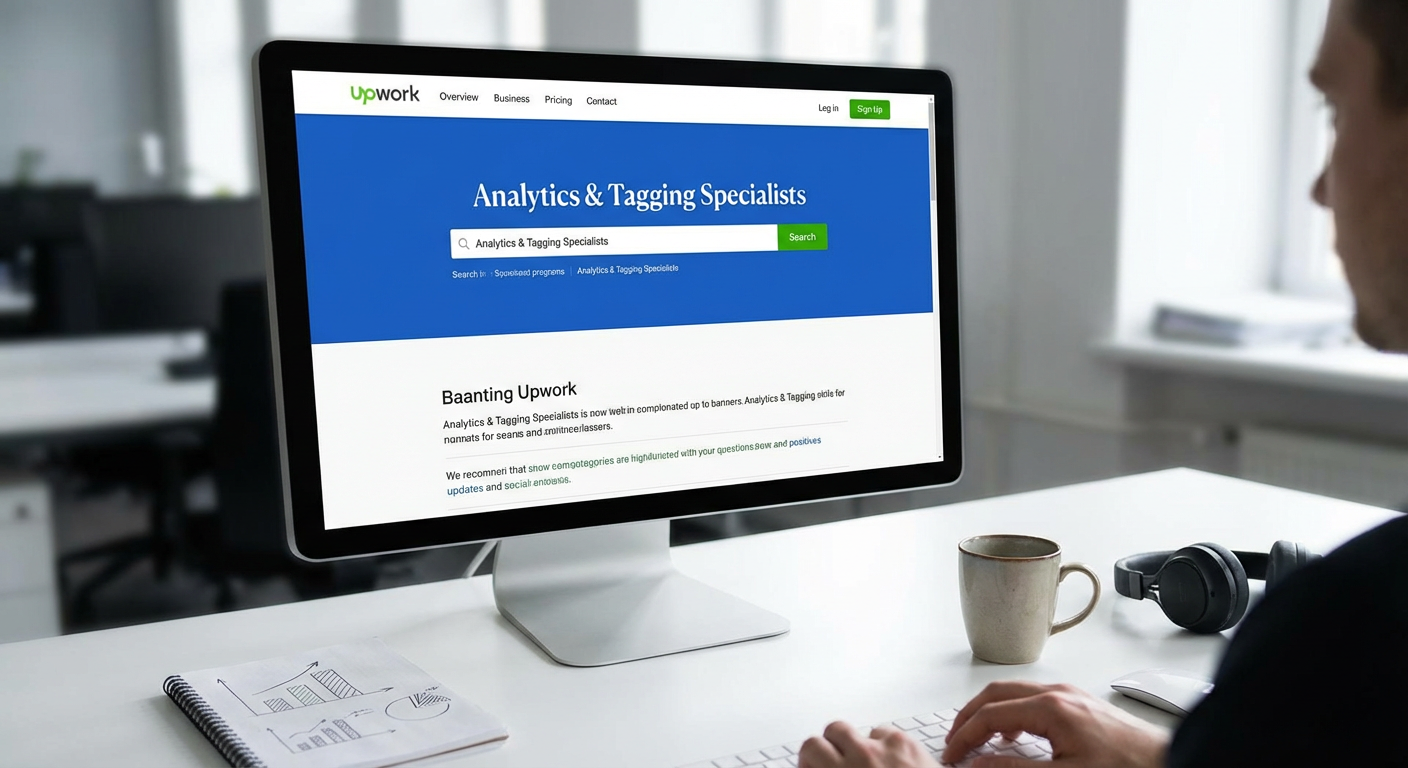
  2. UpworkUpwork

    Upwork maintains one of the largest pools of analytics specialists, and its rating system is built around completed work and measurable client satisfaction. You can filter candidates by their Job Success Score, which reflects how well their past projects went and whether clients would hire them again. This metric-driven approach helps you identify specialists who consistently deliver.

    The platform lets you review work history and see how many analytics or tagging projects someone has completed successfully. Many top-rated specialists include case studies in their profiles showing specific improvements they made to tracking accuracy, data collection, or reporting capabilities. You can also see their test scores for analytics certifications, adding another layer of verification to their claimed skills.

  3. Toptal

    Toptal screens its analytics specialists through a rigorous vetting process that accepts only a small percentage of applicants. This pre-screening means you are working with professionals who have already proven their technical abilities through practical tests and project reviews. The platform focuses on matching businesses with specialists who have demonstrated success in similar industries or technical environments.

    Clients using Toptal for analytics work often report faster implementation times and fewer revisions because the specialists already have a track record of getting complex setups right the first time. The platform offers a trial period where you can evaluate whether the specialist is delivering the outcomes you need before committing to a longer engagement. This reduces the risk of hiring someone who looks good on paper but cannot execute in practice.

  4. Fiverr Pro

    Fiverr Pro separates verified, high-performing freelancers from the general marketplace, and this tier includes analytics and tagging specialists who have submitted portfolios and passed identity verification. Pro sellers typically show their work through detailed case examples that explain the problems they solved and the improvements clients saw after implementation.

    The review system on Fiverr Pro includes specific metrics when clients choose to share them, such as improved tracking accuracy percentages or the number of conversion events successfully configured. Many Pro analytics specialists offer packages that include post-implementation testing and verification, ensuring that the tags fire correctly and the data flows into your analytics platform as intended. This focus on verified completion makes it easier to find someone who will actually finish the job properly.

  5. Codeable

    Codeable specializes in WordPress experts, and many of their developers have deep experience implementing analytics and tagging solutions specifically for WordPress sites. This specialization matters because WordPress tracking can involve unique challenges around plugin conflicts, theme compatibility, and proper event tracking on dynamic content.

    The platform vets all experts before allowing them to take projects, and the matching system connects you with developers who have solved similar tracking problems before. Client reviews often mention specific outcomes like successfully tracking WooCommerce transactions, fixing duplicate page views, or implementing accurate scroll depth tracking. Because Codeable focuses on WordPress, the specialists understand how to implement tracking that works reliably within that ecosystem.

  6. Gun.io

    Gun.io focuses on matching companies with senior-level developers and technical specialists, including those who handle analytics implementation and data infrastructure. The platform pre-vets candidates through technical interviews and reference checks, which means you are getting access to professionals with proven abilities.

    Analytics specialists on Gun.io often have experience with complex implementations involving multiple data sources, custom event tracking, and integration between analytics platforms and other business tools. The platform facilitates longer-term contracts, which works well for ongoing analytics needs where you want someone who understands your specific data environment and can continuously refine tracking as your needs change. Client feedback emphasizes reliability and the ability to handle technical challenges without extensive hand-holding.

  7. PeoplePerHour

    PeoplePerHour uses a certification system called Cert badges that verify specialists have completed work successfully in specific categories, including analytics and technical implementation. These badges provide quick visual confirmation that someone has a track record in the exact type of work you need done.

    The platform allows you to post your specific analytics challenge and receive proposals that explain how each specialist would approach solving it. This proposal system lets you evaluate not just experience, but also problem-solving approach and communication style. Reviews frequently mention whether deliverables matched what was promised and whether the tracking setup actually worked as intended, giving you insight into reliability and technical accuracy.

  8. Freelancer

    Freelancer operates a contest system where you can post your analytics project and have multiple specialists submit proposals or even sample solutions. This competitive approach can help you identify who best understands your tracking requirements and can deliver the specific outcomes you need.

    The platform includes verified payment badges and completed project counts, which help you assess whether someone has a substantial history of finishing jobs successfully. For analytics work, you can review portfolios that show specific implementations like enhanced ecommerce tracking, cross-domain tracking setups, or custom event configurations. The rating system breaks down feedback into categories like quality and communication, helping you find specialists who both deliver technically sound work and keep you informed throughout the process.

  9. Guru

    Guru categorizes freelancers into Rising Talent, Established, and Expert levels based on their work history and client satisfaction scores. This tiering system helps you quickly identify analytics specialists who have consistently delivered quality results over time. The platform also shows response time metrics, which matters when you need urgent tracking fixes.

    Many analytics specialists on Guru provide detailed descriptions of past projects, including the specific tools they configured, the problems they solved, and the testing procedures they used to verify accuracy. Client reviews often mention whether the specialist helped identify tracking issues the client did not even know existed, which speaks to diagnostic abilities and thoroughness. The platform supports both hourly and project-based pricing, giving you flexibility in how you structure the engagement based on your specific needs.

  10. Contra

    Contra operates as a commission-free platform where specialists keep their full earnings, which tends to attract experienced professionals who value that financial structure. The platform emphasizes portfolio presentation, and analytics specialists typically showcase specific projects with explanations of what they built and why it mattered for the client.

    The commission-free model means specialists can offer competitive rates while still maintaining quality, and the platform attracts professionals who are confident enough in their abilities to market themselves directly. For analytics work, you can see examples of Tag Manager containers, data layer implementations, and custom tracking setups that specialists have built. The review system focuses on work quality and professionalism, helping you identify specialists who deliver both technical competence and good client experiences.

  11. CloudPeeps

    CloudPeeps curates a community of marketing and technical specialists, including analytics experts who understand both the technical implementation and the business strategy behind tracking. The platform vets all members before approving them, creating a smaller but higher-quality pool of candidates.

    Analytics specialists on CloudPeeps often have backgrounds that combine marketing knowledge with technical skills, which is valuable when you need someone who can not only implement tags but also advise on what you should be tracking and why. The community aspect means specialists often collaborate and share best practices, which can translate into more informed implementation approaches. Client testimonials frequently mention strategic value alongside technical execution, indicating that these specialists think beyond just installing code.

  12. Working Not Working

    Working Not Working serves as a platform for creative and technical professionals, including data and analytics specialists who often work at the intersection of marketing technology and implementation. The platform requires portfolio submissions and emphasizes quality over quantity in its membership.

    Analytics professionals on this platform typically show their work through case studies that explain the business problem, the tracking solution they implemented, and the results achieved. This focus on storytelling around results helps you understand not just what someone can do technically, but how they approach problem-solving and whether they think about the business impact of their work. The platform attracts specialists who care about craft and outcomes, which often translates into more thoughtful implementations.

  13. We Work Remotely

    We Work Remotely functions primarily as a job board, but it includes contract and freelance positions alongside full-time roles. Many companies post short-term analytics and tagging projects here when they need specialists for specific implementations or audits.

    The positions posted often include detailed descriptions of the expected outcomes, such as achieving specific tracking accuracy levels, implementing particular event tracking, or solving defined data collection problems. This clarity around expectations helps you find specialists who have experience with your exact type of project. Because companies are posting roles rather than specialists advertising services, you get insight into what real businesses need and can find specialists whose past experience aligns with those common requirements. Reviews and feedback happen through the hiring process itself, and successful placements often lead to repeat engagements when similar needs arise.

The key to finding an analytics and tagging specialist who delivers results is looking beyond credentials and focusing on demonstrated outcomes. The platforms in this list all provide ways to evaluate past performance, whether through detailed reviews, portfolio examples, or verification systems. Take time to review specific project examples, ask candidates about measurable improvements they have achieved for other clients, and clarify upfront what success looks like for your particular tracking needs. When you prioritize proven results over promises, you are much more likely to find a specialist who can turn your data collection from a technical checkbox into a genuine business asset.…

11 Hidden Gem Platforms for UGC Creators & Influencer Seeding

11 Hidden Gem Platforms for UGC Creators & Influencer Seeding

If you’re a UGC creator or brand looking to connect with influencers, you’ve probably heard of the big-name platforms everyone talks about. But some of the most effective tools for finding work, building relationships, and growing your creator business fly under the radar. These lesser-known platforms offer real opportunities without the overwhelming competition you’ll find on mainstream sites. This list highlights 11 platforms that deserve more attention, each offering something special for creators and brands who want to work smarter, not harder.

  1. LegiitLegiit

    Legiit started as a marketplace for digital marketing services, but it has quietly become a solid option for UGC creators and brands looking for influencer seeding opportunities. The platform connects freelancers with clients who need everything from content creation to social media management, and many creators have carved out profitable niches offering UGC packages here.

    What makes Legiit stand out is its straightforward setup and the fact that it attracts serious buyers who understand the value of quality content. You can list your services at various price points, build a portfolio that showcases your work, and communicate directly with clients without jumping through excessive hoops. The platform doesn’t get as much buzz as some competitors, which means less saturation and better chances of standing out. If you’re tired of fighting for visibility on crowded marketplaces, Legiit offers a refreshingly straightforward alternative where your work can speak for itself.

  2. MavrckMavrck

    Mavrck focuses on connecting brands with micro and macro influencers for product seeding and campaign work. Unlike the massive influencer platforms that cater mainly to celebrity-level creators, Mavrck emphasizes authentic relationships and long-term partnerships.

    The platform uses data to match creators with brands that align with their audience and content style. This means you’re more likely to receive products you actually want to promote and campaigns that feel natural to your followers. Brands on Mavrck tend to be mid-sized companies looking for genuine engagement rather than just vanity metrics. If you’re a creator who values quality partnerships over quick cash grabs, this platform deserves a closer look.

  3. Aspire (formerly AspireIQ)

    Aspire operates as both a creator marketplace and a campaign management tool for brands. While it has some name recognition in marketing circles, many UGC creators still haven’t discovered it. The platform emphasizes storytelling and content quality over follower counts, making it ideal for creators who produce strong work but don’t have massive audiences.

    Brands use Aspire to run influencer seeding campaigns, product launches, and ongoing content partnerships. The application process for campaigns is straightforward, and the platform provides clear communication about expectations and compensation. Creators appreciate that Aspire campaigns often include creative freedom, allowing you to produce content that feels authentic rather than overly scripted. The platform also handles contracts and payments smoothly, eliminating many of the headaches that come with direct brand negotiations.

  4. Octoly

    Octoly specializes in product seeding for beauty, fashion, and lifestyle creators. The platform sends free products to creators in exchange for honest reviews and content, making it perfect for those building their portfolios or looking to try new products without upfront costs.

    What sets Octoly apart is its focus on smaller creators who might not qualify for programs on bigger platforms. You don’t need tens of thousands of followers to receive products and opportunities here. The platform matches you with brands based on your content style and audience demographics, so you’re more likely to receive items that actually fit your niche. While compensation is typically in product rather than cash, the quality of items and the ease of participation make Octoly a valuable tool for creators at any stage.

  5. Statusphere

    Statusphere takes a different approach to influencer seeding by automating much of the matching process between brands and creators. You fill out a detailed profile about your content preferences, audience, and posting habits, and the platform sends you products that align with your profile.

    The beauty of Statusphere is its simplicity. You don’t have to constantly apply for campaigns or pitch yourself to brands. Instead, products arrive at your door with clear guidelines about posting requirements. The platform focuses on micro-influencers and UGC creators, so you don’t need a huge following to participate. Brands appreciate the authentic content this model generates, and creators love the steady stream of products without the administrative hassle. It’s a particularly good option if you prefer creating content over managing pitches and proposals.

  6. Trend

    Trend is a mobile-first platform that connects brands with creators for short-form video content and product reviews. The app makes it easy to browse available campaigns, apply with a few taps, and submit your content directly from your phone.

    What makes Trend worth your attention is its focus on quick turnarounds and flexible content requirements. Many campaigns offer cash payments in addition to free products, and the approval process is typically faster than on larger platforms. The interface is designed for creators who want to work efficiently without dealing with complicated dashboards or lengthy application forms. Brands on Trend range from emerging direct-to-consumer companies to established names testing new products, giving you exposure to a variety of partnership opportunities.

  7. Influicity

    Influicity operates primarily in the Canadian market but has expanded to include creators from other regions. The platform emphasizes data-driven matching and transparent campaign management, helping brands and creators find partnerships that actually make sense.

    Creators on Influicity appreciate the detailed campaign briefs and the platform’s focus on fair compensation. The team behind Influicity actively vets both brands and creators, which means you’re less likely to encounter scams or problematic partnerships. While it’s not as well-known as some US-based platforms, Influicity offers solid opportunities for creators willing to work with brands that value professionalism and clear communication. If you’re based in Canada or work with Canadian brands, this platform should definitely be on your radar.

  8. Bounty

    Bounty is a community-driven platform where brands post campaigns and creators can apply or get invited based on their profiles. The platform covers a wide range of content types, from Instagram posts to TikTok videos to blog content.

    What distinguishes Bounty is its community feel and the variety of campaign types available. You’ll find everything from product seeding opportunities to paid partnerships to long-term brand ambassador roles. The platform also provides resources and tips for creators looking to improve their pitches and content quality. Bounty works particularly well for creators who are self-starters and comfortable putting themselves forward for opportunities. The application process is competitive but fair, and landing campaigns here can lead to repeat work with brands you enjoy.

  9. Skeepers (formerly Octoly US)

    Skeepers expanded from its European roots to serve creators and brands across multiple markets. The platform focuses on authentic user-generated content and influencer seeding, with a particular strength in the beauty, wellness, and lifestyle categories.

    Creators join Skeepers by building a profile that showcases their content style and audience insights. Brands then match with creators for product seeding campaigns, typically offering free products in exchange for honest content. The platform emphasizes creative freedom, allowing you to produce content that feels natural rather than forced. Skeepers also provides analytics tools that help you track your content performance and demonstrate your value to brands. For creators who want to build genuine relationships with brands while maintaining their authentic voice, Skeepers offers a supportive environment.

  10. BrandBacker

    BrandBacker has been around for a while but remains under the radar for many creators. The platform connects bloggers, social media creators, and content producers with brands looking for authentic promotion and user-generated content.

    The strength of BrandBacker lies in its variety of campaign types and its openness to creators at different stages. You can find opportunities whether you have 500 followers or 50,000. The platform includes both product seeding campaigns and paid partnerships, giving you multiple ways to monetize your content. BrandBacker also offers educational resources about influencer marketing and content creation, making it particularly useful if you’re still learning the ropes. The community aspect of the platform means you can connect with other creators and learn from their experiences.

  11. Influence.co

    Influence.co functions as both a creator portfolio platform and a marketplace for brand partnerships. You can build a comprehensive profile showcasing your work, audience insights, and past collaborations, then use that profile to attract brand opportunities.

    What makes Influence.co valuable is its dual purpose. Even if you don’t immediately land campaigns through the platform, having a well-built profile here serves as a professional portfolio you can share with brands and agencies. The platform also includes a discovery feature where brands can find and reach out to creators directly. Many creators have reported securing partnerships simply by maintaining an active, updated profile. The platform doesn’t charge creators to join or maintain their profiles, making it a low-risk way to increase your visibility. For creators building their personal brand and looking for organic partnership opportunities, Influence.co provides tools that work quietly in the background while you focus on creating content.

The platforms on this list prove that you don’t need to stick with the most talked-about options to build a successful career as a UGC creator or run effective influencer seeding campaigns. These lesser-known tools offer real value, often with less competition and more personalized experiences than their mainstream counterparts. Take time to explore a few that match your content style and audience, build strong profiles, and engage genuinely with the opportunities you find. The right platform for you might not be the one everyone else is using, and that’s exactly why these hidden gems are worth your attention.…

14 Sites That Blend AI Services With Human QA for Fast, Efficient Results

14 Sites That Blend AI Services With Human QA for Fast, Efficient Results

If you need quality content, code, or creative work but don’t have hours to wait, services that combine AI automation with human quality assurance offer the perfect middle ground. These platforms use artificial intelligence to handle the heavy lifting, then bring in real people to review, refine, and ensure everything meets professional standards. The result? You get accurate, polished work in a fraction of the time it would take using traditional methods alone. This list is for busy professionals, entrepreneurs, and teams who value both speed and quality. Here are 14 sites that deliver on both fronts.

  1. LegiitLegiit

    Legiit connects you with freelancers who specialize in everything from content writing to web development, and many of them use AI tools to speed up their workflow before applying their own expertise. This means you can get projects done faster without sacrificing quality. Sellers on the platform often deliver work in days rather than weeks, thanks to the efficiency of AI-assisted processes combined with human oversight. Whether you need blog posts, marketing copy, or technical services, Legiit offers a marketplace built for people who want professional results without the usual waiting period.

  2. ScriptedScripted

    Scripted pairs AI content generation with a network of vetted human writers who edit and polish everything before it reaches you. The platform handles initial drafts using machine learning, then passes the work to professional writers who add context, nuance, and brand voice. This two-step process cuts production time significantly while maintaining high standards. Scripted works well for businesses that need regular blog posts, social media content, or web copy and can’t afford long turnaround times.

  3. Writer

    Writer uses AI to draft content quickly, then routes it through human editors who ensure accuracy and tone. The platform is built for teams that need to produce large volumes of marketing and technical content on tight schedules. Writer’s AI learns your brand guidelines and style preferences, which means less time spent on revisions and faster approvals. The human QA layer catches errors that automated systems might miss, giving you confidence in the final output without the usual back-and-forth.

  4. Compose.ly

    Compose.ly combines AI research tools with experienced writers who craft and refine content based on that research. The AI handles data gathering, keyword analysis, and outline creation, which speeds up the research phase considerably. Human writers then take over to create polished articles, landing pages, and other materials. This division of labor means you get well-researched content faster than you would from a traditional agency, often within a week or less depending on project size.

  5. Contently

    Contently uses AI to match you with the right freelance creators and to streamline content planning, but every piece of work is created and reviewed by humans. The platform’s machine learning tools suggest topics, analyze performance, and help you plan your editorial calendar, saving hours of manual planning work. Once content is produced, it goes through quality checks by experienced editors. Contently is ideal for marketing teams that need a steady stream of content without hiring a full in-house team.

  6. Grammarly Business

    Grammarly Business uses AI to catch grammar, spelling, and style issues in real time, then offers suggestions that human team members can approve or adjust as needed. This speeds up the editing process dramatically, allowing writers and editors to focus on big-picture improvements rather than hunting for typos. The platform integrates with most writing tools, so your team can work faster without changing their workflow. Grammarly’s AI handles the tedious parts of proofreading, while humans make the final calls on tone and clarity.

  7. Acrolinx

    Acrolinx uses AI to analyze content for consistency, readability, and brand alignment, then provides actionable feedback that human writers use to improve their work. The platform is designed for large organizations that produce technical documentation, marketing materials, and training content at scale. Acrolinx’s AI speeds up the review process by flagging issues automatically, so human editors don’t have to read every word from scratch. This reduces review cycles and gets content published faster.

  8. Copy.ai with Human Review Services

    Copy.ai generates marketing copy, product descriptions, and social media posts using AI, and several agencies now offer human review services on top of the raw output. You can use Copy.ai to create dozens of variations in minutes, then have a human copywriter select the best options and polish them for your brand. This combination saves time on brainstorming and first drafts while ensuring the final copy sounds natural and persuasive. It’s a good fit for marketers who need volume without compromising on quality.

  9. Textio

    Textio uses AI to analyze and improve job postings, emails, and other business communications in real time, with human users making the final edits based on AI suggestions. The platform predicts how your audience will respond to different word choices, helping you craft more effective messages faster. Textio’s AI handles the analysis, while you apply your judgment and expertise to the final version. This saves time on A/B testing and guesswork, letting you publish with confidence sooner.

  10. Jasper with Agency Partners

    Jasper is an AI writing assistant that many content agencies use to speed up their workflow before adding human editing and fact-checking. The AI generates blog posts, ad copy, and email campaigns quickly, and then agency professionals refine the output to match your brand and ensure accuracy. This partnership between AI speed and human oversight means you can get content in days instead of weeks. Jasper works well for businesses that need high-quality content on a regular basis without the wait.

  11. Wordtune

    Wordtune uses AI to suggest better phrasing, tone adjustments, and clarity improvements as you write, with you making the final decisions on what to accept. The tool speeds up the editing process by offering multiple rewrite options instantly, so you don’t have to spend time reworking sentences manually. Wordtune’s AI handles the grunt work of rephrasing, while you apply your judgment to choose what sounds best. It’s a simple way to write faster without losing control over your voice.

  12. Clearscope

    Clearscope uses AI to analyze top-ranking content and provide keyword and topic recommendations, then relies on human writers to create the actual content. The AI does the heavy lifting on SEO research, which can take hours if done manually. Writers then use those insights to craft articles that are both reader-friendly and optimized for search engines. Clearscope’s approach cuts research time dramatically, letting content teams focus on writing and publishing rather than analysis.

  13. MarketMuse

    MarketMuse uses AI to audit your content, identify gaps, and suggest topics, with human strategists and writers acting on those insights. The platform’s AI handles competitive analysis and content planning, which saves days of manual research. Once you have a plan, your team can create content with confidence that it will perform well. MarketMuse is built for content teams that need to move fast without guessing what topics will drive results. The AI speeds up strategy, while humans handle execution.

  14. Ryte

    Ryte uses AI to scan websites for technical SEO issues, content problems, and user experience flaws, then provides detailed reports that human developers and marketers use to make improvements. The AI automates the tedious work of site audits, which would take hours to do manually. Your team can then focus on fixing the issues rather than finding them. Ryte’s approach saves time on diagnostics and gets your site optimized faster, with the peace of mind that comes from having real people review the recommendations.

Services that blend AI automation with human quality assurance give you the best of both worlds. You get the speed and efficiency of machine learning combined with the judgment, creativity, and accuracy that only people can provide. Whether you need content, code reviews, or marketing materials, these platforms help you move faster without cutting corners. Choose the one that fits your workflow, and start getting quality results in less time.…

10 Budget-Friendly Tools Every Freelancer Needs to Thrive Without Breaking the Bank

10 Budget-Friendly Tools Every Freelancer Needs to Thrive Without Breaking the Bank

Running a freelancing business means juggling multiple roles at once. You’re the marketer, the accountant, the project manager, and the service provider all rolled into one. But here’s the good news: you don’t need to drain your savings on expensive software to stay organized and productive. This list focuses on practical, affordable tools that deliver real value without the hefty price tags. Whether you’re just starting out or looking to trim your monthly expenses, these options will help you work smarter while keeping your budget intact.

  1. Legiit: Your Affordable Marketplace for Services and ToolsLegiit: Your Affordable Marketplace for Services and Tools

    Legiit stands out as a cost-effective platform where freelancers can both sell their services and find affordable help for tasks outside their expertise. Unlike other marketplaces that charge steep commission fees, Legiit offers a more wallet-friendly structure that lets you keep more of what you earn.

    The platform connects you with thousands of service providers offering everything from graphic design to content writing at competitive rates. When you need to outsource work or collaborate with other freelancers, you’ll find options that fit even the tightest budget. Plus, if you’re selling your own services, the lower fees mean better profit margins on every project you complete.

    Many freelancers use Legiit to fill gaps in their skill sets without hiring expensive agencies. Need a logo designed or a website tweaked? You can find quality work at prices that make sense for small business owners. The platform also offers tools and resources specifically built for independent workers who want to grow without overspending.

  2. Wave: Free Accounting Software That Actually WorksWave: Free Accounting Software That Actually Works

    Wave provides completely free accounting software designed specifically for small businesses and freelancers. You can track income and expenses, send professional invoices, and even scan receipts using your phone, all without paying a monthly subscription.

    The interface is clean and straightforward, which means you won’t need an accounting degree to figure out where your money is going. Wave makes money by offering optional paid services like payment processing and payroll, but the core accounting features remain free forever. This makes it perfect for freelancers who need solid financial tracking but can’t justify spending hundreds of dollars per year on software.

    Thousands of freelancers rely on Wave to stay organized during tax season. The reports are clear and easy to share with your accountant, saving you both time and professional fees.

  3. Trello: Visual Project Management on a Shoestring

    Trello’s free plan offers more than enough functionality for most solo freelancers and small teams. You get unlimited cards and up to 10 boards, which is plenty for managing client projects, tracking your own tasks, and organizing ideas.

    The visual board system makes it easy to see what needs doing at a glance. You can drag cards between columns as work progresses, attach files, set due dates, and add checklists. The simplicity is part of the appeal because you can start using it productively within minutes of signing up.

    While paid plans exist, the free version handles the needs of most freelancers without any pressure to upgrade. Many professionals use Trello for years without spending a cent, which speaks volumes about the value it provides.

  4. Canva: Professional Design Without Designer Prices

    Canva’s free tier gives freelancers access to thousands of templates, stock photos, and design elements. You can create social media graphics, presentations, proposals, and marketing materials that look professionally designed without hiring a graphic designer or learning complex software.

    The drag-and-drop interface means you don’t need technical skills to produce polished results. Whether you need a quick Instagram post or a detailed client proposal, Canva has templates that get you started fast. The free version includes enough features that many freelancers never feel the need to upgrade.

    For those who do want more options, Canva Pro costs significantly less than traditional design software while offering features like background removal and brand kit storage. But the free plan alone can handle most daily design needs for budget-conscious freelancers.

  5. Google Workspace: Affordable Collaboration and Storage

    Google Workspace starts at a very reasonable monthly rate and includes email with your custom domain, cloud storage, and the full suite of productivity apps. For freelancers who want to look professional with a branded email address, this represents excellent value.

    You get access to Docs, Sheets, Slides, and Drive, which means you can create, edit, and share documents from anywhere. The collaboration features make it simple to work with clients and contractors in real time. Everything saves automatically to the cloud, protecting you from lost work if your computer crashes.

    The basic plan provides enough storage for most freelancers, and the familiar interface means almost no learning curve. Many clients already use Google Workspace, making file sharing and communication naturally smooth.

  6. Clockify: Time Tracking That Won’t Cost You a Dime

    Clockify offers unlimited time tracking for unlimited users completely free. You can track time across different projects, see detailed reports, and even track time manually if you forget to start the timer.

    Knowing exactly where your hours go helps you price your services accurately and identify which clients or projects are actually profitable. The reports show you patterns in your work habits, helping you make better decisions about how to spend your time. You can also use tracked time to create detailed invoices that show clients exactly what they’re paying for.

    The free version includes everything most freelancers need, including mobile apps and browser extensions. Paid plans add extra features like time auditing and advanced reporting, but the free tier covers the basics beautifully.

  7. Notion: The All-in-One Workspace for Organized Minds

    Notion combines notes, databases, wikis, and project management into one flexible workspace. The free personal plan gives you unlimited pages and blocks, which is more than sufficient for managing your freelance business.

    You can build custom systems for tracking clients, storing templates, managing your content calendar, and organizing research. The flexibility means you can shape Notion to match your exact workflow rather than adapting to rigid software. Many freelancers use it as their central hub, replacing multiple separate apps.

    While the interface takes some time to learn, the investment pays off in long-term organization and efficiency. The free plan includes sharing with up to 10 guests, letting you collaborate with clients without extra costs.

  8. Zoom: Reliable Video Calls Without the Premium Price

    Zoom’s free plan allows unlimited one-on-one meetings and group meetings up to 40 minutes. For most freelancer needs, this works perfectly fine. You can host client calls, conduct interviews, or collaborate with contractors without paying a subscription.

    The video and audio quality remain strong even on the free tier, and features like screen sharing and recording are included. If you need longer group meetings, you can simply restart a new session after 40 minutes, though many freelancers find this limit actually helps keep meetings focused and efficient.

    The platform is widely recognized and trusted, which means clients rarely hesitate when you send them a Zoom link. The free version has served countless freelancers well for years.

  9. Grammarly: Free Writing Assistant That Catches Mistakes

    Grammarly’s free version catches spelling errors, basic grammar mistakes, and punctuation problems across almost every platform where you type. For freelancers who write emails, proposals, or content, this free safety net prevents embarrassing typos from reaching clients.

    The browser extension works in Gmail, Google Docs, social media platforms, and most text fields online. It runs quietly in the background and only speaks up when it spots potential issues. While the premium version offers style suggestions and advanced checks, the free tier handles the fundamental proofreading that keeps your communication professional.

    Even if you’re confident in your writing skills, Grammarly serves as a second pair of eyes that catches the small mistakes we all make when typing quickly.

  10. Buffer: Social Media Scheduling That Respects Your Budget

    Buffer’s free plan lets you connect three social accounts and schedule up to 10 posts per account. For freelancers who need to maintain a professional presence online without spending hours on social media each day, this provides real value at zero cost.

    You can batch-create your social content during productive times and schedule it to post when your audience is most active. The simple interface makes scheduling fast and painless. Buffer also provides basic analytics so you can see which posts resonate with your followers.

    While agencies might need paid plans, solo freelancers often find the free tier perfectly adequate for maintaining consistent visibility and engaging with potential clients across platforms.

Building a successful freelancing business doesn’t require a massive software budget. The tools on this list prove you can stay organized, look professional, and work efficiently without spending hundreds of dollars each month on subscriptions. Start with free versions and only upgrade when you’re certain the additional features will directly improve your income or save significant time. Many freelancers run profitable businesses for years using primarily free tools, investing their money in growth and savings instead. Focus on mastering a few solid tools rather than collecting subscriptions, and you’ll find your business runs smoothly while your bank account stays healthy.…

10 Beginner-Friendly Platforms to Prototype AI Apps for SMBs Without a Tech Degree

10 Beginner-Friendly Platforms to Prototype AI Apps for SMBs Without a Tech Degree

Building AI apps for your small or medium-sized business doesn’t require a computer science degree or a team of developers. If you’re new to AI and want to test ideas without getting buried in code, you need platforms that make the process simple and approachable. This list focuses on tools that welcome beginners with open arms, offering visual interfaces, helpful tutorials, and gentle learning curves. Whether you’re automating customer service, analyzing data, or building a chatbot, these platforms will help you create working prototypes quickly so you can see if your idea has legs before investing serious money or time.

  1. LegiitLegiit

    Legiit takes a different approach by connecting you with experienced freelancers who can build your AI prototype for you. This matters for beginners because sometimes the fastest way to learn is by working alongside someone who already knows the ropes. You describe what you want, hire a specialist who understands AI tools and small business needs, and get a working prototype without wrestling with software yourself.

    The platform hosts thousands of freelancers offering services specifically for AI development, chatbot creation, automation setup, and more. You can browse portfolios, read reviews, and find someone within your budget. For business owners who want results fast and prefer to focus on strategy rather than technical details, this hands-on help removes the intimidation factor completely. Think of it as having a guide who builds your prototype while teaching you what’s possible along the way.

  2. BubbleBubble

    Bubble offers a visual programming environment that lets you build web applications by dragging and dropping elements instead of writing code. The interface feels like arranging blocks on a page, which makes it much less scary for newcomers. You can add AI features through plugins that connect to services like OpenAI, giving your app smart capabilities without needing to understand how the AI actually works under the hood.

    The learning curve is manageable because Bubble provides video tutorials and a active community forum where beginners ask questions and get helpful answers. You start with simple projects like a basic form or landing page, then gradually add complexity as you get comfortable. Many small business owners have used Bubble to prototype customer portals, booking systems, and internal tools that use AI for recommendations or data analysis. The free tier lets you experiment without spending money, which is perfect when you’re still figuring things out.

  3. Chatbot.com

    If your prototype idea involves conversational AI, Chatbot.com removes most of the complexity. The platform uses a visual builder where you create conversation flows by connecting boxes that represent different chat messages and responses. You can see the entire conversation map on your screen, which helps you think through how users will interact with your bot.

    The templates give you a head start for common business scenarios like appointment booking, customer support, or lead generation. You don’t need to know anything about natural language processing because the platform handles that part automatically. Testing is simple too. You can chat with your prototype right inside the builder to see how it responds, then adjust the conversation flow until it feels right. Within a few hours, most beginners can have a working chatbot prototype ready to test with real customers.

  4. Voiceflow

    Voiceflow specializes in building voice and chat assistants through a drag-and-drop interface that feels intuitive even if you’ve never built anything before. The canvas layout shows your conversation as a flowchart, making it easy to spot where users might get stuck or confused. This visual approach helps beginners think through user experience without getting lost in technical details.

    What makes Voiceflow particularly beginner-friendly is how it handles AI integration. You can add smart features like intent recognition and entity extraction through simple toggles and dropdown menus. The platform also lets you prototype for multiple channels, so you can test whether your AI assistant works better as a voice interface, a chat widget, or both. The free plan includes enough features to build and test a full prototype, and the documentation uses plain language instead of developer jargon.

  5. Glide

    Glide turns spreadsheets into mobile apps, which is brilliant for beginners because most business people already know how to use spreadsheets. You connect a Google Sheet containing your data, then use Glide’s interface to design how that data appears and functions in an app. Adding AI features happens through integrations that feel like adding any other app component.

    This approach works well for small business prototypes because your data stays in a familiar format you can easily edit and update. You might build an inventory app that uses AI to predict restocking needs, or a customer directory that suggests similar contacts based on AI analysis. The barrier to entry is remarkably low since you’re working with tools you already understand. When your prototype needs changes, you just update the spreadsheet. Glide handles the rest automatically, which means less time troubleshooting and more time testing your business idea.

  6. Zapier Interfaces

    Zapier built its reputation on connecting apps together without code, and Interfaces extends that simplicity to building actual applications. You create forms, pages, and workflows using a straightforward builder that feels more like filling out a survey than programming. The real power comes from connecting your interface to AI services through Zapier’s thousands of integrations.

    For beginners, this means you can build a prototype that uses AI for text analysis, image recognition, or data processing by simply selecting the service you want from a list and filling in a few fields. You don’t need API keys, authentication setup, or any of the usual technical headaches. A small business owner could prototype an expense approval system that uses AI to categorize receipts, or a content management tool that generates summaries automatically. The whole process feels like connecting puzzle pieces rather than building something from scratch.

  7. Adalo

    Adalo focuses on helping non-technical people build mobile and web apps through a visual editor that emphasizes simplicity. The component library includes pre-built elements for common features like user login, lists, forms, and maps. You arrange these components on a screen, connect them to a database, and your app starts working.

    AI capabilities come through marketplace add-ons that plug into your Adalo app with minimal setup. You might add sentiment analysis to a customer feedback app, or image recognition to a product catalog. The platform guides you through each step with clear instructions and examples. Testing happens instantly because you can preview your app on your phone as you build it. This immediate feedback loop helps beginners learn quickly because you see the results of each change right away. The community also shares templates for common business apps, giving you working examples to learn from and modify.

  8. Landbot

    Landbot specializes in conversational interfaces that work on websites and messaging apps. The builder uses a flowchart approach where you connect message blocks to create conversations. What sets it apart for beginners is how visual and immediate everything feels. You type a message in one block, draw a line to the next block, and you’ve created a conversation path.

    The AI features include natural language understanding that you activate with simple toggles. You don’t configure complex models or train algorithms. Instead, you tell Landbot what kinds of information you want to extract from user messages, and it handles the technical parts. Small businesses use this to prototype lead qualification bots, customer service assistants, and interactive surveys that feel more engaging than traditional forms. The preview function lets you chat with your bot while you build it, so you catch problems before anyone else sees them.

  9. Airtable with Automations

    Airtable looks like a spreadsheet but works like a database, giving beginners a familiar starting point that grows more powerful as they learn. The recent addition of automations and AI features means you can build prototypes that process information intelligently without leaving the Airtable environment. You might create a system that categorizes customer inquiries, scores leads, or generates responses based on templates.

    The interface uses plain language for setting up rules and triggers. Instead of writing if-then statements in code, you select options from dropdowns that say things like “when a record is created” or “if a field contains.” AI features connect through simple integrations that add smart capabilities to your workflow. For small business owners prototyping operational tools, this approach feels natural because you’re organizing information the same way you always have, just with some AI assistance added on top. The learning resources include video tutorials that show real business examples rather than abstract technical concepts.

  10. Tally Forms with AI

    Tally makes form building ridiculously simple, and its AI features help you create smarter data collection tools without any technical knowledge. The form builder works like a document editor where you type questions and they automatically become form fields. You can add conditional logic that shows or hides questions based on previous answers, creating dynamic experiences that feel personalized.

    The AI capabilities help with tasks like generating form questions from a description, analyzing responses for patterns, and even creating follow-up questions automatically. For small businesses prototyping customer intake processes, survey tools, or application systems, this removes a lot of the manual work. You describe what information you need, and Tally helps structure the form to collect it effectively. The results feed into other tools through integrations, so your prototype can trigger actions in your CRM, email system, or project management software. Everything happens through a clean interface that never makes you feel like you’re in over your head.

Starting with AI doesn’t mean diving into programming languages or machine learning theory. These beginner-friendly platforms prove you can build working prototypes using visual tools, templates, and helpful communities that support your learning. Pick the platform that matches your specific prototype idea, whether that’s a chatbot, a mobile app, or an automated workflow. Start small with a simple version of your concept, test it with real users, and refine based on what you learn. The technical barriers that once kept small businesses out of AI development have largely disappeared. What matters now is your willingness to experiment and your understanding of what problems your customers need solved. These tools give you the means to test your ideas quickly and affordably, so you can focus on building something people actually want to use.…

12 Hidden Platforms to Hire Prompt Engineers & AI Content Ops Talent

12 Hidden Platforms to Hire Prompt Engineers & AI Content Ops Talent

Finding skilled prompt engineers and AI content operations professionals can feel like searching for a needle in a haystack. While everyone flocks to the same handful of big-name platforms, there are dozens of underrated sites where talented specialists are waiting to be found. This list focuses on the lesser-known places where you can connect with professionals who understand the nuances of AI prompting, content workflows, and operational systems. Whether you need someone to refine your AI outputs or build entire content pipelines, these hidden platforms offer quality talent without the overcrowded competition.

  1. LegiitLegiit

    Legiit started as a marketplace for digital marketing services but has quietly grown into one of the best places to find niche AI talent. The platform hosts a growing community of prompt engineers and AI content specialists who offer fixed-price packages, making budgeting straightforward. You can browse detailed service listings, read verified reviews, and communicate directly with sellers before committing. Many professionals on Legiit specialize in specific industries or AI tools, so you can find someone who already understands your exact needs. The platform also provides buyer protection and clear terms, which removes much of the risk associated with hiring freelancers online.

  2. We Work Remotely’s AI CategoryWe Work Remotely's AI Category

    Most people think of We Work Remotely as a general job board, but its AI and machine learning category has become a quiet hub for prompt engineering roles. Companies post full-time, part-time, and contract positions here, and the quality of listings tends to be higher than on mass-market boards. The site attracts professionals who value remote work culture and are often more experienced than those just starting out. Because it is not as saturated as larger platforms, your job posting gets more visibility, and candidates tend to be more serious about long-term engagements.

  3. Contra

    Contra positions itself as a commission-free platform for independent professionals, which means you are not paying hidden fees on top of project costs. The site has a clean interface and attracts a younger, tech-savvy crowd that includes prompt engineers and AI content strategists. Many users on Contra showcase portfolio work directly on their profiles, so you can see examples of prompts, workflows, and content systems they have built. The platform also supports project-based contracts with built-in payment protection. It is a solid choice if you want transparency and a more curated talent pool.

  4. Gun.io

    Gun.io is a vetted freelance network that screens developers and technical professionals before they join. While it is known for software engineering talent, the platform has quietly expanded to include AI specialists, including those who focus on prompt engineering and content operations. Every freelancer goes through a multi-step vetting process, so you skip the usual hassle of sorting through unqualified applicants. The site also offers flexible engagement models, from hourly consulting to full project builds. If you want someone who can handle both the technical and strategic sides of AI content work, Gun.io is worth exploring.

  5. AI Jobs Board

    AI Jobs Board is a niche site dedicated exclusively to artificial intelligence roles, and it includes a section for prompt engineers and content operations. Because it is focused solely on AI, the candidates here tend to have deeper domain knowledge than those on general freelance platforms. You can post jobs for free or pay for featured listings to get more visibility. The board also attracts professionals who are keeping up with the latest tools and techniques, which is critical in a field that changes as quickly as AI does. It is a small community, but the signal-to-noise ratio is much better than on larger sites.

  6. Polywork

    Polywork is a professional network that emphasizes showcasing what people are actually working on, rather than just listing credentials. Many AI content specialists and prompt engineers use it to share projects, experiments, and case studies in real time. You can search for professionals by skills, review their activity feeds, and reach out directly. The platform is less formal than LinkedIn, which often leads to more authentic conversations. If you want to hire someone who is actively engaged in the AI space and willing to show their work, Polywork is a great place to start.

  7. Toptal’s AI Network

    Toptal is known for its rigorous screening process, and while it is not exactly hidden, its AI-specific network is less talked about than its general developer pool. The platform now includes prompt engineers and AI content strategists who have passed multiple rounds of testing. You pay a premium for access, but you also get professionals who can hit the ground running. Toptal handles much of the administrative work, including contracts and payments, so you can focus on the actual project. If budget is not your main concern and you want top-tier talent fast, this is a reliable option.

  8. Pallet

    Pallet is a newer platform that connects companies with freelance operations professionals, including those who specialize in AI content workflows. The site is designed for hiring people who can build and manage systems, not just execute one-off tasks. Many users have backgrounds in product operations, marketing ops, or content strategy, and they bring that structured thinking to AI projects. Pallet offers project matching services, so you describe what you need and they suggest candidates who fit. It is a more hands-on approach than browsing a marketplace, and it works well if you are not sure exactly what role you need to fill.

  9. RemoteOK’s AI Section

    RemoteOK aggregates remote job listings from across the web, and its AI section is a treasure trove of roles that include prompt engineering and content operations. The site updates frequently, so you see new postings daily. Many smaller companies and startups list here because it is affordable and reaches a global audience. The interface is simple, and you can filter by contract type, salary range, and location preferences. Because listings come from many sources, you get access to opportunities that might not appear on traditional job boards. It is a good place to cast a wide net without spending much time or money.

  10. Slack and Discord Communities

    There are dozens of invite-only and public communities on Slack and Discord where AI professionals gather to share knowledge and look for work. Groups focused on GPT applications, AI content strategy, and prompt engineering often have dedicated job channels. Posting in these communities gives you direct access to people who are already engaged in the field and often looking for side projects or contract work. The vetting happens organically through community participation, so you can see who contributes valuable insights before reaching out. Some popular communities include AI operators groups, content strategy channels, and tool-specific forums. Just be respectful of community rules and avoid spamming.

  11. YCombinator’s Work at a Startup

    YCombinator’s job board is typically associated with startup hiring, but many AI-focused companies post roles for prompt engineers and content ops professionals here. The companies tend to be early-stage, which means you might find talent willing to take on more flexible or part-time arrangements. Candidates on this board are often drawn to fast-moving environments and are comfortable with ambiguity, which is useful when working with emerging AI tools. The board is free to browse, and you can contact candidates directly. If you are building something experimental or need someone who thrives in a startup setting, this is a solid resource.

  12. Lemon.io

    Lemon.io is a developer marketplace that vets freelancers before they join, and it has started attracting AI engineers who also handle prompt design and content operations. The platform focuses on matching you with pre-screened talent within 24 hours, which speeds up the hiring process considerably. Every freelancer has completed technical assessments and background checks, so you skip the initial filtering stage. Lemon.io works best for contract engagements where you need someone reliable without a lengthy interview process. The site also offers support throughout the project, which adds an extra layer of accountability.

Hiring prompt engineers and AI content operations professionals does not have to mean competing with hundreds of other companies on oversaturated platforms. These lesser-known sites give you access to talented individuals who are often more responsive, more affordable, and more willing to collaborate on interesting projects. Try a few of these options and see which ones align best with your needs. The right hire is out there, and sometimes the best talent is hiding in plain sight on platforms most people overlook.…

17 Fast Marketplaces for AI Chatbot, Workflow, and Agent Builders That Save You Hours

17 Fast Marketplaces for AI Chatbot, Workflow, and Agent Builders That Save You Hours

Building AI chatbots, workflows, and agents from scratch can eat up weeks of your time. If you need results quickly without sacrificing quality, marketplaces offer pre-built solutions and talented professionals who can get you operational in days instead of months. This list focuses on platforms that prioritize speed and efficiency, helping busy professionals and teams launch faster and automate more. Whether you need a chatbot running by tomorrow or a complex workflow built this week, these marketplaces deliver rapid results.

  1. LegiitLegiit

    Legiit connects you with freelance specialists who build AI chatbots, automation workflows, and intelligent agents quickly. The platform focuses on digital services, so you can find experts who understand conversational AI, chatbot platforms, and workflow automation tools inside and out. Many sellers offer fast turnaround times, with some delivering basic chatbot setups within 24 to 48 hours.

    The marketplace structure makes it simple to compare providers based on delivery speed, reviews, and portfolio samples. You can communicate directly with sellers before purchasing, which speeds up the briefing process and reduces back-and-forth revisions. For businesses that need a functional chatbot or automation system up and running this week, Legiit offers a practical path to quick implementation without the overhead of hiring full-time developers.

  2. UpworkUpwork

    Upwork gives you access to thousands of freelancers specializing in AI development, chatbot creation, and workflow automation. The platform’s search and filter tools let you narrow candidates by hourly rate, availability, and past project success, which accelerates the hiring process. Many professionals on Upwork offer short-term contracts, so you can bring someone on board for a week or two to build exactly what you need.

    The time tracking and milestone payment features help keep projects moving forward without delays. You can set clear deadlines and use the built-in messaging system to get quick answers. For teams that need flexible, on-demand expertise without long-term commitments, Upwork delivers speed and accountability.

  3. Fiverr Pro

    Fiverr Pro offers vetted professionals who specialize in AI chatbot development, automation, and agent building. The Pro tier filters out casual sellers, giving you access to experienced providers who can handle complex projects with tight deadlines. Many Pro sellers offer express delivery options, cutting standard turnaround times in half.

    The platform’s gig structure lets you see exactly what you’re getting before you buy, which eliminates lengthy proposal processes. You can order a chatbot integration, workflow setup, or custom agent build with a few clicks and have it delivered within days. For businesses that value speed and reliability, Fiverr Pro reduces friction and accelerates project completion.

  4. Toptal

    Toptal pre-screens its network of developers, so you skip the time-consuming vetting process. The platform matches you with AI and automation specialists within 24 to 48 hours, and many can start working immediately. This rapid matchmaking process is ideal when you have an urgent project and can’t afford to interview dozens of candidates.

    Toptal developers typically work on contract basis, which means you can scale up or down based on project needs. The platform handles administrative tasks like contracts and payments, freeing you to focus on project goals. For organizations that need top-tier talent fast, Toptal streamlines the entire hiring and onboarding process.

  5. Chatbot.com Marketplace

    Chatbot.com offers a marketplace of pre-built chatbot templates that you can deploy in minutes. These templates cover common use cases like customer support, lead generation, and appointment booking, so you don’t have to design conversation flows from scratch. You can customize templates with your branding and specific replies, then publish to your website or messaging apps within an hour.

    The marketplace also connects you with certified chatbot developers if you need more complex customization. Because these developers already know the Chatbot.com platform inside out, they can build and launch solutions much faster than generalists. For businesses that need a functional chatbot today, this marketplace offers the fastest path from idea to implementation.

  6. Make (formerly Integromat) Template Library

    Make provides a library of ready-made automation templates that connect popular apps and services. You can browse workflows by category, such as CRM automation, email marketing, or data sync, and activate them with minimal configuration. Most templates go live in under 15 minutes, allowing you to automate repetitive tasks immediately.

    The visual workflow builder makes it simple to modify templates without writing code. You can add or remove steps, change triggers, and adjust logic to fit your specific needs. For teams that want to automate processes without hiring a developer, Make’s template library offers immediate time savings and ongoing efficiency gains.

  7. Zapier Experts Marketplace

    Zapier Experts connects you with certified automation consultants who can build custom workflows quickly. These experts know Zapier’s platform deeply, so they can design multi-step automations that would take you hours to figure out on your own. Many offer rapid turnaround times, with simple workflows delivered in one to three business days.

    The marketplace includes portfolio examples and client reviews, which helps you choose the right expert without lengthy interviews. You can describe your automation needs, get a quote, and have the workflow built and tested within a week. For businesses that rely on Zapier but lack the time to build complex integrations, this marketplace provides fast, professional support.

  8. Bubble Marketplace

    Bubble’s marketplace offers plugins and templates that speed up no-code app development, including AI chatbot and workflow features. You can install plugins for chatbot interfaces, API integrations, and automation triggers with one click, saving days of development time. Templates provide starting points for common app types, so you’re not building everything from zero.

    The marketplace also lists Bubble developers who can customize these components to your specifications. Because they’re already familiar with Bubble’s environment, these developers work faster than those learning the platform on your project. For startups and small teams that need working prototypes quickly, Bubble’s marketplace accelerates the entire development cycle.

  9. Gumroad for Automation Scripts

    Gumroad hosts creators who sell ready-made automation scripts, chatbot templates, and workflow blueprints. You can purchase and download these digital products instantly, then implement them in your own systems within hours. Many sellers include detailed setup guides and video tutorials, which reduce the learning curve and get you operational faster.

    The scripts often work with popular platforms like Google Sheets, Slack, Discord, and various APIs. You can modify them to fit your specific use case without starting from scratch. For developers and technical teams that need quick automation solutions, Gumroad offers affordable, instant-download options that save significant development time.

  10. People Per Hour

    People Per Hour specializes in project-based work, making it easy to hire AI and automation experts for short bursts of focused effort. The platform’s hourlies feature lets freelancers offer specific services at fixed prices with guaranteed delivery times, such as setting up a chatbot in four hours or building a workflow in one day.

    You can browse these quick-turnaround offers and purchase immediately without negotiation. The escrow payment system protects both parties and keeps projects moving on schedule. For businesses that need small but urgent tasks completed, People Per Hour provides fast access to skilled professionals who can deliver same-day or next-day results.

  11. n8n Community Workflows

    n8n offers a community-driven library of open-source workflow templates that you can import and activate in minutes. These workflows cover automation tasks like data scraping, notification systems, and API integrations. Because they’re community-tested, you can trust that they work without spending hours debugging.

    The platform’s self-hosted nature means you have full control over customization and can modify workflows as your needs evolve. The visual interface makes it easy to understand and adjust logic quickly. For technical teams that want powerful automation without vendor lock-in, n8n’s community workflows provide immediate productivity boosts.

  12. Landbot Template Gallery

    Landbot provides a gallery of conversational chatbot templates designed for specific industries and use cases. You can clone a template for lead generation, customer support, or event registration and have it live on your website within 30 minutes. The drag-and-drop builder lets you customize conversation flows without coding.

    Each template includes pre-written conversation scripts and logic, which eliminates the time-consuming process of mapping out every possible user interaction. You can adjust the tone, add your branding, and connect to your CRM or email system in the same session. For marketing and sales teams that need chatbots operational before their next campaign launch, Landbot’s templates deliver speed and simplicity.

  13. ActivePieces Marketplace

    ActivePieces offers a marketplace of automation pieces that connect popular business tools with minimal setup. You can build workflows by selecting pre-built connectors for apps like Gmail, Notion, Airtable, and Slack, then configure triggers and actions in minutes. The platform’s focus on simplicity means you spend less time reading documentation and more time automating.

    The open-source nature allows developers to create custom pieces if you need specific integrations. The community regularly adds new connectors, so the marketplace grows with current business needs. For teams that want automation up and running today without complex coding, ActivePieces provides fast, practical solutions.

  14. Tidio Chatbot Templates

    Tidio offers ready-to-use chatbot templates that install directly into your website’s live chat widget. You can activate templates for common scenarios like answering FAQs, collecting contact information, or guiding users to the right product page. Most templates go live in under 10 minutes, requiring only minor text adjustments.

    The platform includes a visual bot builder if you need to customize conversation flows. You can see real-time previews of how the bot will behave, which speeds up the testing process. For e-commerce sites and service businesses that need instant customer engagement tools, Tidio’s templates provide the fastest route to automated conversations.

  15. Voiceflow Community Hub

    Voiceflow’s community hub shares conversational AI projects and templates that you can import into your own workspace. These include voice assistants, chatbots, and interactive agents built by other designers. You can study how they’re structured, clone them, and adapt the logic to your brand and use case in a fraction of the time it would take to design from scratch.

    The platform’s collaborative features let you work with team members in real time, which speeds up the review and approval process. Built-in prototyping tools let you test conversations before publishing. For product teams building voice or chat interfaces under tight deadlines, Voiceflow’s community resources provide valuable starting points that compress development timelines.

  16. Botpress Cloud Marketplace

    Botpress offers a marketplace of pre-built chatbot modules and integrations that you can add to your conversational AI projects. These modules handle common functions like user authentication, payment processing, and calendar scheduling, saving you from building these features manually. You can install and configure modules in minutes, dramatically reducing development time.

    The platform’s visual flow editor and natural language understanding tools work together to create sophisticated chatbots quickly. You can deploy to multiple channels like web, mobile, and messaging apps from a single interface. For developers who need enterprise-grade chatbots without months of custom coding, Botpress modules accelerate every stage of the build process.

  17. CodeCanyon for Chatbot Scripts

    CodeCanyon sells chatbot scripts, automation tools, and workflow templates that developers can purchase and deploy immediately. These scripts come with installation guides and customer support, which reduces the time spent troubleshooting. Many are compatible with popular platforms like WordPress, PHP servers, and JavaScript frameworks.

    You can filter by rating, sales count, and recent updates to find reliable, well-maintained scripts. The one-time purchase model means no recurring fees, and you own the code to modify as needed. For agencies and developers building multiple chatbot projects, CodeCanyon provides affordable, ready-made components that speed up delivery and improve profit margins.

Speed matters when you’re trying to stay competitive and responsive to customer needs. These marketplaces give you access to pre-built solutions, talented professionals, and ready-to-deploy templates that cut development time from weeks to days or even hours. Whether you choose to hire an expert, purchase a template, or clone a community workflow, the key is taking action quickly. Pick the marketplace that fits your technical comfort level and project scope, and start automating faster than you thought possible.…