
10 Freelancing Tools Compared: Which Research and Service Platforms Actually Deliver?
Choosing the right tools for your freelancing business means understanding what you gain and what you sacrifice with each option. This list examines ten essential tools through a comparative lens, weighing their strengths against their limitations so you can make informed decisions. Whether you need help finding clients, managing projects, or conducting research, knowing how these platforms stack up will save you time and money.
- Legiit: Freelance Marketplace Versus Traditional Job Boards

Legiit offers freelancers a dedicated marketplace where they can sell services directly through storefronts, which differs significantly from traditional job boards that focus on bidding for individual projects. The main advantage here is that you build a service catalog that works for you around the clock, rather than constantly hunting for new project postings. Compared to platforms where you compete solely on price in a race to the bottom, Legiit lets you set your rates and showcase your expertise through detailed service listings.
The trade-off is that success requires upfront effort to create compelling service pages and gather reviews, whereas job boards might offer quicker initial gigs if you are willing to bid aggressively. For freelancers who want to build a sustainable business rather than chase one-off projects, Legiit provides better long-term positioning. The platform also includes a range of digital marketing and SEO services, making it particularly strong for freelancers in those niches compared to generalist platforms.
- Trello Versus Asana: Project Management for Solo Freelancers
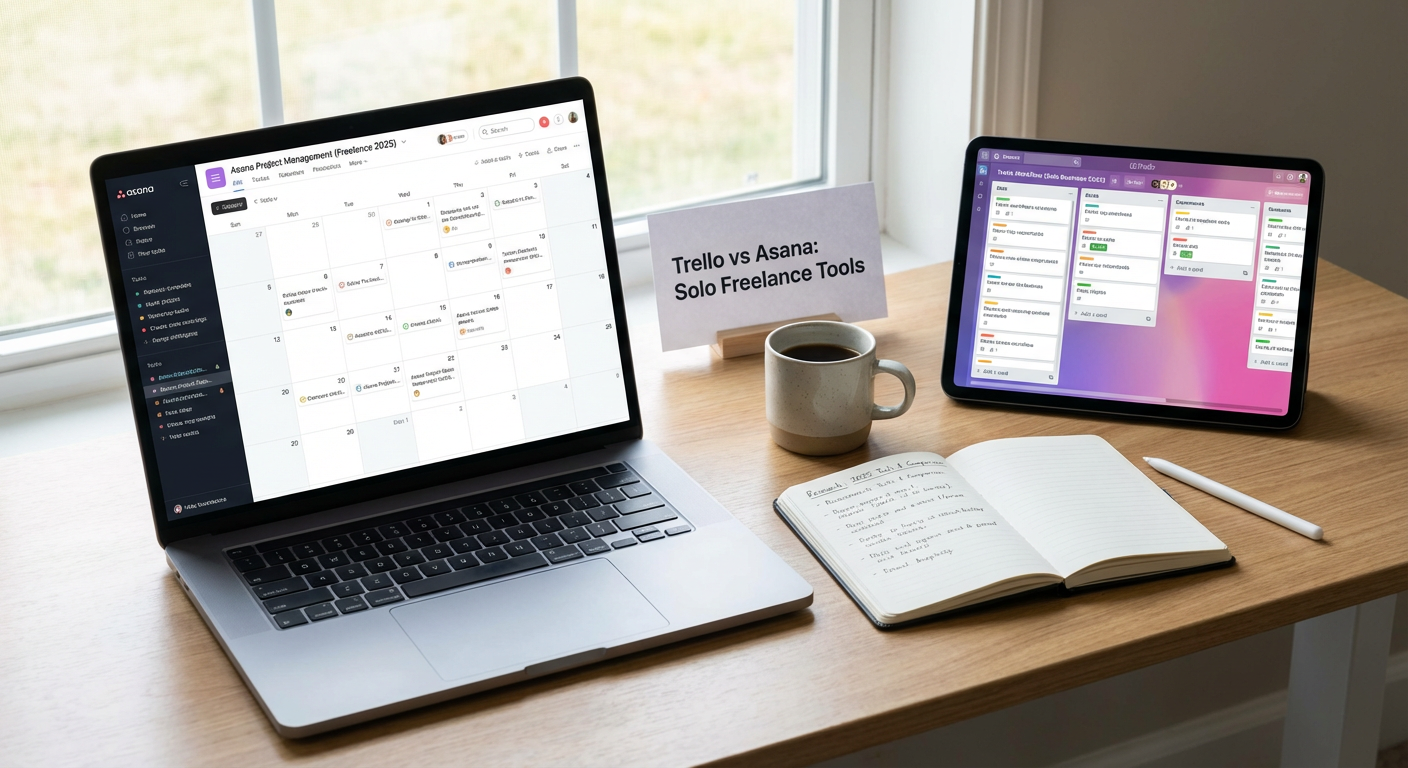
Trello uses a visual board system with cards that you move across columns, making it incredibly simple to grasp at first glance. Asana offers more structure with list views, timeline views, and task dependencies that help manage complex projects. For freelancers handling multiple clients with straightforward workflows, Trello wins on simplicity and speed. You can set up a board in minutes and start tracking work immediately.
Asana pulls ahead when projects involve multiple phases or when you need to see how tasks relate to each other over time. The learning curve is steeper, but the payoff comes in better planning capabilities. Both offer free tiers, though Asana’s free version is more generous with features for small teams. If you work alone and value visual simplicity, Trello is the better match. If you juggle complicated timelines or collaborate frequently, Asana provides more control.
- Google Workspace Versus Microsoft 365: Cloud Office Suites Reviewed
Google Workspace excels in real-time collaboration and simplicity, with Docs, Sheets, and Slides that auto-save and work smoothly across devices. Microsoft 365 offers more powerful desktop applications, particularly Excel and Word, which professionals in finance or publishing often require for advanced features. The pricing is comparable, with both starting around fifteen dollars per month for business accounts.
Google’s interface feels lighter and faster, especially on slower internet connections, while Microsoft’s apps provide deeper functionality that matters for power users. File compatibility can be an issue: clients who send complex Excel spreadsheets may find Google Sheets cannot replicate every formula or formatting detail. On the other hand, Google’s sharing and permission controls are more straightforward for quick collaborations. Choose Google if you prioritize ease of use and collaboration speed. Pick Microsoft if you need advanced features or work in industries where Office formats are the standard.
- Grammarly Versus ProWritingAid: Writing Assistant Showdown
Grammarly is the household name with a clean interface and browser extensions that work almost everywhere you type online. ProWritingAid digs deeper into writing style, offering detailed reports on sentence structure, readability, and overused words that appeal to serious writers and editors. Grammarly catches errors quickly and suggests improvements in real time, making it ideal for fast-paced work like emails and social media posts.
ProWritingAid requires more time investment because its reports are comprehensive, but this thoroughness helps improve your writing skills over the long term. Pricing differs notably: Grammarly costs more per month but offers a smoother user experience, while ProWritingAid provides lifetime licenses that save money if you commit upfront. For freelancers who write content professionally, ProWritingAid gives better value and deeper insights. For those who need quick grammar checks across various platforms, Grammarly is more convenient.
- Ahrefs Versus SEMrush: SEO Research Platform Comparison
Ahrefs built its reputation on backlink analysis and has one of the largest link indexes available, making it the go-to tool for link building research. SEMrush started with keyword research and competitive analysis, then expanded into content marketing and PPC tools, creating a broader suite. If your freelancing work focuses heavily on link building or analyzing competitor backlink profiles, Ahrefs provides clearer data and better filtering options.
SEMrush wins for freelancers who need an all-in-one platform covering SEO, content planning, social media, and paid advertising research. The interface is busier, which some find overwhelming, but the range of features means you can cancel other subscriptions. Both platforms cost over one hundred dollars per month at their entry levels, so the decision comes down to specialization versus breadth. Ahrefs is more focused and powerful for pure SEO work. SEMrush offers more versatility if you handle diverse digital marketing projects.
- Calendly Versus Acuity Scheduling: Appointment Booking Tools Face Off
Calendly made scheduling simple with a clean interface that integrates with Google Calendar and Zoom, letting clients book time without the email back-and-forth. Acuity Scheduling, owned by Squarespace, provides more customization options including intake forms, payment processing, and class scheduling that goes beyond one-on-one meetings. For freelancers who mainly need to schedule discovery calls and client meetings, Calendly delivers exactly what you need without extra complexity.
Acuity becomes the better choice when you sell time-based services like coaching sessions or consultations that require upfront payment. The ability to collect payments during booking reduces no-shows and streamlines your sales process. Calendly’s free tier is generous enough for many solo freelancers, while Acuity requires a paid plan to access most useful features. Consider your business model: if scheduling is just about finding meeting times, Calendly is sufficient. If scheduling is part of your sales funnel, Acuity adds more value.
- Notion Versus Evernote: Note-Taking and Knowledge Management
Notion combines notes, databases, and project management into a flexible workspace that you can customize extensively with templates and linked databases. Evernote focuses purely on capturing and organizing notes with powerful search capabilities and web clipping that saves articles for later reference. Notion appeals to freelancers who want one tool to rule them all, consolidating multiple functions into a single workspace that can serve as a second brain.
Evernote excels at quickly capturing information from various sources and finding it later through excellent search, including text within images. The downside of Notion is that its flexibility requires setup time and can feel overwhelming if you just need straightforward note-taking. Evernote’s interface has grown cluttered over time, and the free tier limits you to two devices. For freelancers who organize complex information and want customizable workflows, Notion provides more long-term value. For those who primarily need reliable note capture and search, Evernote remains solid despite its age.
- FreshBooks Versus Wave: Accounting Software for Freelancers
FreshBooks offers polished invoicing, time tracking, and expense management with an interface designed specifically for service-based freelancers. Wave provides free accounting software with invoicing and receipt scanning, monetizing through payment processing fees and paid add-ons. The free aspect of Wave is genuinely appealing for new freelancers watching every dollar, though you pay transaction fees when clients pay invoices online.
FreshBooks costs money from the start but includes time tracking, project management features, and better reporting that matters as your business grows. Wave feels more like traditional accounting software, which accountants appreciate at tax time, while FreshBooks prioritizes user-friendliness over accounting depth. For freelancers just starting out or with simple finances, Wave eliminates a monthly expense. For established freelancers who bill hourly or manage multiple projects, FreshBooks saves time and looks more professional in client interactions.
- Loom Versus Zoom: Video Communication Tools Analyzed
Loom specializes in asynchronous video messages where you record your screen and face, then share a link for others to watch later. Zoom handles live video calls with screen sharing, breakout rooms, and recording capabilities that make it the standard for real-time meetings. The core difference is timing: Loom eliminates the need to coordinate schedules, letting you explain things on your time and letting clients watch on theirs.
Zoom remains necessary for live client meetings, presentations, and any situation requiring immediate interaction and feedback. Loom shines for client updates, tutorial videos, feedback on work, and explanations that would take paragraphs to write but minutes to show. Many freelancers use both: Zoom for scheduled calls and Loom for everything else. Loom’s free tier is quite functional for solo freelancers, while Zoom’s free tier limits meetings to forty minutes, pushing most professionals toward paid plans. Consider Loom an addition rather than a replacement, as it solves different communication problems than live video calls.
- Canva Versus Adobe Creative Cloud: Design Tools Compared
Canva democratized design with templates and drag-and-drop simplicity that lets non-designers create professional-looking graphics quickly. Adobe Creative Cloud provides industry-standard tools like Photoshop, Illustrator, and InDesign with capabilities that professionals require for complex design work. For freelancers who occasionally need graphics for social media, presentations, or simple marketing materials, Canva delivers excellent results without the learning curve.
Adobe’s tools demand significant time investment to master but offer precision and features that Canva cannot match for detailed photo editing or print design. The pricing reflects this difference: Canva costs a fraction of Creative Cloud’s monthly fee. However, clients in certain industries expect Adobe-created files, and some print shops require specific formats that Canva cannot produce. If design is an occasional need rather than your core service, Canva makes sense both financially and practically. If you are a designer or work in fields where Adobe is the standard, the investment in Creative Cloud pays for itself through professional credibility and capabilities.
Selecting the right tools for your freelancing business requires looking beyond feature lists to understand how each option fits your specific workflow and budget. The comparisons above highlight that there is rarely a single best choice, only better matches for different situations and priorities. Start with the tools that address your most pressing needs, then expand your toolkit as your business grows and your requirements become clearer. The money you invest in the right software pays dividends in time saved and professional results delivered.